Hello,
Please go to EventON > EventTop > remove Event Time and Event date block. Next go to EventON > EventCard Design > remove Time.
Replies for tickets on suppota
Hello,
Please go to EventON > EventTop > remove Event Time and Event date block. Next go to EventON > EventCard Design > remove Time.
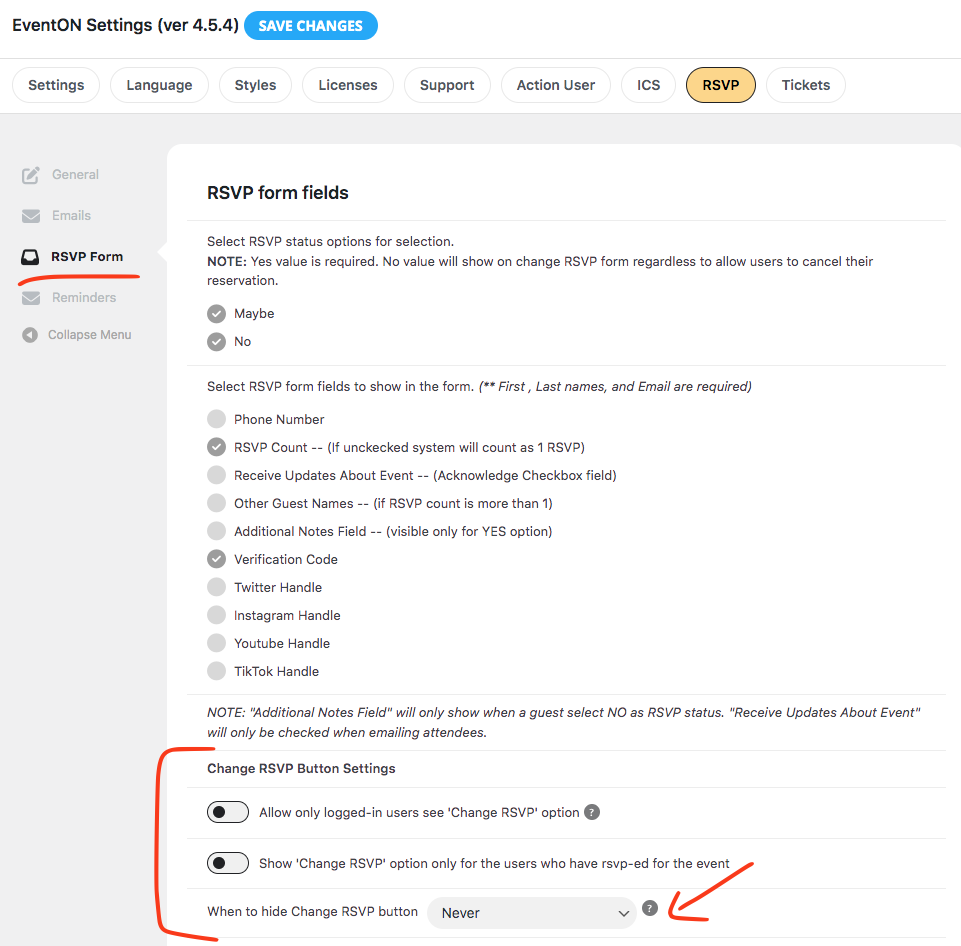
Actually, scratch that idea I am going to add this to RSVP Settings, so this can be set site-wide and not have to worry for event to event basis 🙂
Namaskar Cristiano!
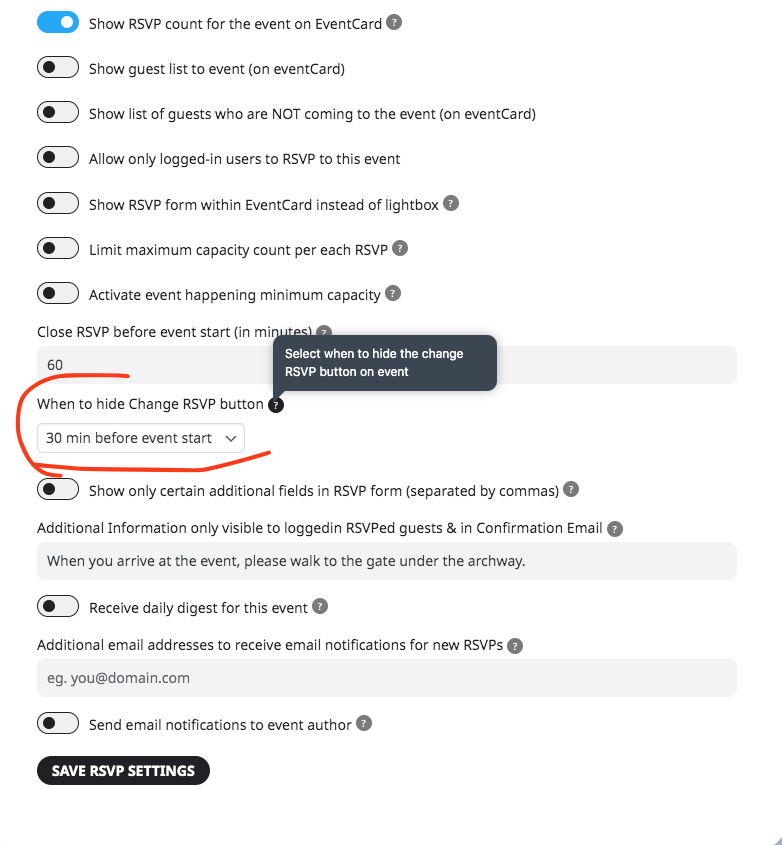
Ok I listened and will be adding this hide change rsvp option to event’s rsvp settings! Will look like this 🙂
https://theeventscalendar.com/ has the option and will send the tickets individually…and uses Woo
Now is perfect, but I would like to have 2 columns. in left side the upcoming events and right column with the past events (in descending order, I mean, first december, then november below, then octuber and so on.
The test is perfect, I would also like the preview image in every event.
Could you tell me what was wrong in my code compared to yours?
Hello,
https://hans.demo-websiteforyou.nl/wp-admin isn’t working. Could you send us the correct website?
Could you also try EventON > Scripts & Styling > turn off Write dynamic styles to header > save settings > turn on Write dynamic styles to header?
Hello,
Please comment the code and then go to EventON > Appearance > Event Top > change Event Title font color. If you don’t see any change, EventON > Scripts & Styling > turn off Write dynamic styles to header > save settings > turn on Write dynamic styles to header.
Hello,
I need to login to check this part. Please send us wp-admin access to your site as a private message for us to further assist your situation.
Hello,
I cannot access wp-admin:
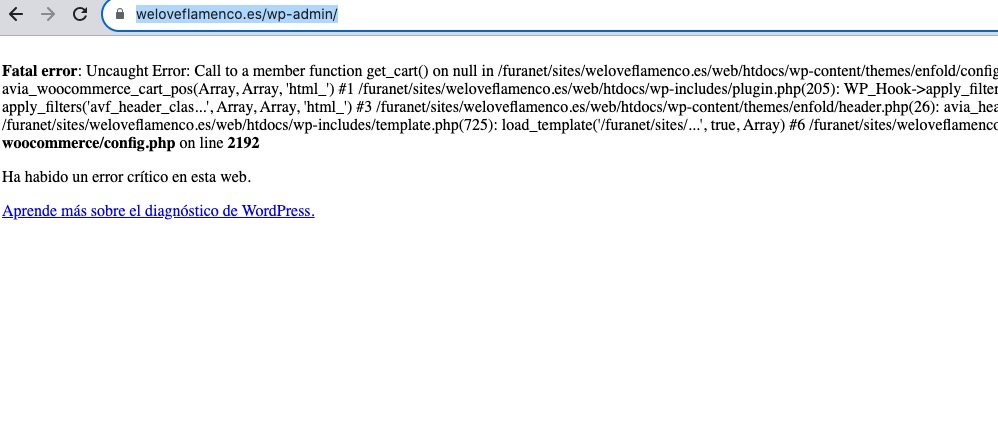
Could you check?
Hello,
add_eventon_list doesn’t work with month_order, please use add_eventon_el instead:
[add_eventon_el number_of_months=”24″ month_order=”DESC” event_order=”DESC” hide_empty_months=”yes”]