Please give a try now.
Archives: Replies
Replies for tickets on suppota
Reply to: tickets(330934)
Ok Sounds like a plan 😉
Reply to: tickets(330173)
Just make the change in your code. I like your idea of another option for when to hide change rsvp option. Will see if I can implement that in the next update so look out for that setting 🙂
Reply to: tickets(326205)
You only have 76 events so I dont think those post meta data could come from eventON events. May be other stuff I am not sure.
I havent switched to troubleshoot mode. This is a huge mystery Morten 🙂
It kinds of looks like something is holding off the ajax requests.
Hmm I wonder, if we do go to event edit page and then you will see “Event Manager” button and when you click that, then a lightbox of event edit options comes up. So the event edit information is not loaded on page load but only when requests.
Would that sort of work flow work for you?
Reply to: tickets(330115)
Yes try with hosting company and see if you can edit it in php.ini setting it in wp-config may not have much effect since it is still giving a memory error.
Reply to: tickets(331626)
thank for reply but i think there’s a misunderstanding. i try to write in a better way.
Now i can display the list of events from an event type grouped by month. what i need is a way to limit the occurences of the event with the same location. So example limit 2 event per loction means that in the list of event of the last month the number of the event from the same location is 2.
Example these are the events for november:
- Event A in November from Location 1
- Event B in November from Location 1
- Event C in November from Location 1
- Event D in November from Location 2
- Event E in November from Location 2
- Event F in November from Location 2
- Event G in November from Location 3
- Event H in November from Location 3
- Event I in November from Location 3
- Event L in November from Location 4
- Event M in November from Location 4
Whit a limit of 2 per Location, i would like to display only these:
- Event A in November from Location 1
- Event B in November from Location 1
- Event D in November from Location 2
- Event E in November from Location 2
- Event G in November from Location 3
- Event I in November from Location 3
- Event L in November from Location 4
- Event M in November from Location 4
Reply to: tickets(331466)
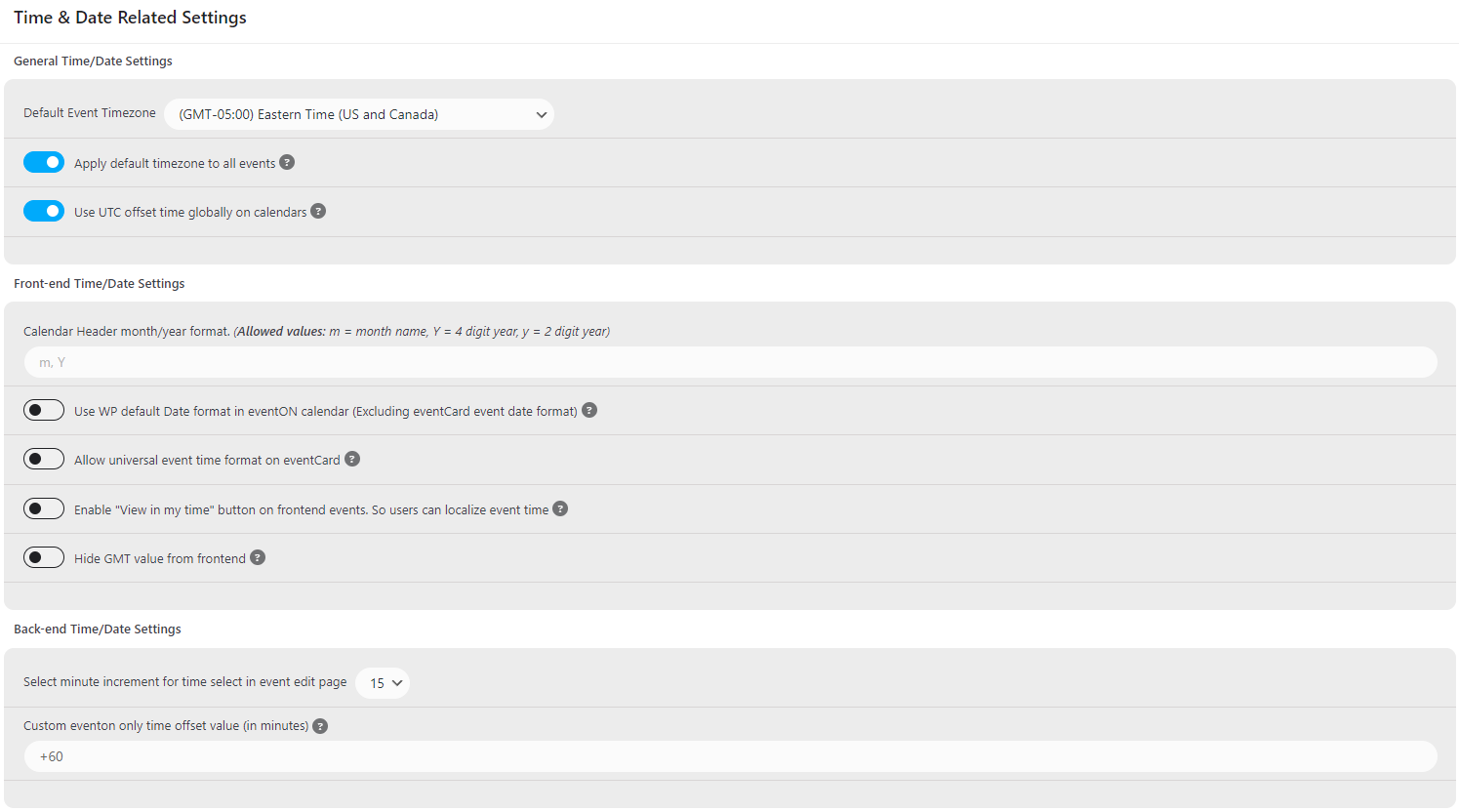
Attached are the time settings for our integration. We’ve also tried to select the “This event is affected by daylight savings time” on the specific event page to see if that altered our ICS files, but it did not.
Reply to: tickets(331466)
Hello,
Neither of the solutions provided above are working. Anything else in mind?
Reply to: tickets(331593)
Hi Artem,
I know how to add the code, my question was regarding the working of the code:
Do I have to modify the code somewhere? Does it send the ticket to the customer regularly as well? Because only a specific address should get it in bcc.
The Title of the documentation is “how to send mails as bcc”, but I cannot find where to define the bcc address and i want to make sure that customer receive the mail regularly.
Reply to: tickets(329912)
https://puoy.travel/wp-admin
help@eventon.it
QGg5dt7rlFL@v@umgfx%o9FD