I had a look at your test event and this is not a real-world situation. I have done more extensive testing and I feel I have isolated when the email is incorrectly sent. This was identified on my most recent test that has dup5 in the name. I created a new event using the new event function rather than our preferred duplicate event method. The event was published with the ticketing function turned on with stock managed is on. That step is fine. I then changed this event to a repeating event and added another date with a time period and updated this. That step was fine. I then went back to the ticketing settings to “Manage capacity seperate for each repeating event” and changed the total stock from 10 to 20 and made each the 2 events 10 tickets each. When I updated these last changes it sent an email. I did not change any email settings during this process of testing. We do not want to send any emails like this. Please help.
Archives: Replies
Replies for tickets on suppota
Reply to: tickets(330619)
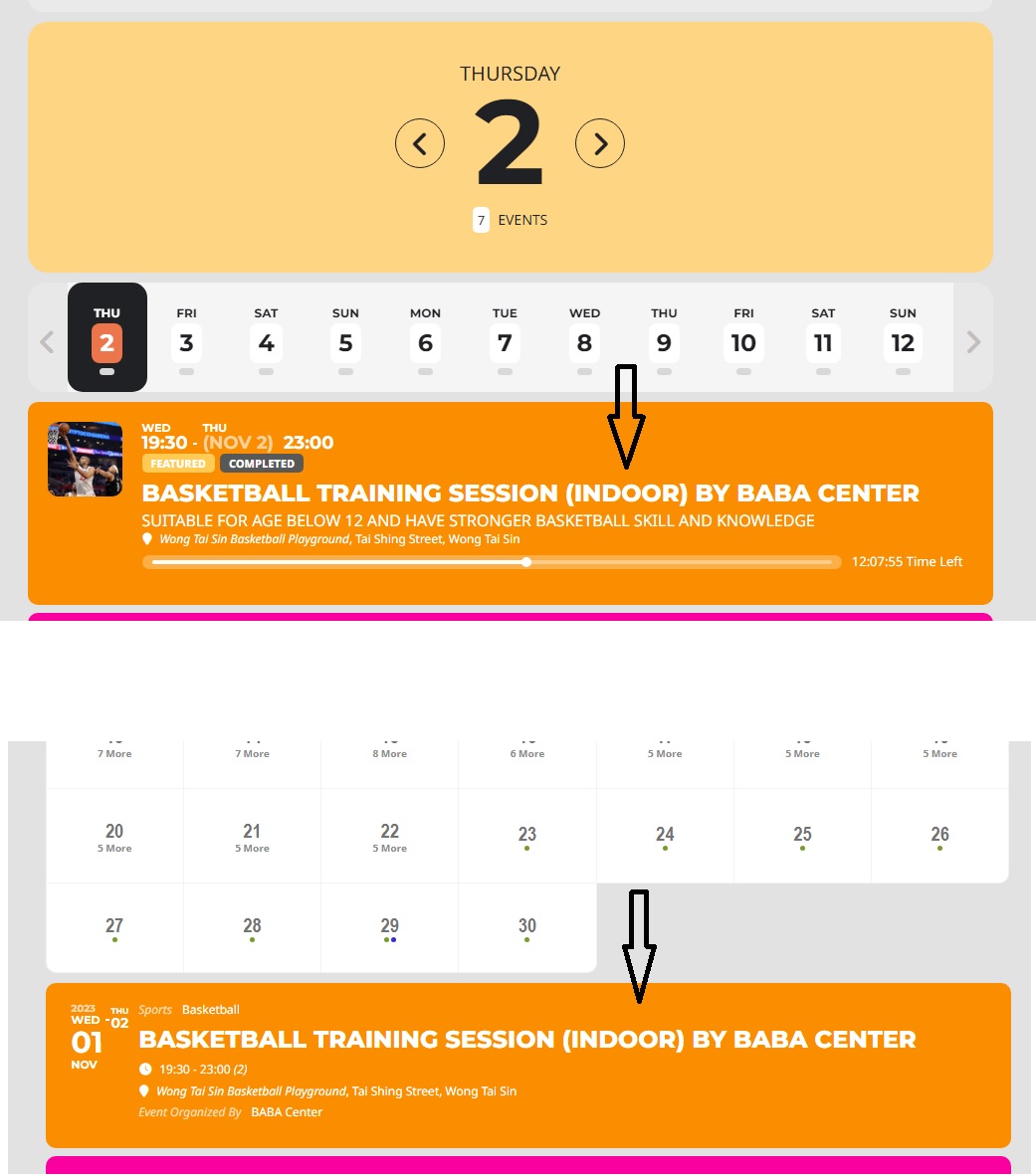
Reply to: tickets(330588)
Please try:
https://ayupulse.org/wp-admin/
User: eventon
Pwd: tuDP)&1sk$vpe00DNzgD@1l^
Reply to: tickets(329735)
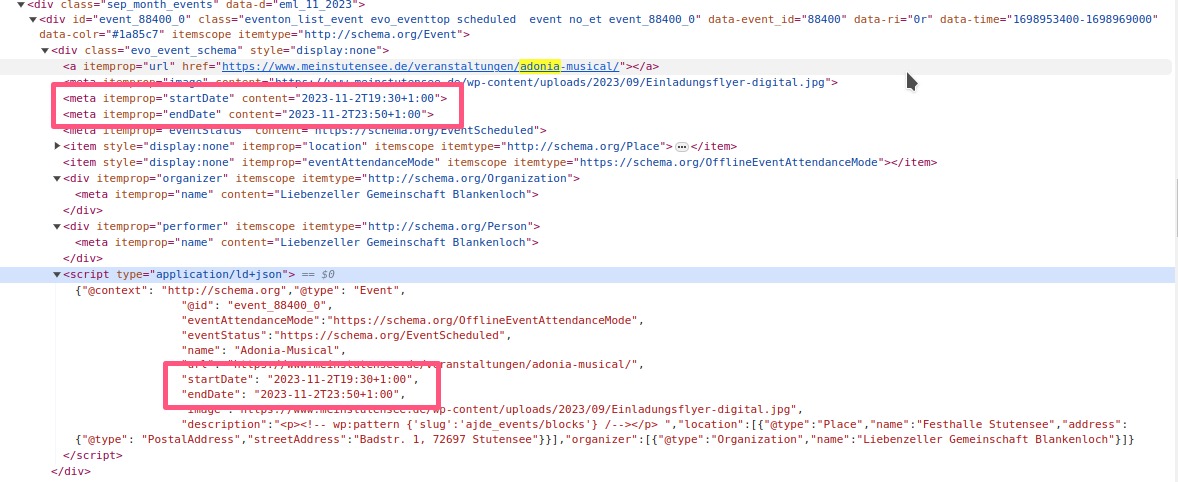
Reply to: tickets(329735)
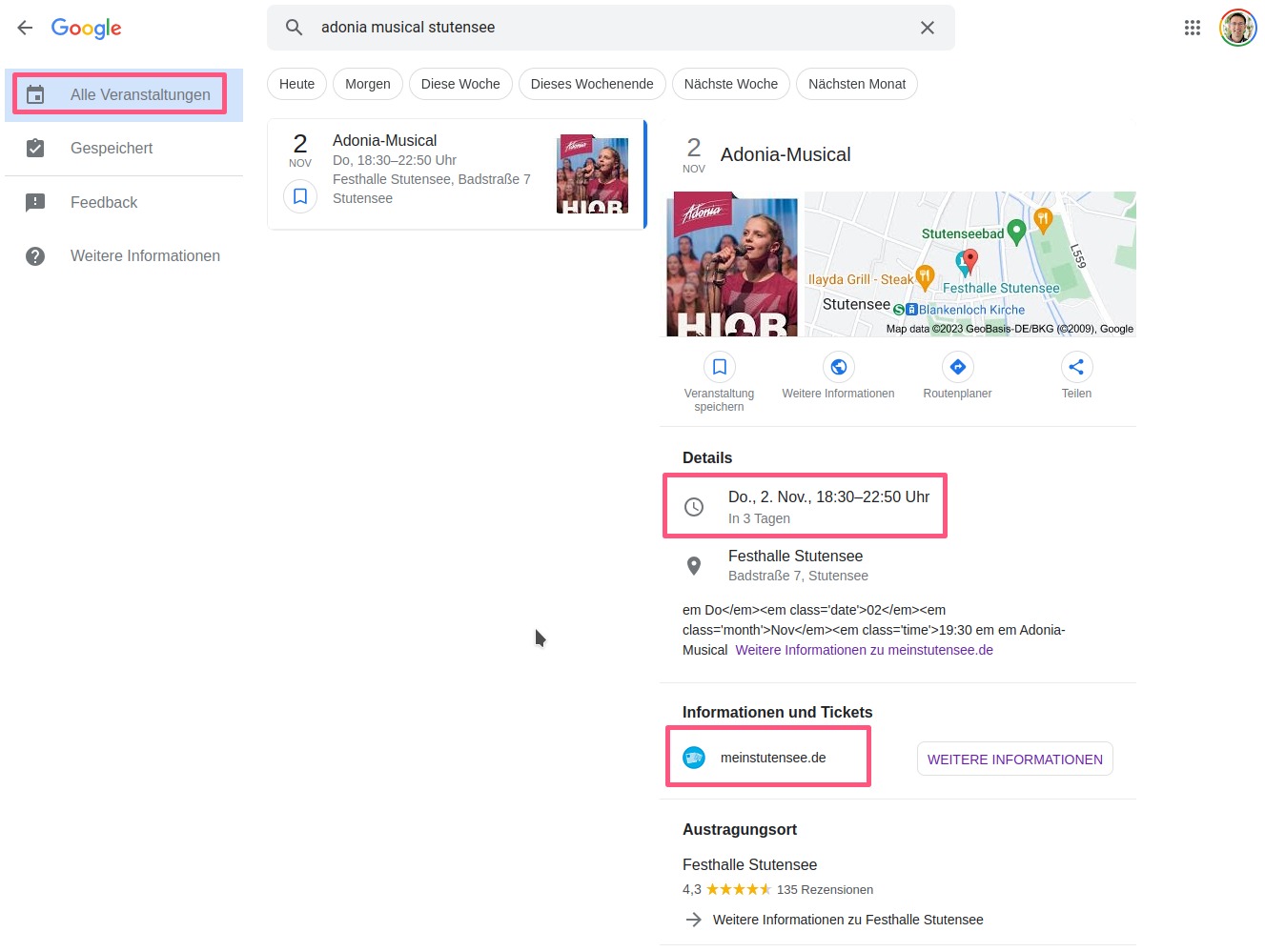
However the API says 18:30 and what’s more important, the scraping of the event by the Google Bot and the display as event in Google events hints for a problem in the way the time zones are handled.
Reply to: tickets(329735)
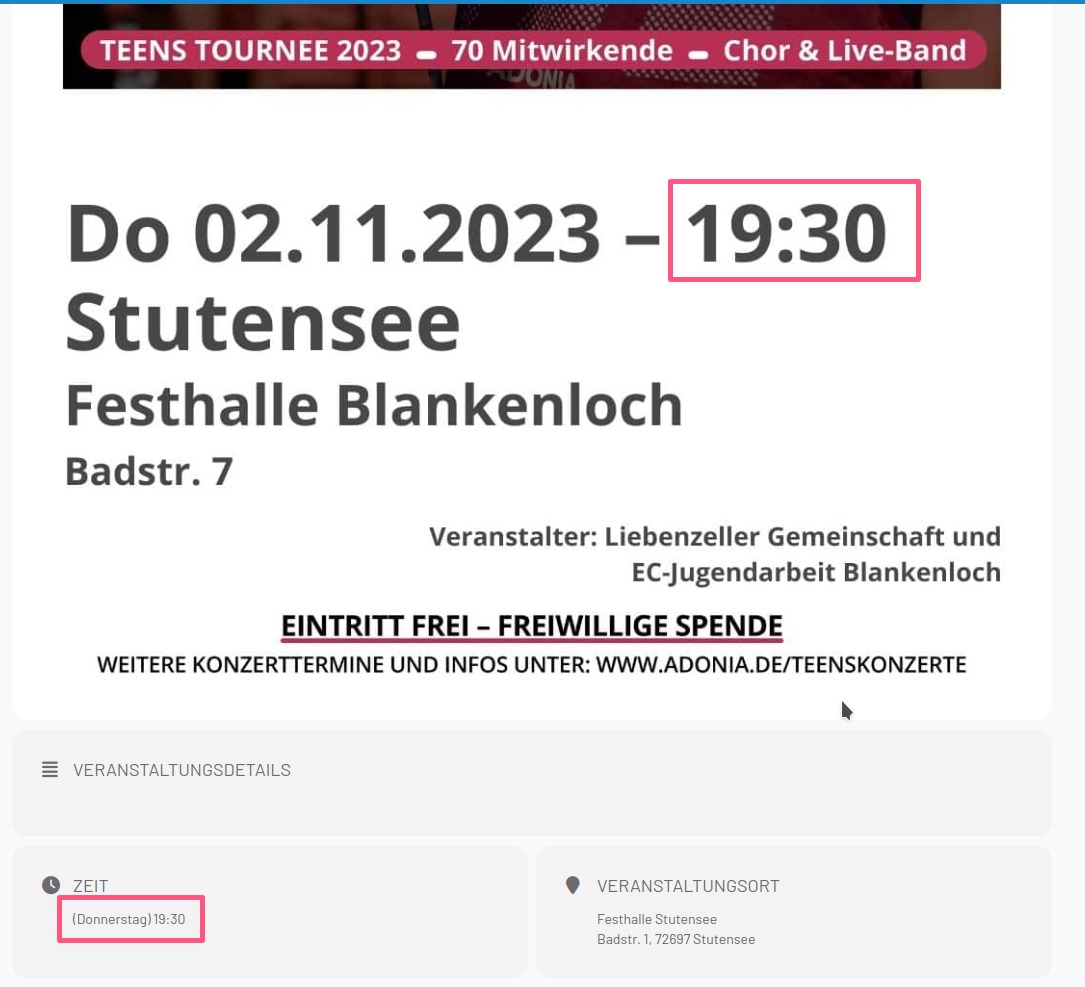
We found out another strange behavior in terms of time zone handling.
We have on event where the frontend in the web says 19:30 as starting time.
Reply to: tickets(330115)
Hi Artem – thanks !
Meanwhile I have sent the debug.log to the hosting provider – still waiting for an answer.
But let me ask again why everything works with “eventon lite” – no issues there at all?
Thanks again for all your support 🙂
BR, Martin
Reply to: tickets(330588)
This ticket is private.
The login pair is incorrect:
Error: The password you entered for the username eventon is incorrect. Lost your password?
You have 3 login attempts remaining.
As for the issue, please go to EventON > Event Top > add Event Image to the fields area.
Reply to: tickets(330590)
We are glad your issue is resolved, if you have any further questions or concerns please create a new ticket.
If you have a moment, we would greatly appreciate if you could kindly leave us a review at myeventon/my-account!. Cheers!
Reply to: tickets(330590)
Worked, thanks.