Thank you for your messages, I am going to assign this ticket to Ashan and he will be able to take it from here and find you a solution. Please allow some time for him to get back to you, we greatly appreciate your patience and thank you for being a eventon customer! Also please disable any IP blocking on your site if there are any.
Archives: Replies
Replies for tickets on suppota
Reply to: tickets(329735)
Any news here? I am still waiting for help.
Reply to: tickets(330236)
Images aren’t supported, I am afraid:
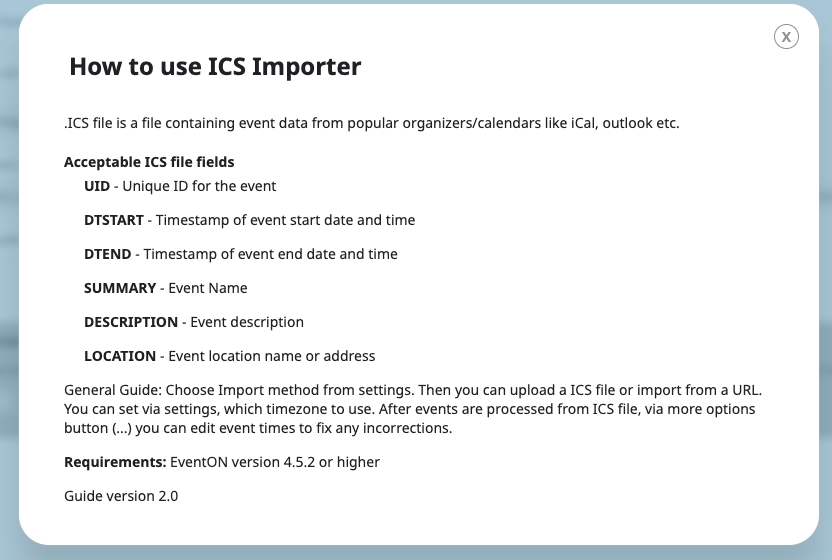
Please follow
https://docs.myeventon.com/documentations/add-support-additional-ics-fields/
Only 1 file URL to upload for now. However please create a new ticket and select Feature Request as category so others can vote on your idea and get it moved into development faster.
Reply to: tickets(330173)
Also make sure that Edit Event > Time Settings > Timezone is also correct: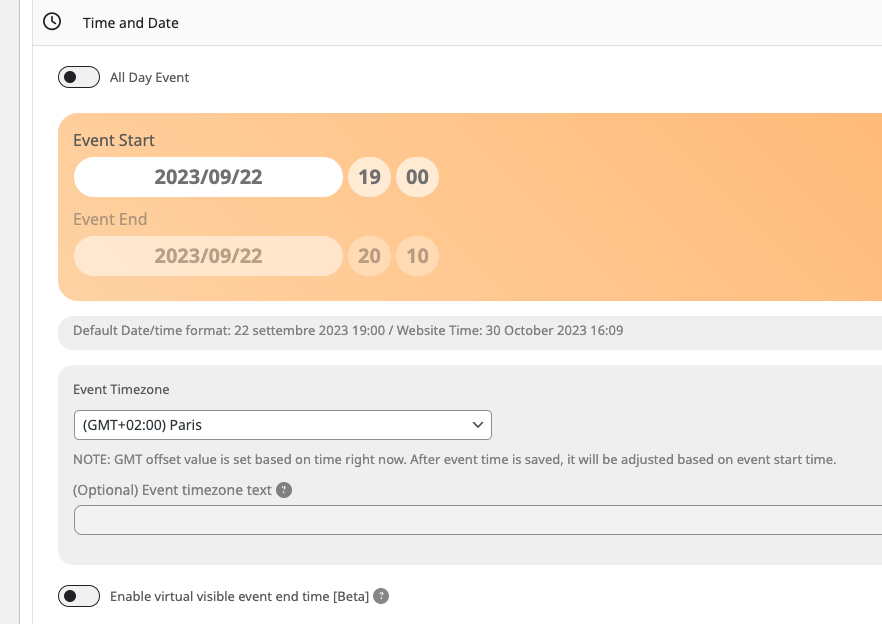
This event:
https://jhanaloft.com/wp-admin/post.php?post=7299&action=edit
I just noticed that your version of RSVP is outdated. Please update RSVP to 2.9.7.
To update eventon addons: You can download latest eventon addons from myeventon > my account. Then you can go to your website, deactivate old addon and install new one and activate then delete the old addon. This link will further explain the process. Also you can follow us on twitter to get real-time announcements on updates!
Reply to: tickets(330301)
Updated from which version of the plugin?
Reply to: tickets(330311)
Hello,
Are you referring to this:
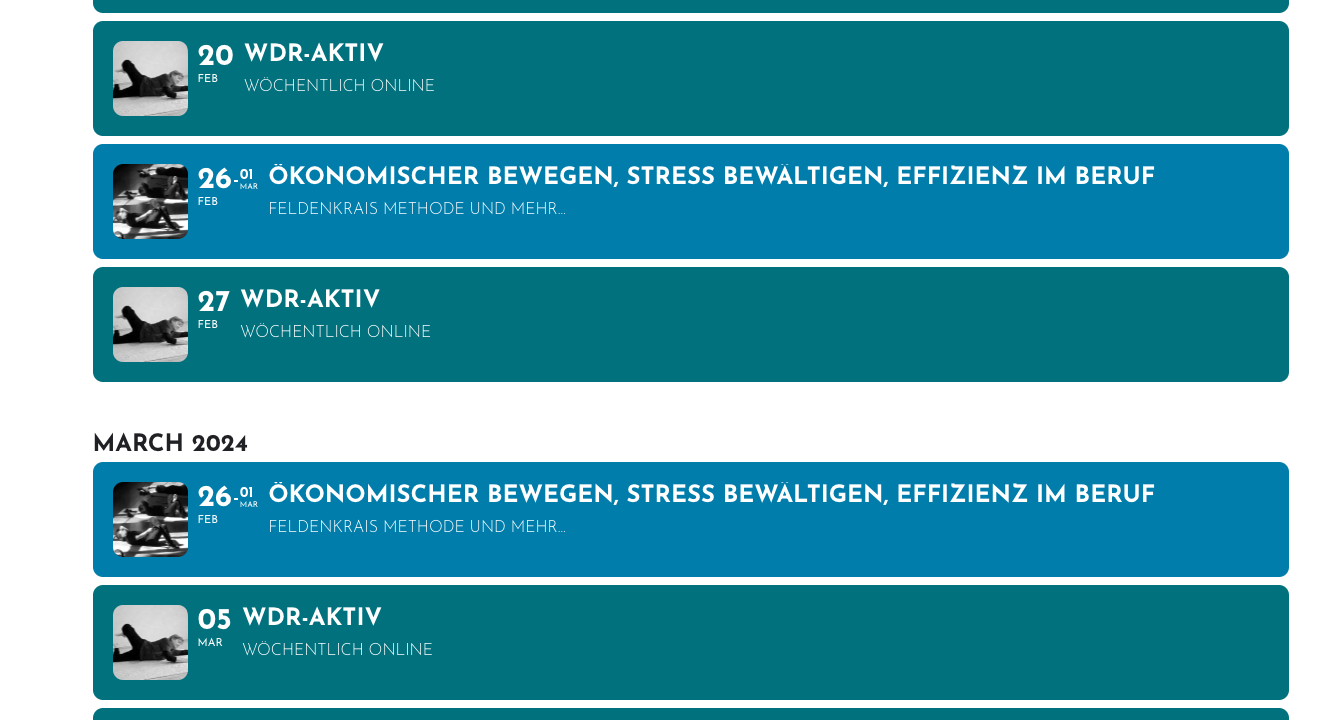 Please send us wp-admin access to your site as a private message for us to further assist your situation.
Reply to: tickets(330221)
1. The only way of changing this is to customize the code. Please try following
https://docs.myeventon.com/documentations/customize-eventtop-date-format/
However, it seems that it’s not possible by using the guide as well.
Unfortunately, such customizations is against CodeCanyon’s Support Policy.
2. There is no padding on my side. Have you managed to change this?
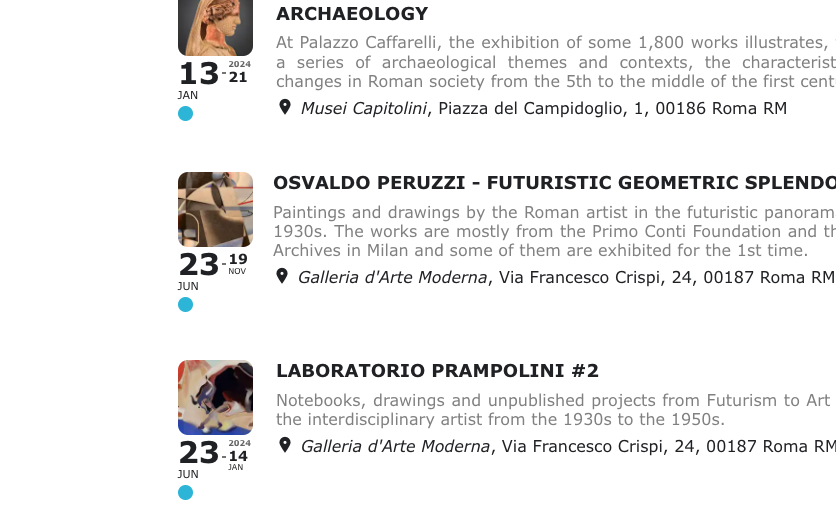
3. Please try following the guide from 1 and add the end month to the ‘end’ array.
Reply to: tickets(330137)
This status ist already set
Not sure what do you mean. Could you elaborate?
Please disable the settings, like this:
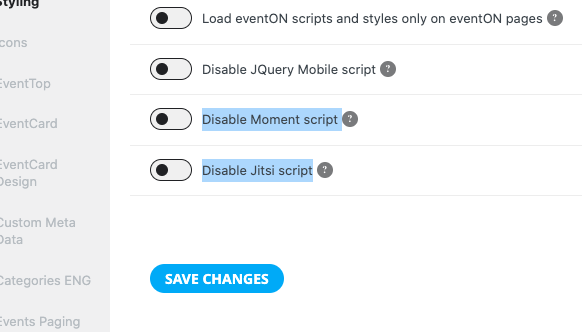
To ask the developers of the caching plugin, which of YOURs JS & CSS files makes no sense at all in my opinion
The caching plugin takes files from all third-party plugins and the theme and then combines and minimizes them. EventON cannot just tell the plugin what to do.
Reply to: tickets(329633)
Hi Infotainerdave,
Thanks for the message.
I’ve removed the duplicate event_type and re-typed all ” marks to be the same as you described.
Unfortunately i can still create events that don’t appear – unless i pick the room i want from the category bar.
Regards
Neil
Reply to: tickets(330286)
HI Thanks for the quick response !
I have all the combinations I need – see screenshot:
https://helpdesk.ashanjay.com/ticket/ticket-variations-not-working-looks-like-there-is-a-java-script-error-unreachable-code-after-return-statement-tx_wc_variable-js1935/
Here is a user where you can check :
eventon-dev
2A&mL7L#JI2GnL*$@l)iezRP
Please be careful as this is prod system:
I created a new event
Permalink: https://sam-dogs.ch/events/test-marcin-variations-do-not-use/