Hello Artem,
yes, the test with 9999 is working. But when I am back to “just” 60 minutes it doesn’t.
Your a account is still active:
Username: EventON
Pwd: EventONx$1
Login: https://jhanaloft.com/wp-admin/
Thanks
Replies for tickets on suppota
Hello Artem,
yes, the test with 9999 is working. But when I am back to “just” 60 minutes it doesn’t.
Your a account is still active:
Username: EventON
Pwd: EventONx$1
Login: https://jhanaloft.com/wp-admin/
Thanks
Thank you, I will talk to the hosting provider and will close it here at the moment. Thanks for your support
Hi,
thanks for your message.
The CachingPlugin is disabled.
Best,
Martin
I changed it to a public address. nada doesn’t work
Hello
Thanks for your guidance!
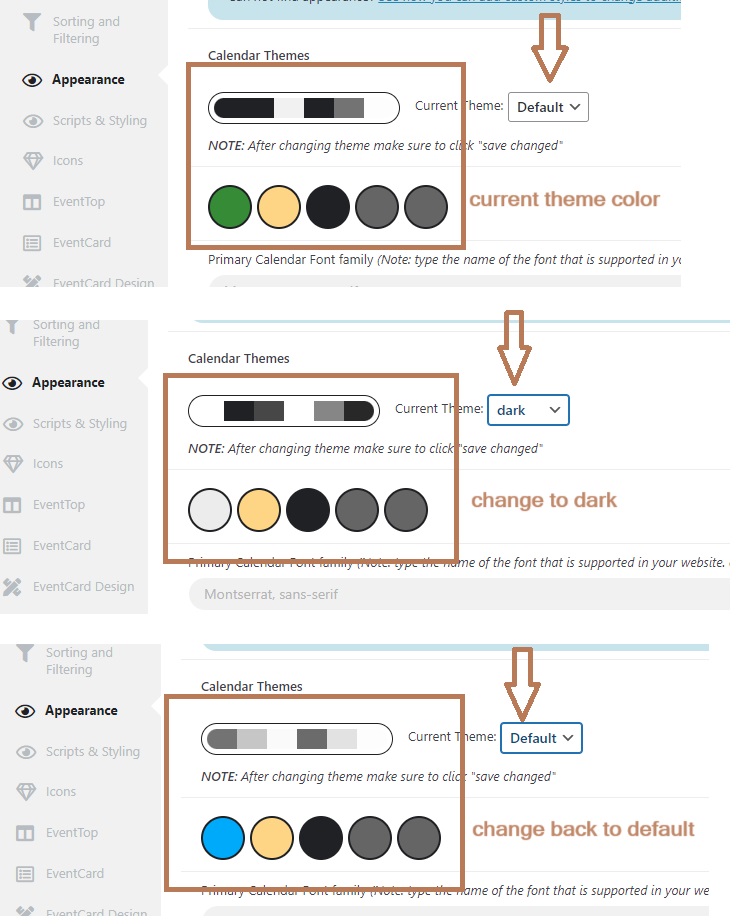
The default and dark color theme looks strange. The current default color theme I am using looks like a dark theme tone but actually the color theme on the website calendar is default (lighter) theme. When I select “dark”, then yes it goes to dark color theme. But when I switch “default” again, the theme color is back to correct tone, which is lighter color theme. Please see attached image.
(I didn’t click save for above trial, I just switch between default and dark to show you what is happening)
I won’t click save for above trial since all the setting I made may be gone. I will follow your instruction to try again.
Thanks!
Ok I went into your site I can access the ics file if I go to the url direct, but the wp_remote_get can not access it.
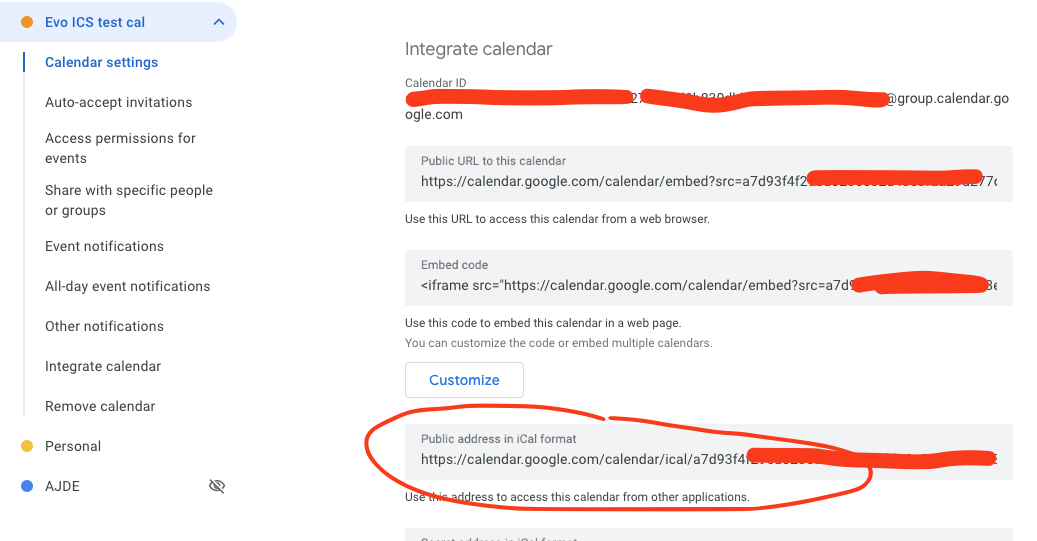
Can you try going to your google calendar settings > get the Public address in iCal format and use that and try?
So we are using wp_remote_get() to fetch ICS content from outside. If the function is not able to fetch it then its throwing that error. 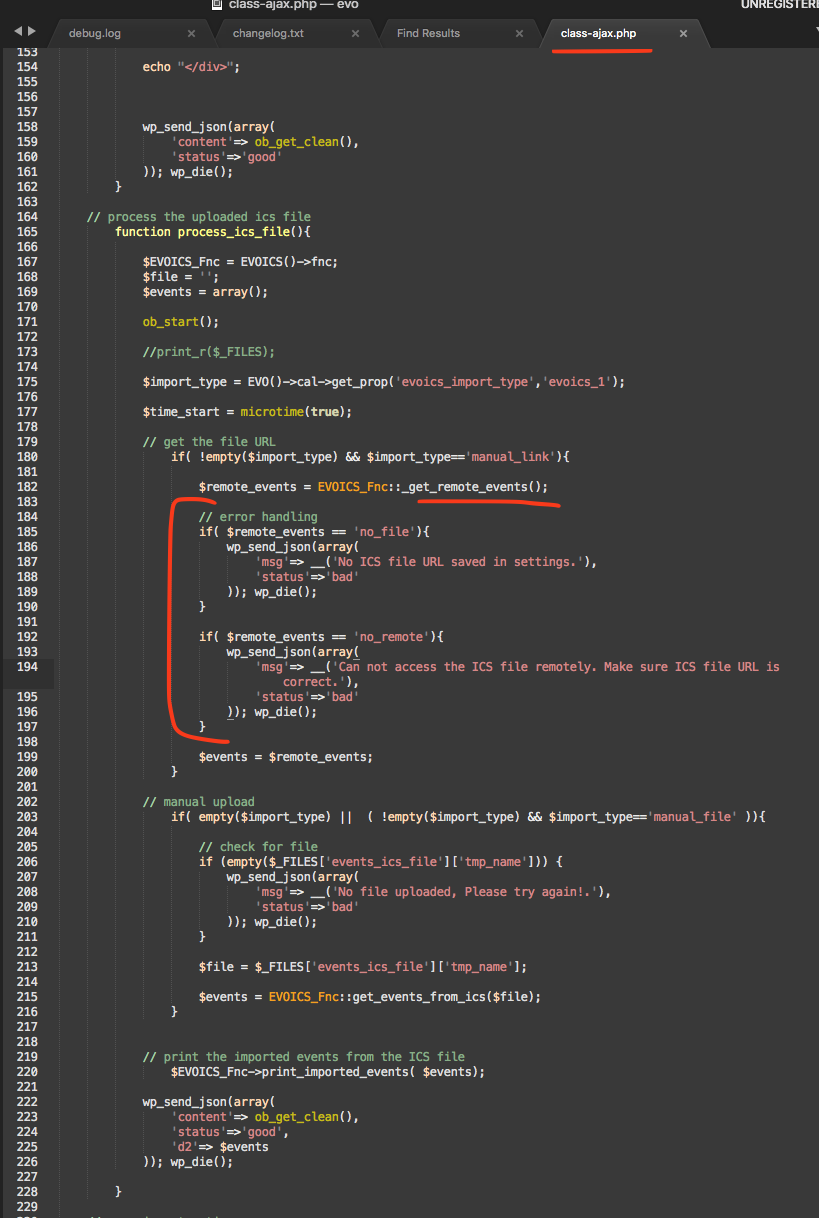
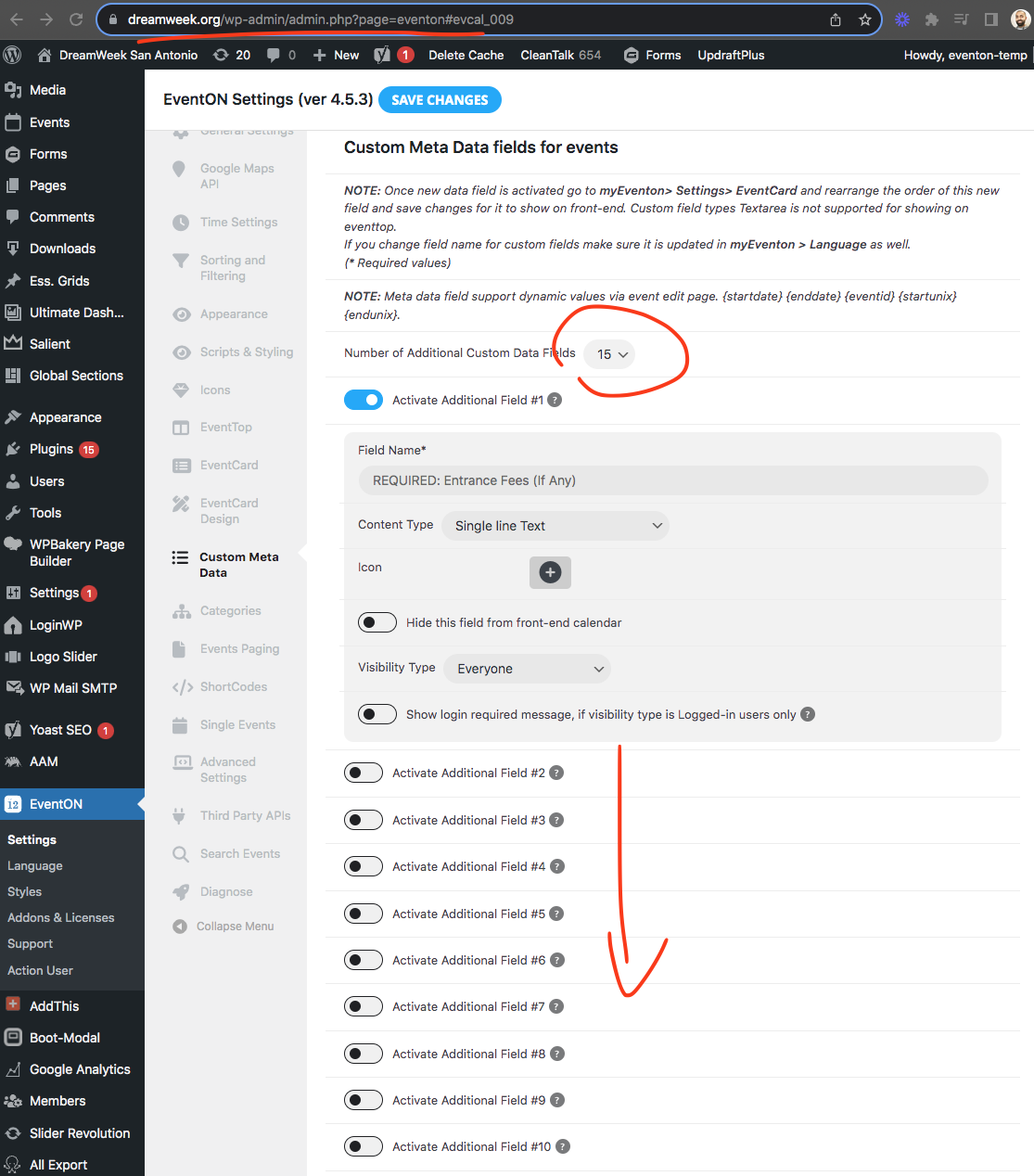
If I go to your website back end I can see all these 15 custom meta fields. The event data saved on those custom meta fields should be saved under event’s post meta values. And once the custom meta fields are activated those already saved meta data will show up.
Hello,
There is an js error that is coming from one of our files, but files are cached:
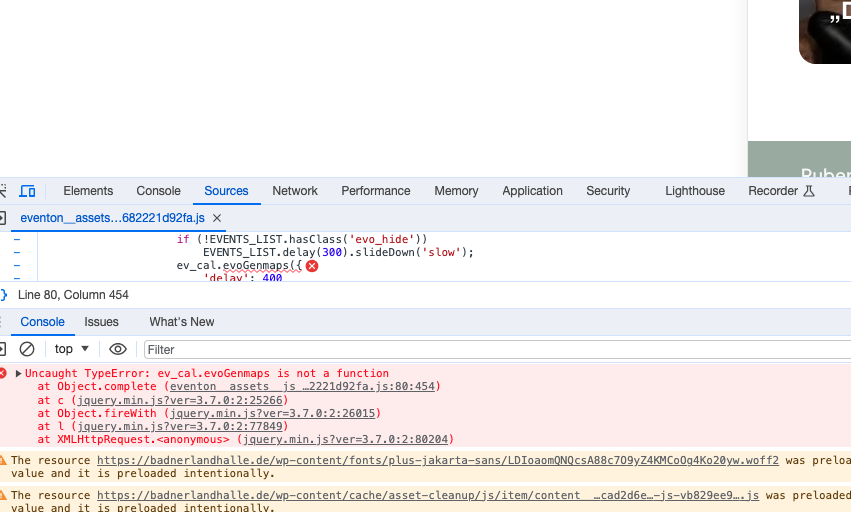
Could you try disabling the cache plugin?
Can we try disabling plugins and switch the theme, but it will affect the website.