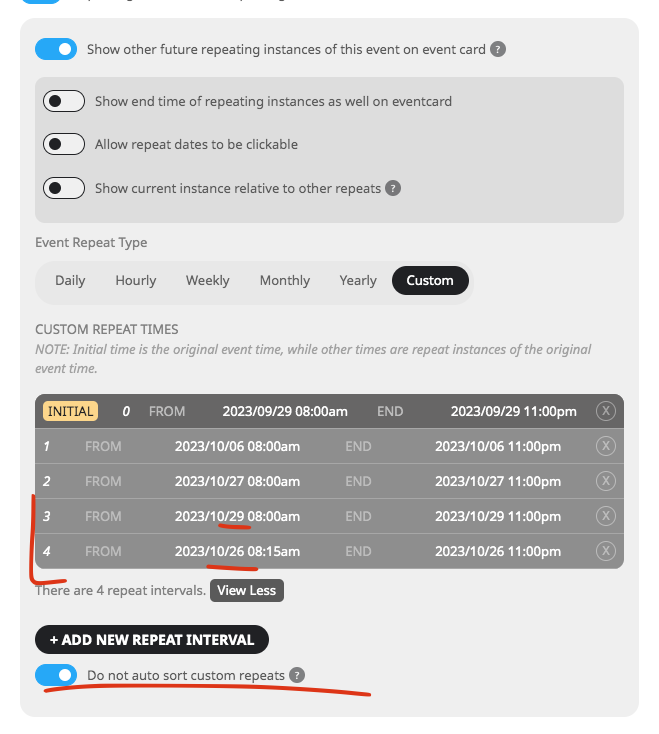
Yes in the event card dates will appear as in the order added. Not sorted by date. Will see if I can make those sort by dates on frontend. while maintaining the backend integrity.
In the next version 4.5.3 the repeat settings will look like this. with a new check box allowing you to maintain repeat index association.
We are glad your issue is resolved, if you have any further questions or concerns please create a new ticket.
If you have a moment, we would greatly appreciate if you could kindly leave us a review at myeventon/my-account!. Cheers!
Not sure why but Loco Translate only works when you select Custom:
https://localise.biz/wordpress/plugin/beginners#add
Could you try changing it on the current file?
Not at the moment, I am afraid. However please create a new ticket and select Feature Request as category so others can vote on your idea and get it moved into development faster.
Hello,
There is some kind of lazy loading functionality for images on the server:
 Could you try disabling it?
Trying, thanks for your help. Confirming
Thanks
I had seen those options, it is just missing a ‘modified date’ option for my plans, is this something that could be easily amended in the code?
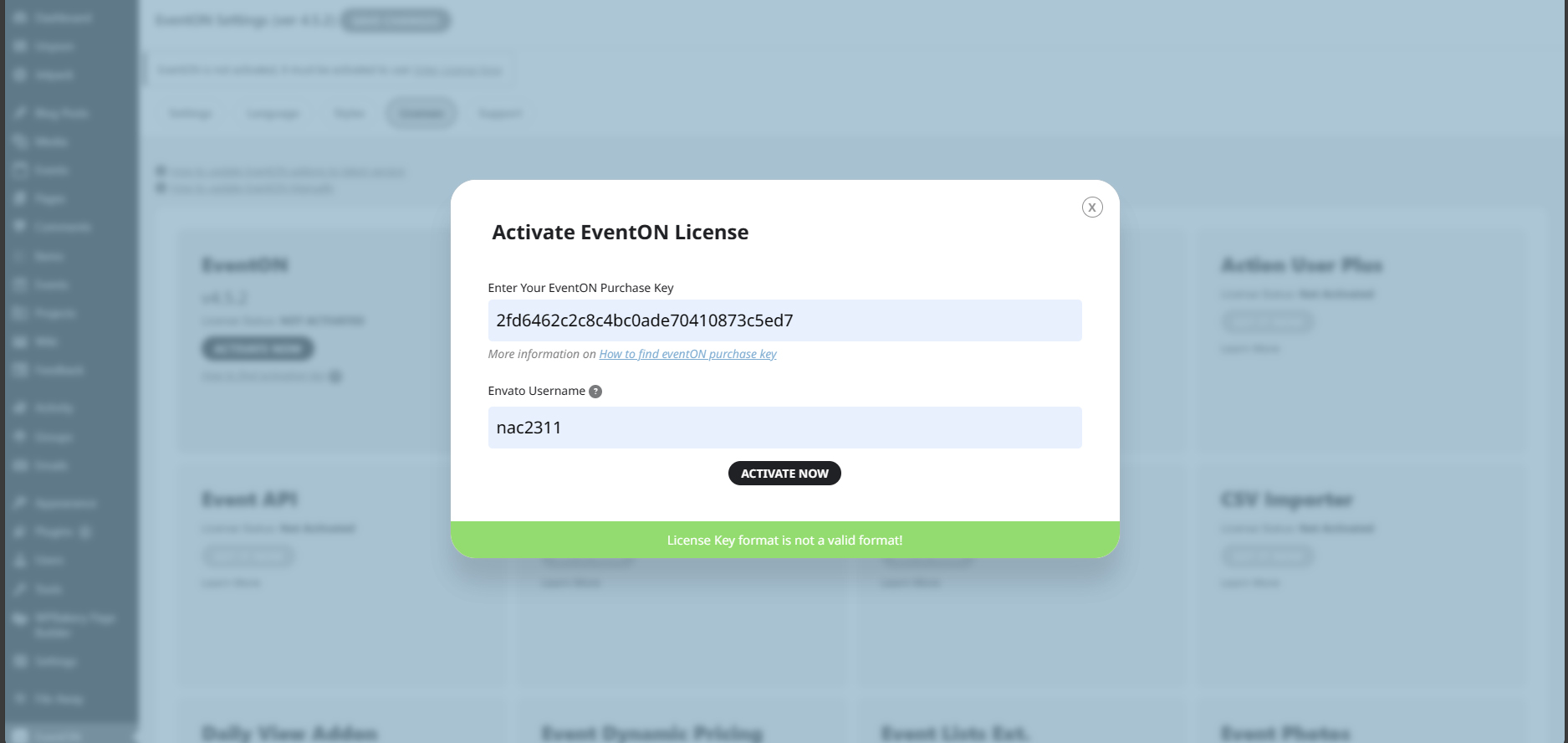
Just for your information, here’s my licence details:
Licensor’s Author Username: ashanjay
Licensee: The Right Consultancy Ltd
Item Title: EventON – WordPress Virtual Event Calendar Plugin
Item URL: https://codecanyon.net/item/eventon-wordpress-event-calendar-plugin/1211017
Item ID: 1211017
Item Purchase Code: 2fd6462c-2c8c-4bc0-ade7-0410873c5ed7
Purchase Date: 2023-10-17 12:42:06 UTC
And here’s what i get <<see image>>
How did you fix?
I have now removed the old po generated files in order to start with a fresh copy,
As a result, now I’m facing the same issue again.