Try adding this to the shortcode to change tile’s height:
tile_height=”200”
Replies for tickets on suppota
Try adding this to the shortcode to change tile’s height:
tile_height=”200”
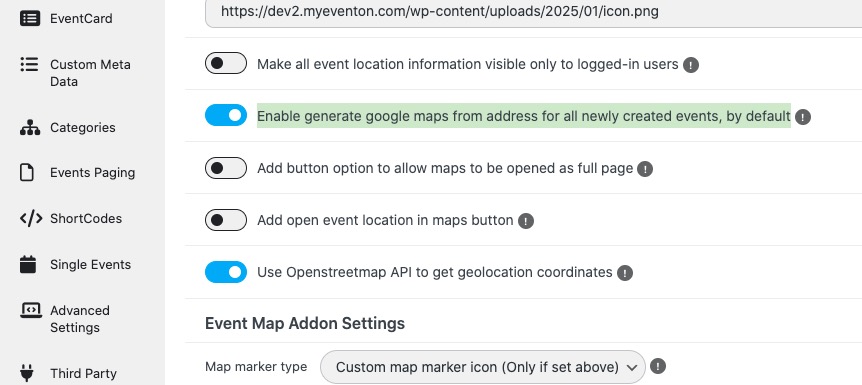
With enabled ”Enable generate google maps from address for all newly created events, by default” and ”Use Openstreetmap API to get geolocation coordinates”, Lat/Lon values should be created automatically.
Now it says:
Password is incorrect. Please try again.
Could you check?
Hello,
No, in fact we would love the guest list to remain visible but it is not. Once the 120 mins are reached and the RSVP form disappear, the list disappear as well.
Thank you.
Hello, where can I download RSVP 3.0.12 ?
I am not a professional programmer but have a little knowledge. I just compared the RSVP email code and the way that it checks the NOTIFICATION status to decide to send the notification emails is different in two versions. And I just reverted to the old version without touching anything else and the notification emails started to work perfectly. I think the new code has a glitch.
Again, I do not see mayself in a position to talk about coding in front of you experts. I am just sharing what I experienced. Hope it helps.
OK, how do you generate long/lat values on the front end when submitting events through action user?
Hello Mike, we are testing this out. and it is working fine on our end so we are trying to find what might be causing this. In the mean time kindly downgrade to RSVP 3.0.12
Hello Artem,
how are you? Is there any further information that I can provide? Please let me know, if I can change the login data please.
Best wishes
Johanna