Please send us wp-admin access to your site as a private message for us to further assist your situation. should be a quick solution just need to check some settings
Archives: Replies
Replies for tickets on suppota
Reply to: tickets(329109)
I’d stay away from avarda or it might be avada that is not built on wordpres standards all the time and creates conflicts from time to time
I use xtheme pro however there is a bit of a learning curve for that one (took me 2 months of work to understand it) theres lots of options however their helpdesk is very active and pretty fast
I always find using a page builder to make the content of the event not that good- I always use the default editor when creating events
what issues are you having we can take a look- it could be something simple, if you are talkign about the pre made pages like the event types and locations- many customers simply create their own page and use the shortcode generator to create a page for a location or event manager or event type and that allows you to control exactly how it looks
Reply to: tickets(329111)
are there any spaces when you are pasting it in
and what is it you are activisting- the eventon full or one of the addons
Reply to: tickets(328974)
oh Man… you are my hero… thanks thanks a lot…. last thing … could you tell me how I can set the numbers in red color, on the event cart…. Itried theid but I am so cleaver to do find the right setting… or if you need to do a css please feel free to update … I trust you better then my brain …
Ciao
Erik
Reply to: tickets(329106)
Reply to: tickets(328701)
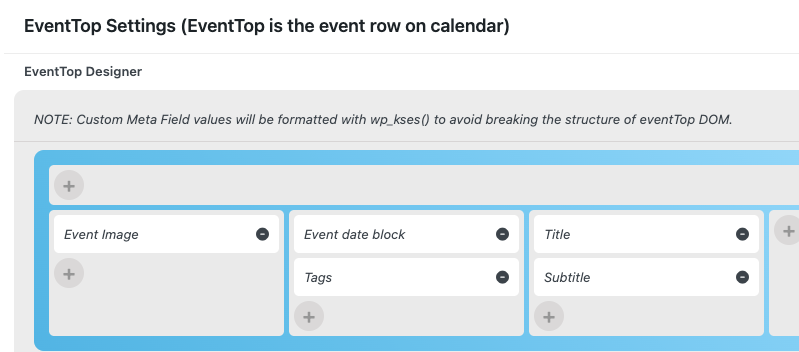
So I have made these changes, and for testing, I made an event out of stock, but it did not show on the calendar. So please help
Reply to: tickets(327109)
Yes! I will leave review there!
But I have 1 more question…. is there limitation for number of events added to the calendar? (for example, 10,000 events maximum). I didn’t think about this before but it should be a key issue for me if it has this kind of limitation, thanks!
Reply to: tickets(276381)
versuche bitte nochmal
Reply to: tickets(328837)
Perfect!
Could you also try enabling Troubleshooting Mode:
https://wordpress.com/support/plugins/solve-problems-with-plugins/
Reply to: tickets(327283)
I am sorry but which shortcode you are referring to? Could you send us a screenshot?