But it’s clear that your filtering isn’t working. This security issue remains.
It is suggested to start from the following aspects:
- Filter special characters
<script>,<img>,<iframe> and other tags that trigger js; oNmOuSeOvEr,onerror, onclick, onmouseover and other onxxx tag attributes or set the whitelist of tag event attributes
Yes, that is not the issue anymore. If you read through the comments you will see that it’s still the memory leak or whatever it is..
Here is my explanation:
These for example:
https://viborgfolkeuniversitet.dk/arrangementer/biodiversiteten-i-krise/
https://viborgfolkeuniversitet.dk/arrangementer/kirketur-med-kunsthistoriker-joergen-printz-steinicke/
It’s not possible to edit the events. It crashes. It has happened on many other events and on other sites. All you say is, that it’s not your problem and it’s a conflict with something else, because it does not crash when you enter safe-mode in Avada. How come they can edit some of the events then? How about examining the problem instead of just blaming something else.. All other posts and pages work fine on the site. There is no problem whatsoever when saving those. So it is definitely your plugin that causes the problem. Maybe you should fix it so it’s compatible.
And Artems reply;:
We found out that this should fix the issue with Avada’s Fusion Builder:
https://helpdeskx.s3.amazonaws.com/wp-content/uploads/2023/02/08180337/Screen-Shot-2023-02-08-at-5.02.20-PM.png
Could you try applying it to Fusion Builder?
Here is a secret link with the login information:
https://onetimesecret.com/secret/bxdcobvuangwcl16oah6h73svg93izq
LEts get this solved once and for all.
Please send us wp-admin access to your site as a private message for us to further assist your situation.
its only showing events that were created in the last 2 months not this and the next 2 months events
so events you created 3 months ago wont show so best to stick to all time or 1 year if the loading is fast enough
if not drop down to 6 months and lower ONLY if the calendar is loading slowly
there was a bunch of events list shortcode within the events list extended shortcode
which don’t work with events list extended and causes additional loading times (and on other sites will cause the calendar to never load depending on whats added)
https://vimeo.com/869743875
Hi, thanks you but I would be more comfortable with you adding the code here. I have set you up (ASHAN) as a user in Siteground and the file can be edited in the file manager section https://tools.siteground.com/filemanager?siteId=S3dEeGEzOE1Kdz09
I just don’t want to come this far and break anything, so could you please place the code?
Siteground user is set up for info@ashanjay.com and I have just resent the invitation to join
Seems to be working on our test site.
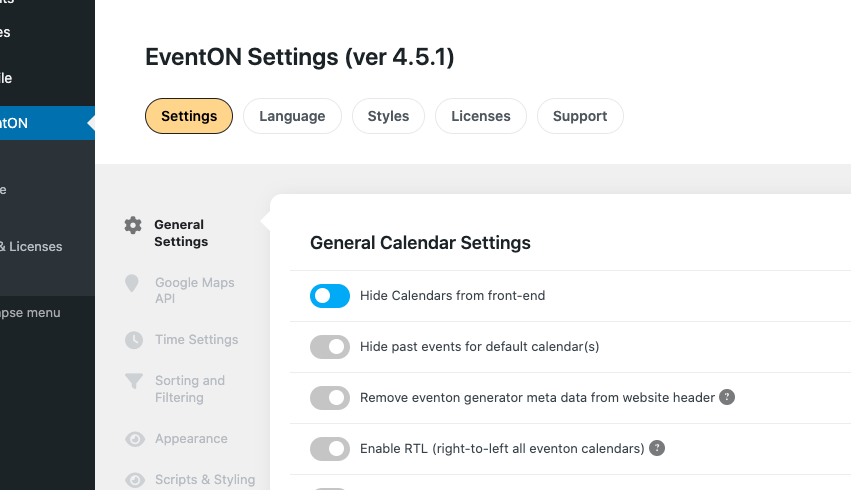
evcal_cal_hide was set to “no”, so I switched it to “yes” and after I uploaded it EventON Settings look like this:
Can I try to upload it to your website:
https://we.tl/t-kmEL7msIKv
wp-admin completely stopped loading for me. Could you check?
It seems that there is not enough memory on the server available. Could you try following this guide and increase it:
https://docs.myeventon.com/documentations/increasing-wordpress-memory-limit/
Remove previously added code and use this one instead:
.eventon_events_list .eventon_list_event .evcal_cblock, .evo_pop_body .evcal_cblock { width: 65px !important; }