no eta right now- we are working on it. but soon is the best we can say.
you could still create your zoom sessions within zoom and copy and paste the link into the event.
Replies for tickets on suppota
no eta right now- we are working on it. but soon is the best we can say.
you could still create your zoom sessions within zoom and copy and paste the link into the event.
OK.
I apply the patch but no change :/
May be next 4.4.4 ?
Hi Frank,
Thanks for reaching out!
If you want to display the events page as an actual page, you should not choose it as the events page in Eventon > Settings > Events Paging. When you choose it as the default events page it will not display the content you have added on the page.
If you have done that and the content on the page does not appear, could you please try the instructions mentioned in this documentation to make sure your issue is indeed coming from eventon.
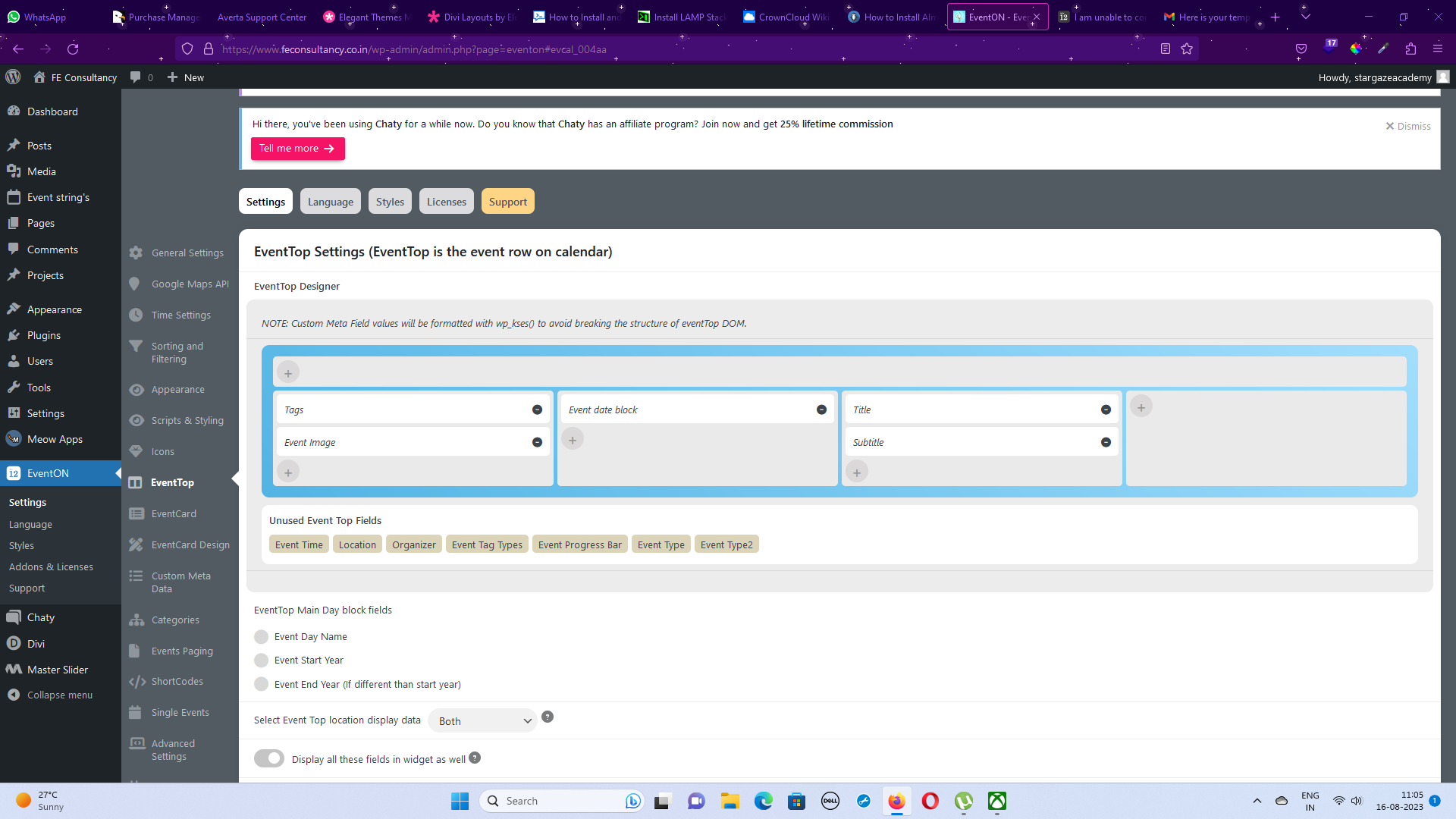
Hi,
I was able to add the tags above the event image.
But i have doubts, I already have an event image, from which image upload it will show here.
As guided by you I added the tags above the event image. But when i tried to click on the tags, I didn’t get any popup window for me to paste the short code. Need help.
The screenshot link below, from we transfer
Also, I am sharing
Regards,
Vijey
I figured it out and purchase the add-on.
And here is the second screenshot..
How do you manage to edit the post when troubleshoot mode is turned on?
Hi Artem,
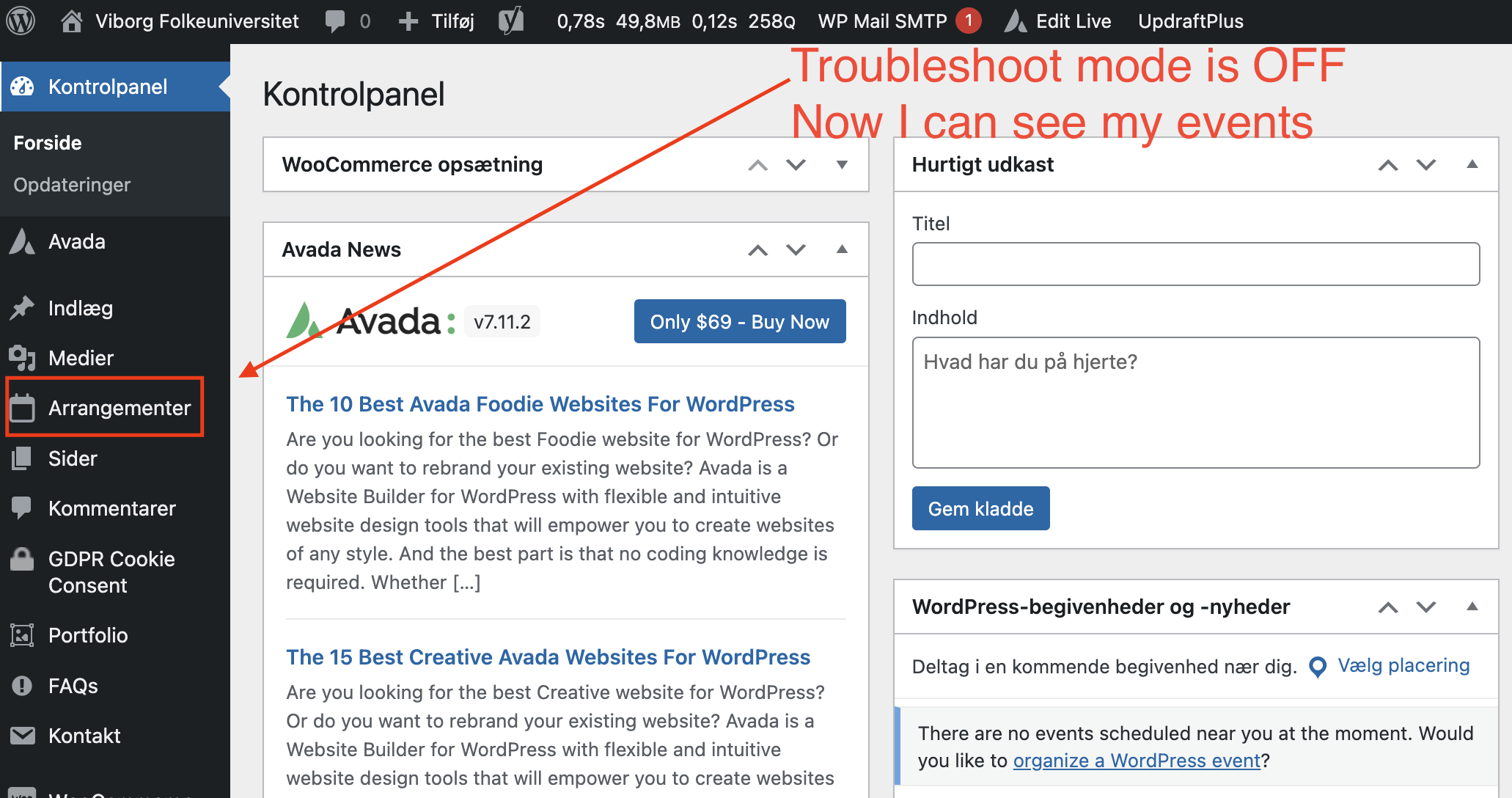
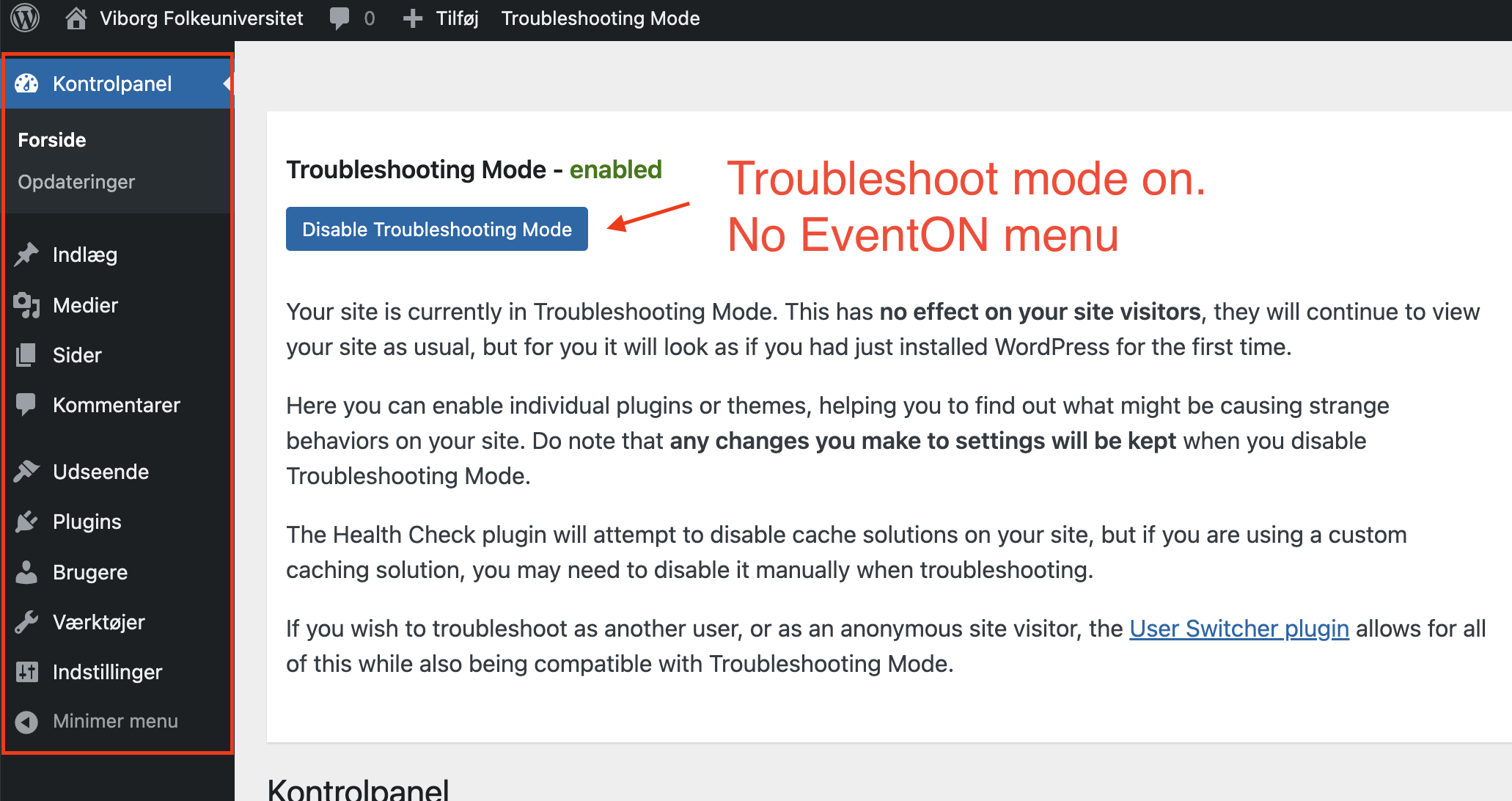
What do you mean its not a problem in troubleshooting mode? All plugins are disabled when you enable troubleshooting mode, so it’s not even possible to test if it works or not. See the attached image before and after enabling troubleshooting mode. On the first one where it’s not enabled we can still see the events. On the second one it is – of course – not there, as the EvenON plugin is disabled. So how can you test something that is not there?
I would appreciate if you could send this along to Ashan as he is already aware of the problem. It is not the first time it happened. He said he would rewrite the tickets addon, and he did, but it seems there are still issues. I am sue he will be glad to know so we can get that bug killed.
Thank you.
Still showing transparent background https://capture.dropbox.com/sI3nPK1kmnwfbOYq
I also did this (If you don’t see any change, EventON > Scripts & Styling > turn off Write dynamic styles to header > save settings > turn on Write dynamic styles to header).
No this is for the ticketAddon. I use the rsvp addon with rsvp points. also i dont want time sensitive. I just want to change the amout of points which are needed to register for the different events. acutally it is 1Point = 1 RSVP. I need Rock’n’Roll workshop: 15Poinst = RSVP or Discofox 5Point to RSVP. pic 1
Thank you for your great suggestion, at the moment it is not supported. However please create a new ticket and select Feature Request as category so others can vote on your idea and get it moved into development faster.
The other thing with the background image is not that important but it would be nice, if the rsvp would not change the background pic 2
Please add this CSS code to EventON > Styles (If you don’t see any change, EventON > Scripts & Styling > turn off Write dynamic styles to header > save settings > turn on Write dynamic styles to header):
.ajde_evcal_calendar.boxy.boxstyle0 #evcal_list .eventon_list_event .desc_trig, .ajde_evcal_calendar.boxy.boxstyle0 #evcal_list p.desc_trig_outter { background-position: center; }