Ashan,
The same issue:
https://helpdesk.ashanjay.com/ticket/js-error-when-adding-tickets-to-cart/
Replies for tickets on suppota
Ashan,
The same issue:
https://helpdesk.ashanjay.com/ticket/js-error-when-adding-tickets-to-cart/
Hello,
Thank you for your messages, I am going to assign this ticket to Ashan and he will be able to take it from here and find you a solution. Please allow some time for him to get back to you, we greatly appreciate your patience and thank you for being a eventon customer! Also please disable any IP blocking on your site if there are any.
Hello,
Please add this CSS code to EventON > Styles (If you don’t see any change, EventON > Scripts & Styling > turn off Write dynamic styles to header > save settings > turn on Write dynamic styles to header):
.evcal_cblock .evo_end { font-size: 30px } .evcal_cblock .evo_end {margin-top:0}
Hello,
Thank you for your great suggestion, at the moment it is not supported. However please create a new ticket and select Feature Request as category so others can vote on your idea and get it moved into development faster.
Hello,
You need to use Event Lists: Ext add-on:
https://www.myeventon.com/addons/event-lists-extended/
Check here:
https://dev2.myeventon.com/test-108/
Try on
https://dev.myeventon.com/wp-admin/
with
[add_eventon_el number_of_months=”12″ event_count=”5″ event_count_list=”yes” show_limit=”yes” show_limit_ajax=”yes” hide_empty_months=”yes”]
You can check-in people, but to edit you need to use the back-end.
With cleared WP Rocket cache it looks better, but there is this style that affects EventON as well: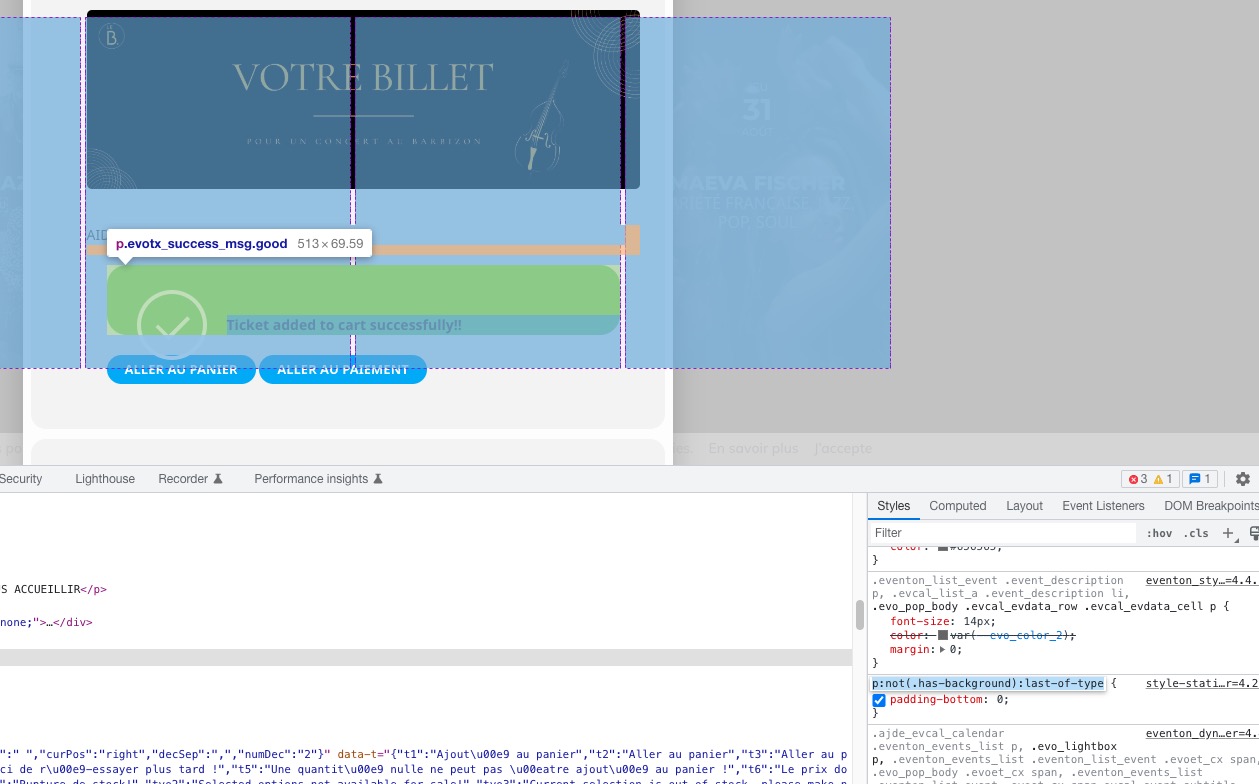
Please add this CSS code to EventON > Styles (If you don’t see any change, EventON > Scripts & Styling > turn off Write dynamic styles to header > save settings > turn on Write dynamic styles to header):
p.evotx_success_msg.good { padding-bottom: 50px; } p.evotx_success_msg.good b {color: white !important}
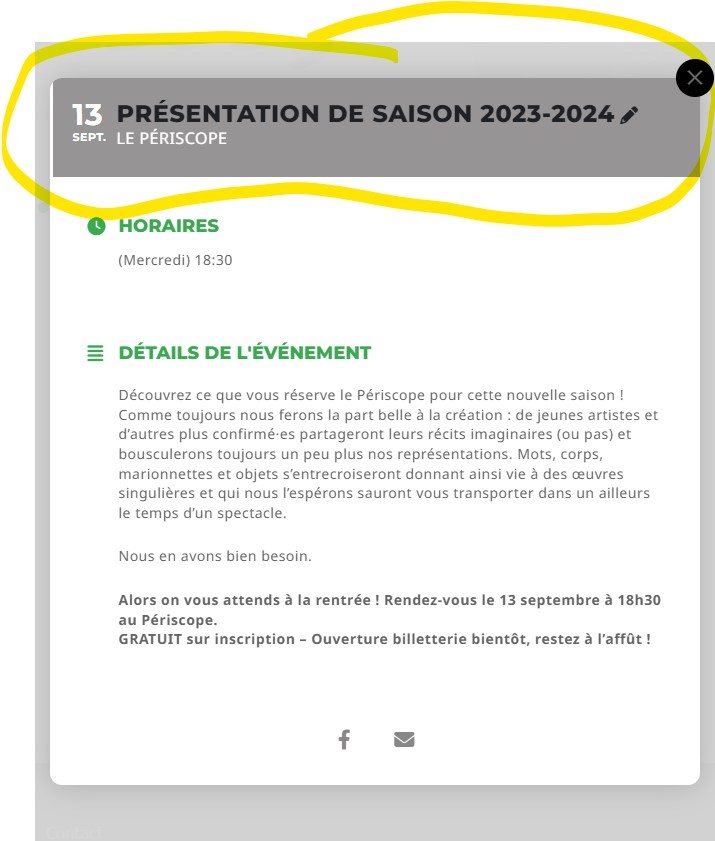
Hello Artem,
It worked thank you very much ! While I’m at it, I have another question : How do I change the colors (background and font) of the top part of an eventcard (see screenshot) ? I tried to find the information on my own but couldn’t find it…
Thanks ,
Lucile
Hello,
With cleared WP Rocket plugin seems to be working. Please check and let me know.
Hi there,
Thks for your reactivity.
ID : test-eventon
PWD : kw))*qj^)lba$7uNZ$bO*W*j
Yes, the cache has been cleared.
Jean