also while I’m here, is the a way to only show upcoming events and in our case not show July and August which have no events?
Archives: Replies
Replies for tickets on suppota
Reply to: tickets(320386)
Hi, it’s not identical but it works . I guess there is some “! important” tags missing, but this new font face is not bed. Maybe the font face is now chosen inside admin interface and this setting is overwriting? Thanks. I still think whatever this font face is better or not for this calendar but is good to know where to change just in case.. thanks
Reply to: tickets(308426)
I still cannot find the proper column headings for all location details. The biggest one I am trying to make work is the VENUE IMG but as you can read in the initial ticket, the three different documentations all have varying header labels. Which ones are correct and does the VENUE IMG work? I have a URL to the VENUE IMG that I am trying to load in this field.
Reply to: tickets(320438)
So anytime you copy and paste a shortcode into your site always paste into the html editor not the visual editor, as the visual editor will also copy any code
thats normally the issue
and websites have 2 caches depending on your host- siteground for example has a wordpress cache and also a server cache (depending on your hosting level) sometimes you need to log into your host to clear the cache in there
should we close this ticket?
Reply to: tickets(320399)
In order to request a refund, please create a new ticket under Billing & Accounts and be sure to include the order ID for which you need a refund for and the reason for requesting a refund.
Yes so woocomerce itself handles the taxs/vats just include that as the reason as one of the staff who doesn’t read this ticket will know to send the refund request to the right person instead of asking how they can help it work
Reply to: tickets(320528)
there are a number of errors on the page which you can view by right clicking the page in chrome and inspect
then hit console in the tabbed pop up window
Could you please try the instructions mentioned in this documentation to make sure your issue is indeed coming from eventon.
Reply to: tickets(320532)
what eventon version are you running?
Reply to: tickets(320530)
can you provide a link to an event with all day and one without as we can only see 3 events on your page you provided
so we can see and perhaps descibe how its ugly
Reply to: tickets(320490)
Reply to: tickets(320490)
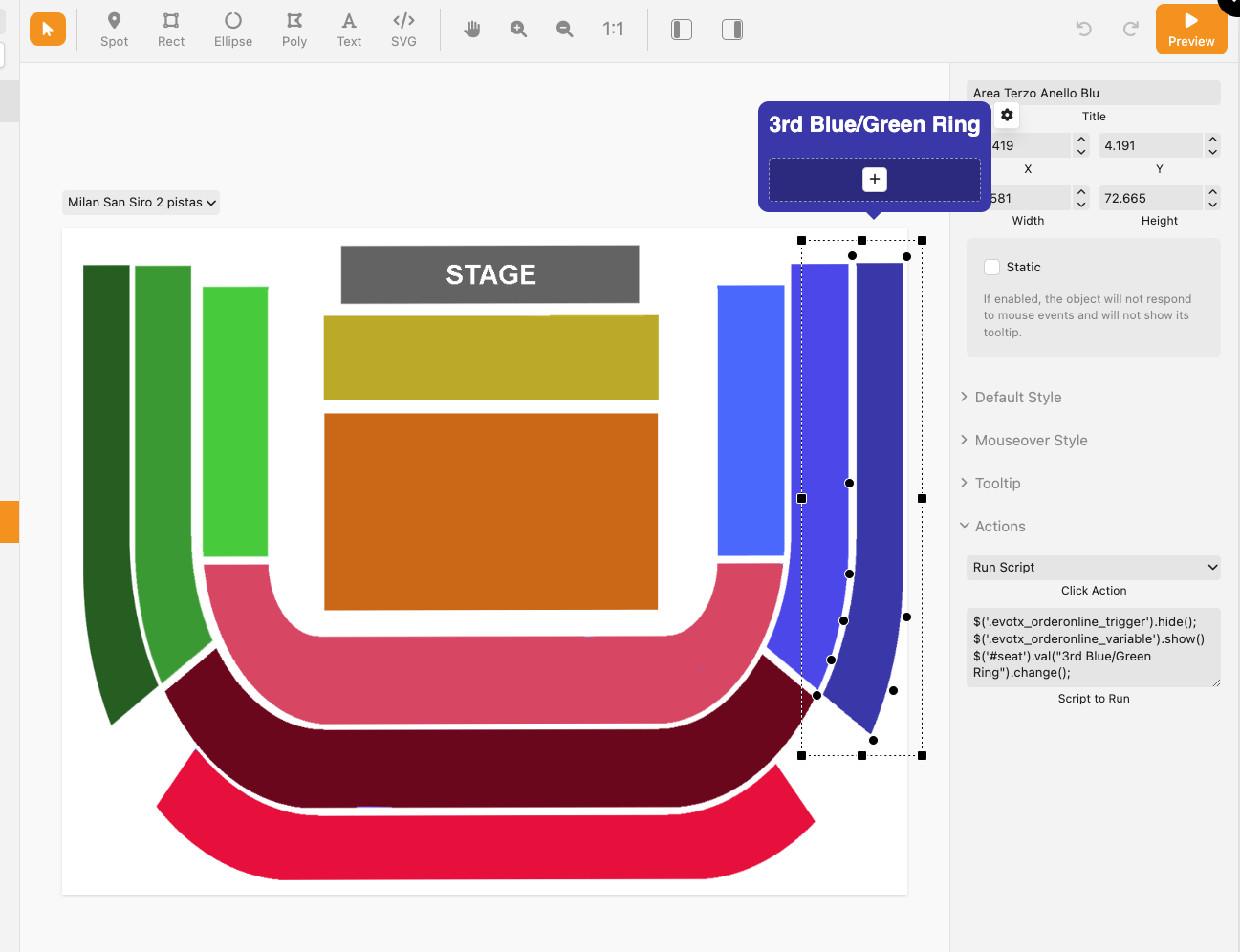
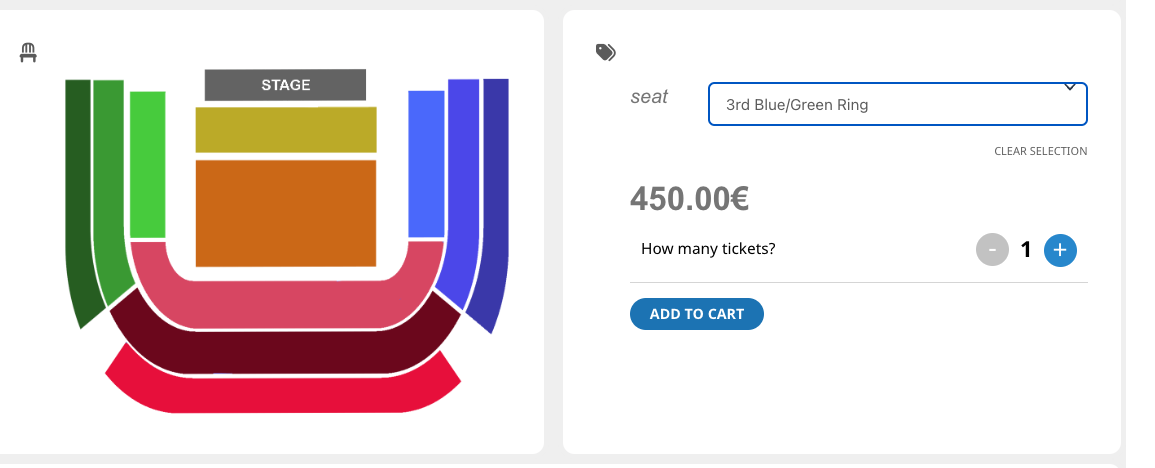
Thank you for your prompt response, your attention is magnificent. I was referring to the plug in IMAGE MAP PRO.
In the screenshot that I send you, I have updated the new version of image map PRO and when I hit “run script” with the code that you gave me at the time, I do not select the variation of the woocommerce product. I know it’s a bit complicated but I’m desperate.