Hello,
Please use this email:
thisboxformail@gmail.com
Make sure to leave a reply here after you sent it.
Replies for tickets on suppota
Hello,
Please use this email:
thisboxformail@gmail.com
Make sure to leave a reply here after you sent it.
What I see on the server with FTP: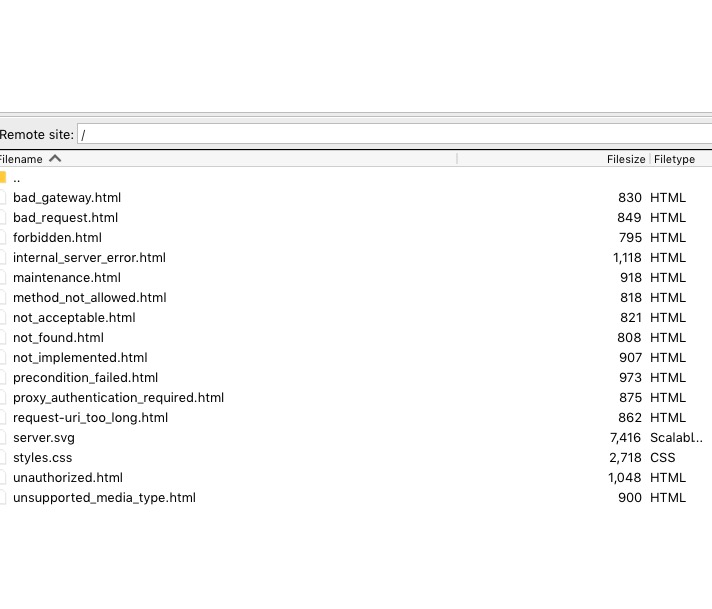
I cannot see anything else, just these files. Could you check?
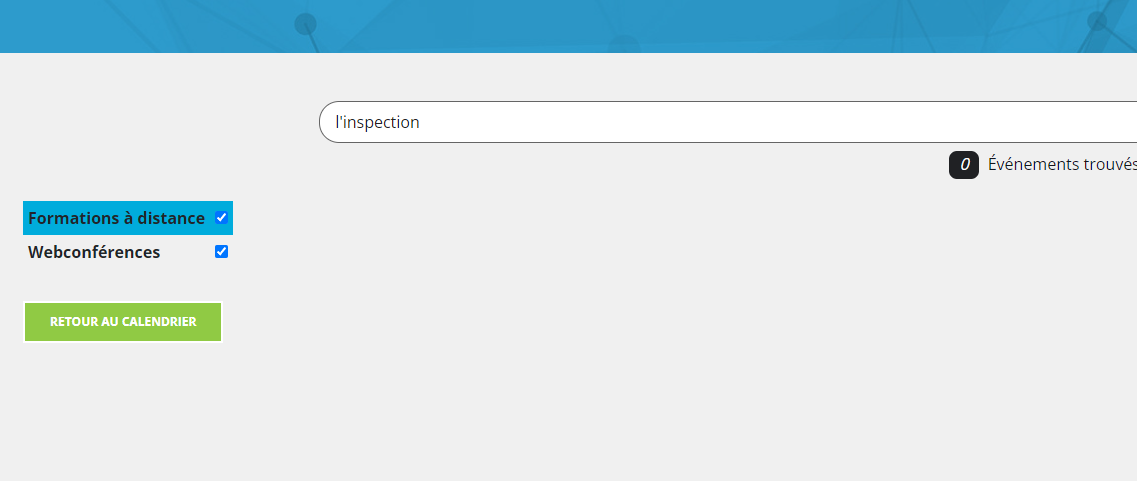
The base search does work, but we’re having issues when we use single quote. If we search with ” l’inspection “, we get no result. In our case the single quote are required in the web site.
Ashan,
Issues with Variations add-on 1 & 3. No issues on dev2 with updated version of the add-on:
https://dev2.myeventon.com/Events-Directory/test-53/
Hello,
1. There is an issue with the current version of Variations add-on. Does it work for you here:
https://dev2.myeventon.com/Events-Directory/test-53/
Also have you considered using “Name your price”:

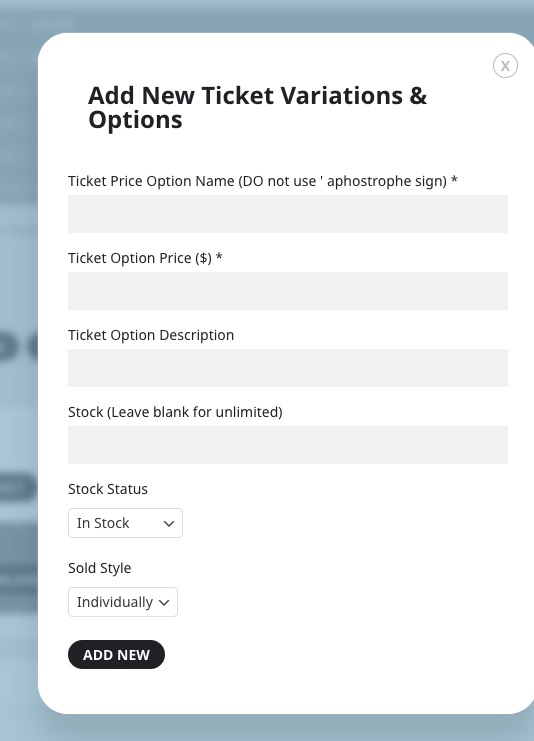
Could you also try using Variation Options:
 Thank you for your messages, I am going to assign this ticket to Ashan and he will be able to take it from here and find you a solution. Please allow some time for him to get back to you, we greatly appreciate your patience and thank you for being a eventon customer! Also please disable any IP blocking on your site if there are any.
2. Please go to EventON > Language > ADDON: Event Tickets.
3. This will be fixed in the next version as well as 1. Please wait for Ashan.
Thanks For Reply I Really Appreciate It,
But As I’ve Stated Above I’ve inherited This Project Since The Previous Programmer/Mantainer Was Dead So I Cannot Access His Original Codecanion Account In Witch I Can Download Latest Version Of EventOn…
…So Actually I Cannot Update To The Latest Version 🙁
Is There A Way To Recover Or Transfer The Licence To My Actual Codecanyon Account?
Thanks!
Ashan,
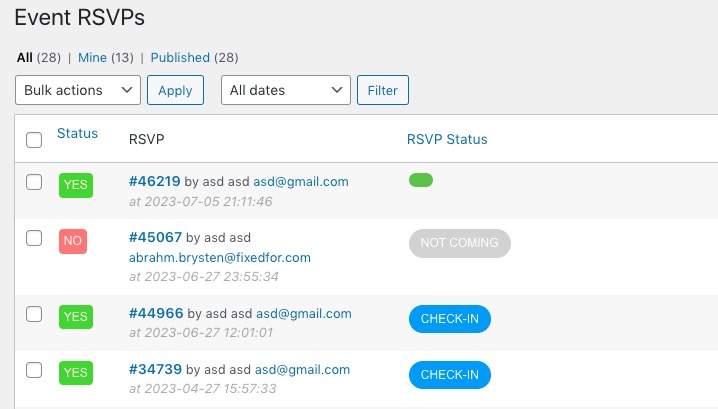
Cant check in from main “Event RSVP’s” page, i have to ‘edit’ the event on order to be able to even click the button. On the main page its not clickable. also when im in a specific event, like the edit page, i try to check them in from there. From there i am able to click the check in button, but the only thing that happens is that it will become a green box, with no text just a few ..
The same on dev2:
https://dev2.myeventon.com/wp-admin/edit.php?post_type=evo-rsvp
https://dev2.myeventon.com/wp-admin/post.php?post=46219&action=edit
Hello,
Please take a look at “Select only certain user roles with RSVPing capabilities (If not selected all logged-in users can RSVP)” of
https://powerminds.io/zorgdesq/wp-admin/admin.php?page=eventon&tab=evcal_rs#evoRS1
You unchecked every role, so nobody can RSVP. I enabled Beheerder and received this
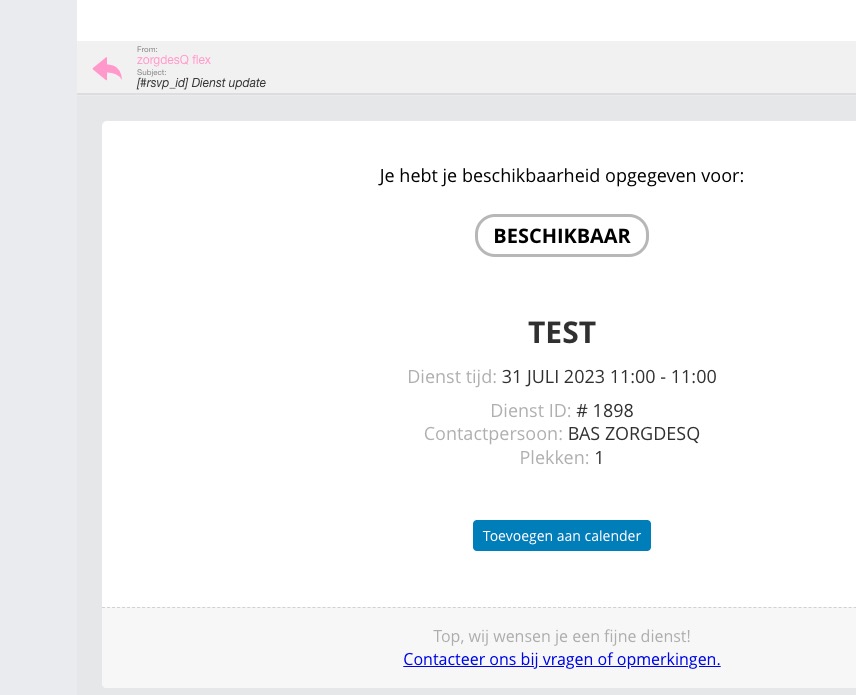
Cant check in from main “Event RSVP’s” page, i have to ‘edit’ the event on order to be able to even click the button. On the main page its not clickable. also when im in a specific event, like the edit page, i try to check them in from there. From there i am able to click the check in button, but the only thing that happens is that it will become a green box, with no text just a few ..
Even so, it just shows a small green box, it still checks-in people. Please take a look at
https://powerminds.io/zorgdesq/wp-admin/post.php?post=1898&action=edit
Can you check-in from Edit Event > RSVP > View Attendees?
https://powerminds.io/zorgdesq/wp-admin/post.php?post=1896&action=edit
However, I am going to assign this ticket to Ashan and he will be able to take it from here and find you a solution. Please allow some time for him to get back to you, we greatly appreciate your patience and thank you for being a eventon customer! Also please disable any IP blocking on your site if there are any.
Can we take a look at wp-admin? I think it will be easier to solve the issue this way.
Please send us wp-admin access to your site as a private message for us to further assist your situation.
Hello,
Your current version doesn’t support NOT-.
Here’s how it should look like:
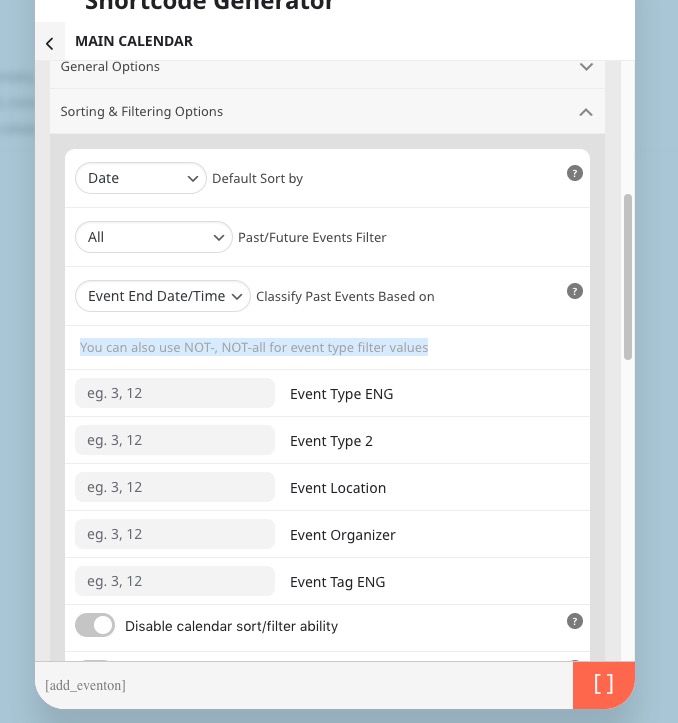
Please update to 4.4.
To update eventon to latest version: If you are unable to do autoupdate, you can go to codecanyon your account > download and get the latest eventon version as zip file. Then you can go to your website > make sure “Delete eventon settings & data when EventON is uninstalled” is Deslected from eventon settings, delete old eventon, install new one and activate. This link will further explain the process it. Also you can follow us on twitter to get real-time announcements on updates!