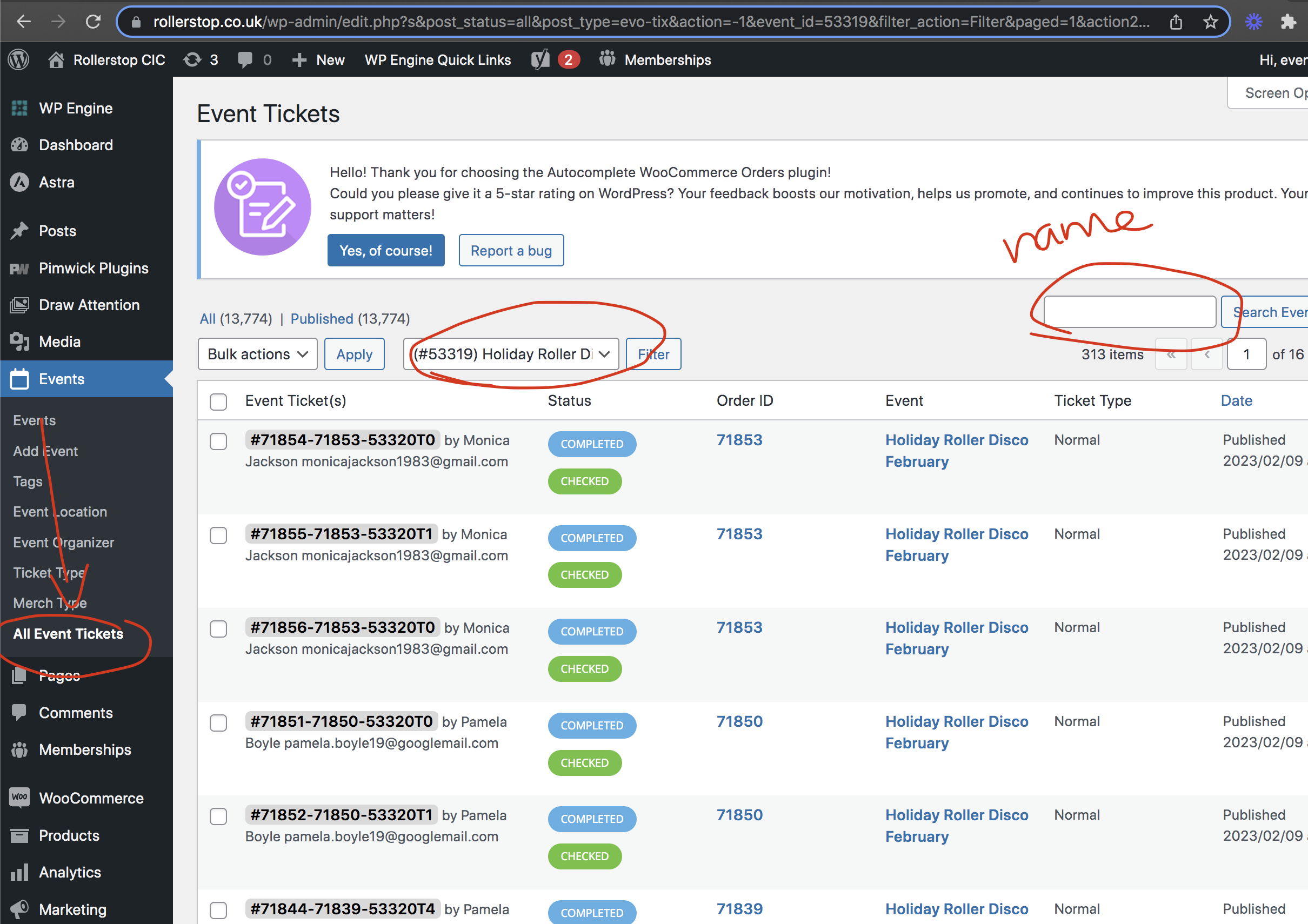
Ok found a temporary solution for you. So go into All tickets page and then you can filter by event name to get the list of attendees. And also you can use the right hand side search box to type in guest name to get their ticket info. Because you have so many attendees it is breaking the queries and we will need to implement a better system with pagination for it. So in the mean time this should help you with finding the attendees list.
you should always paste into the html section not the visual editor
using events list you can only show the next 10 events from the same month (so it wont show 3 events from july and 7 of august)
if you want to show the next 10 events regardless of the month you will need the events list extended addon
https://www.myeventon.com/addons/event-lists-extended/
looking over your home page I could see an eventon calendar but its showing 3 events only I am unsure as to what you want to appear
Please note that I just updated my iOS version to 16.5 and I am still experiencing the same issues.
Are you still experiencing this issue? we are using limit login plugins and I wonder if those are whats causing this.
I am terribly sorry about this. I think what we can do is to cancel this order and place a new order with the correct payment information. And at the checkout please use coupon code EVO20T. Many thanks!
Hello Jessica I just changed the email ONLY in the license to your new email “jessica@cityofhunterscreek.com” rest of the emails stay same.
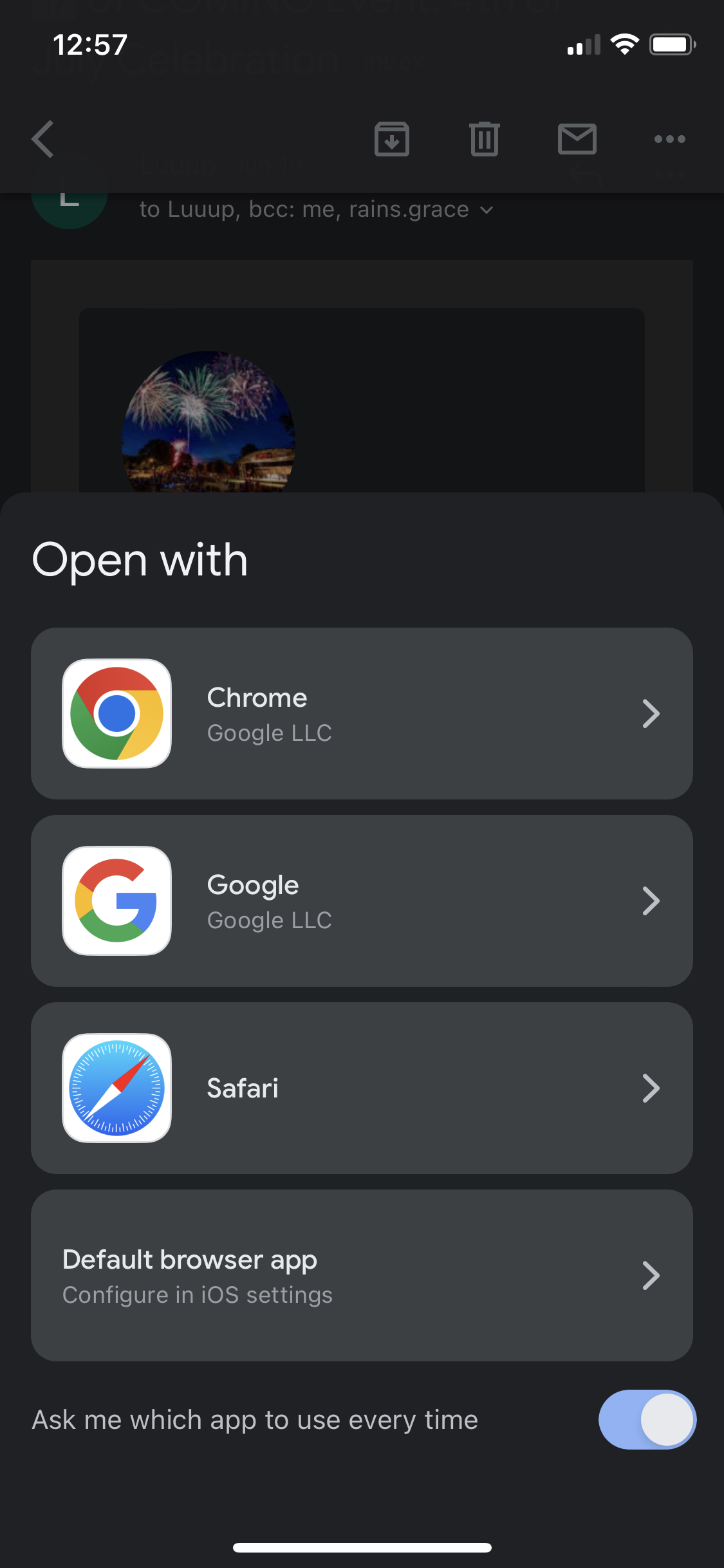
Above there is an image attached, you just have to click on the screen. That screen is the one that appears when I click on a browser. The one attached here is the screen I get when I click the “add to calendar” button.
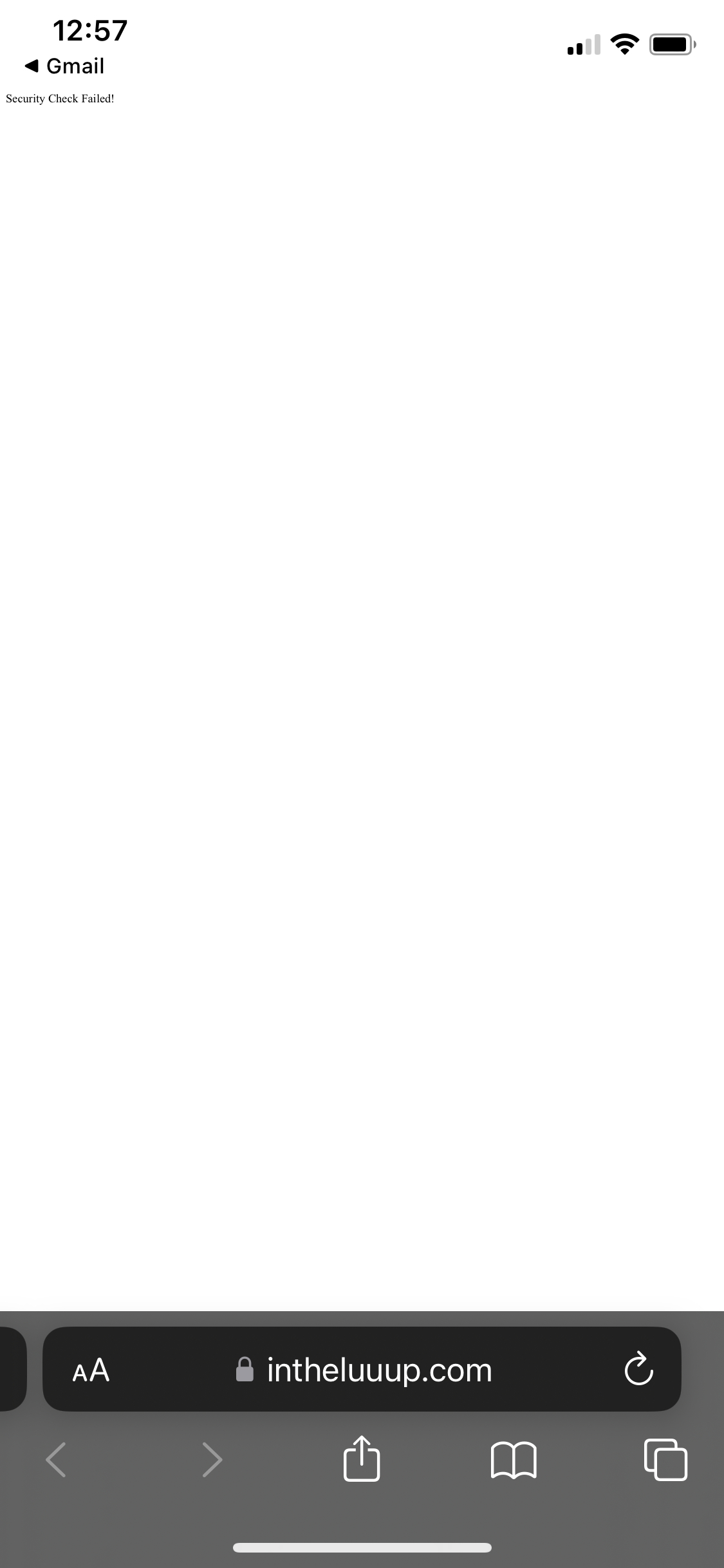
When I click the “Add to Calendar” button within the automatic subscriber email, a “open with” popup comes up with the options to open with chrome, google, or safari. When I select my browser, thats when the “security check failed” error appears. It never gives the email subscribers the option to actually add it to their local calendar.
I have attached photos of the screen that I see below.
For reference I have an iPhone 11 Pro (iOS Version – 16.1.1)
refunded and subscription cancelled. If you have more questions, kindly send us a new ticket and we would be more than happy to help you resolve your issues!