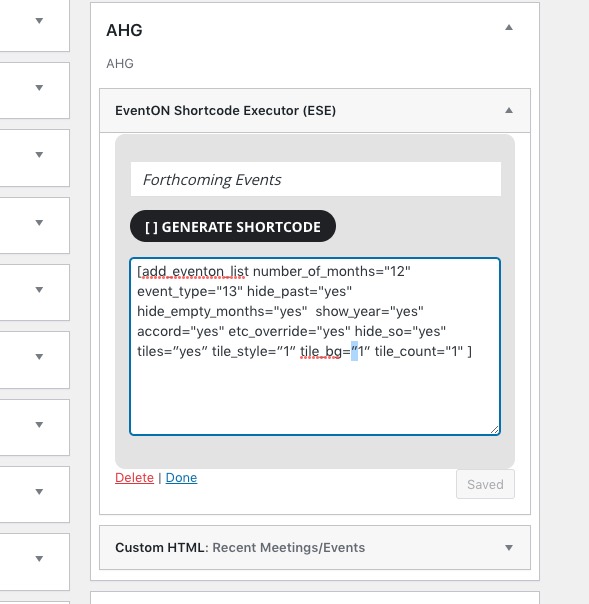
The issue is with quotes:
There is no need to follow “I have followed your procedure re: dynamic styles, cleared WP Rocket cache, and cleared my browser cache.“.
Just change quotes, so they look like on this screenshot:
https://helpdeskx.s3.amazonaws.com/wp-content/uploads/2023/06/05134909/Screenshot-2023-06-05-at-22.48.46.jpg
When you create variable prices according to this guide:
https://docs.myeventon.com/documentations/set-variable-prices-tickets/
there are limitations, unfortunately.
If you want to see variations on Cart or Checkout pages, you need to use Variations add-on:
https://www.myeventon.com/addons/ticket-variations-options/
Try on https://dev.myeventon.com/wp-admin/
Hello Miriam,
Please send in the order number given when purchasing the addon
Yes.
The Maine Calendar runs in the actually Version, but the Adons “Event Lists Ext” and “Include Anything” running only in the older Version.
I’ve deactivated all other Plugins, that has no effect.
Thank you for your replies.
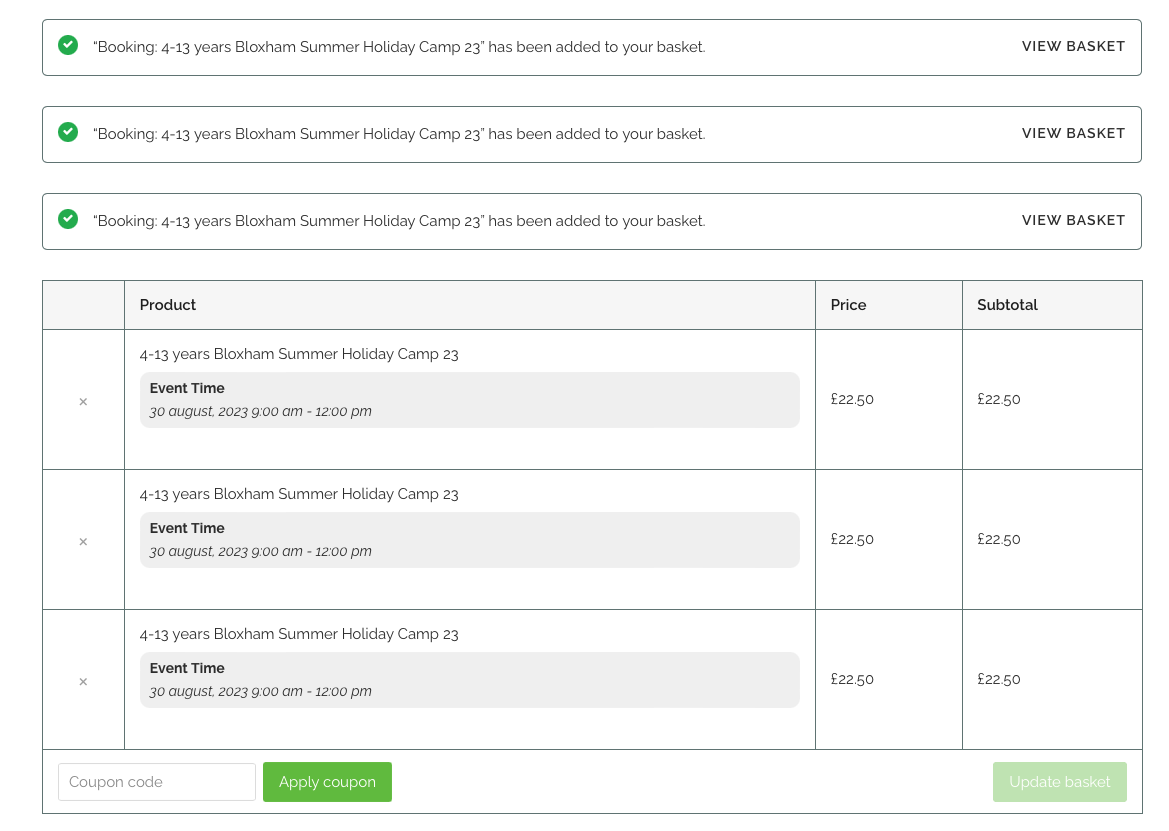
Regarding the variations, the issue is not on the event details page, but on the cart page. If I add a booking for one of each of the age group variations, this is not included in the cart details.
- Camp Age Group – 4 – 6 years
- Camp Age Group – 7 – 9 years
- Camp Age Group – 10 – 13 years
The cart just says each variation is the same as the main event title.
Yes it does. The problem persists.
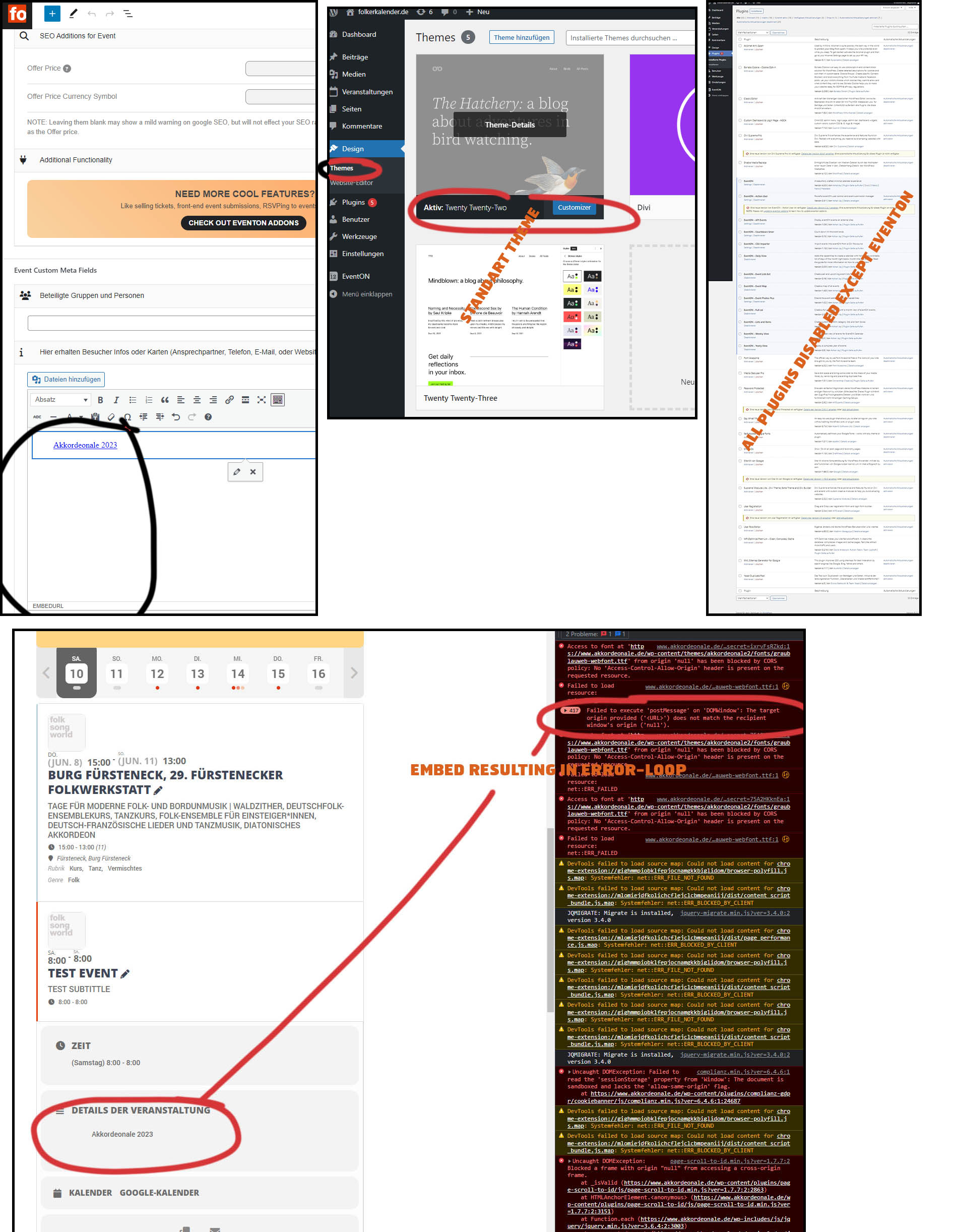
I disabled ALL plugins except EventOns plugins, and i disabled out theme and activated a standart theme.
I made a test-event on Saturday, 10th June (which you can check out).
I entered “https://www.akkordeonale.de/” into the event-editor main text field or the custom field and pressed enter and it still created an embed from it automatically.
And the embed on the frontpage still results in an error loop of hundrets errors.
Please see screenshots attached.
OK, I have now turned to the ‘History Group’ page (https://asbyparish.org.uk/asby-history-group/)
It uses sidebar ‘AHG’ containing this EventON Shortcode:
=============
[add_eventon_list number_of_months=”12″ event_type=”13″ hide_past=”yes” hide_empty_months=”yes” show_year=”yes” accord=”yes” etc_override=”yes” hide_so=”yes” tiles=”yes” tile_style=”1″ tile_bg=”1″ tile_count=”1″ ]
==============
I have followed your procedure re: dynamic styles, cleared WP Rocket cache, and cleared my browser cache.
When I now go to the History Group page I see no change!
So, as we stand I still have two problem pages/sidebars:
1. History Group, page=https://asbyparish.org.uk/asby-history-group/ sidebar=’AHG’
2. Tree Group page = https://asbyparish.org.uk/tree-group/ sidebar=’Tree Group’. (Though right now there are no outstanding events for this group.)
Whatever is happening between our various exchanges on this ticket is resolving the issue for the particular web page/sidebars being examined. However I am still at a loss to know the root cause of the problem. Do you know what it is??
Here is the WordPress:
Username: eventon.help
Password: o0do2q5ezoW5Xk*7S*dyQkx!
Link: https://conferenziaworld.com/wp-admin/
Here is the FTP access:
Email: eventon@conferenziaworld.com
Password: }2p3+11*-G$*
FTP hostname: ftp.conferenziaworld.com
Let me if you need anything else.
The first, invoices from purchasing add-ons.
No sorry, I want to get refunded as long as it was 2 weeks ago and I had to solve it by myself deactivating the plugin.
Thank you.