https://soobahkdo.us/calendar/login/
eventon@soobahkdo.us (Network Super Admin)
SbdMdk5091!@#$
Replies for tickets on suppota
https://soobahkdo.us/calendar/login/
eventon@soobahkdo.us (Network Super Admin)
SbdMdk5091!@#$
and the last one
7,
you gave me the code to move to the right side of the organizer
.evosv_grid .evosv_items .evosv_event .evosv_subdata { flex-basis: 50%; text-align: right; }
I changed it to show the location on the right:
.evosv_grid .evosv_items .evosv_event .evosv_location { flex-basis: 50%; text-align: right; }
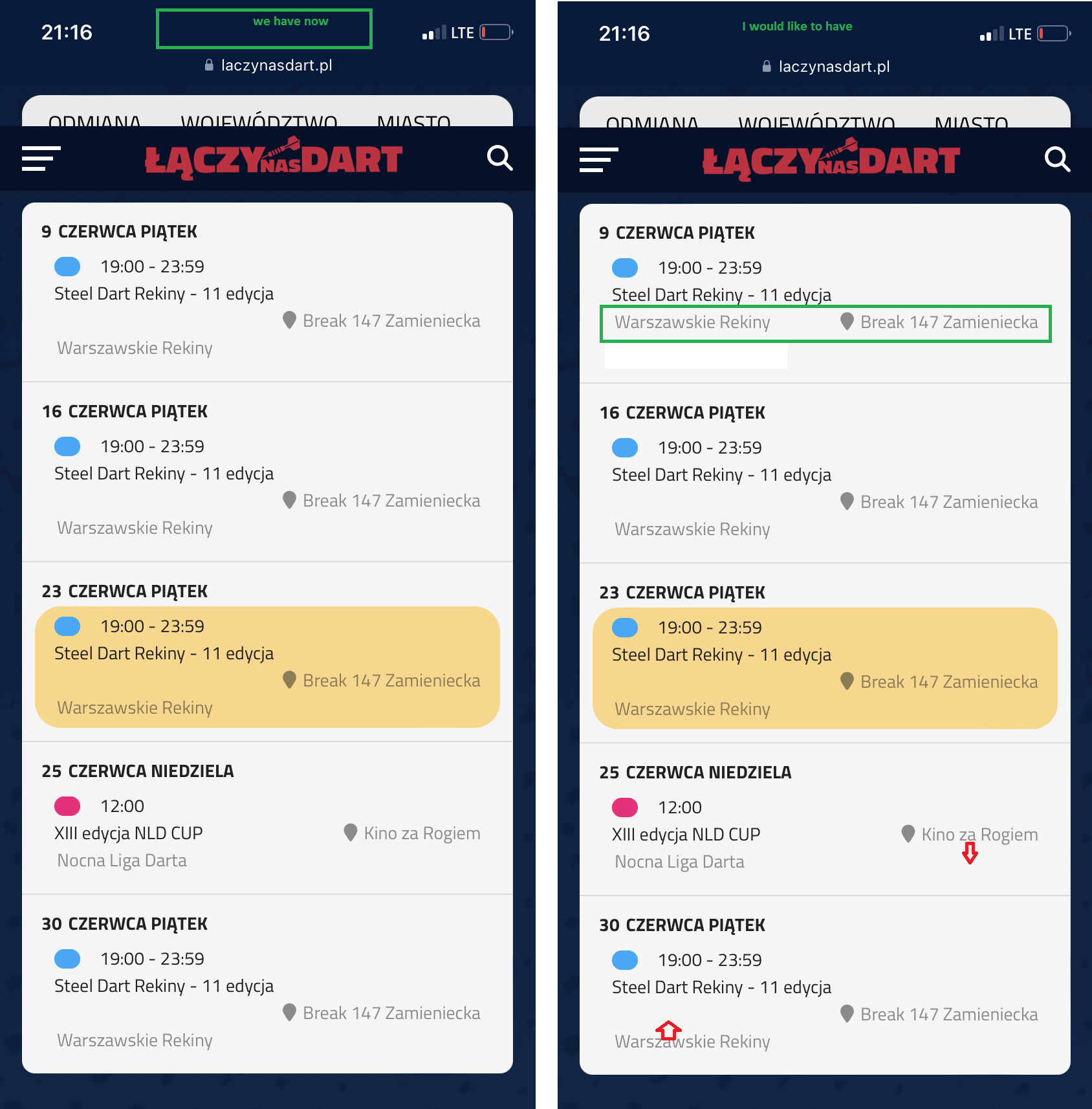
Everything looks fine on PC, but it looks worse on mobile. The attachment on the left shows the current status, but I would like it to look like the one on the right, i.e. the location should be in line with the organizer. Can it happen? 🙂
Robert, Thank you very much for your kind message! Are you wanting the heart to appear big in the schedule view version of the calendar? – we are always looking for ideas to improve our addons 🙂
I went a head and refunded you for the addon, this would be the easiest way for your get a different addon if you wish to 🙂
Thank you Robert for reaching out. Please use coupon code EVO20T at the checkout at myeventon.com for 20% dicsount on all the addons 🙂
Thank you we will fix this in our cron settings!
I still have questions 3, 4, 5 and 6 🙂
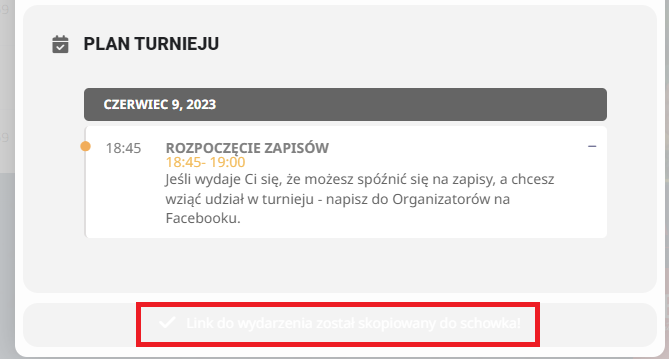
3. Could you check me the code where you could change the color of the information that the link copied to the clipboard?
4. in the translation I can’t find the phrase “share on whatsapp” All other options are there (like FB, TT, linkedin, etc). But I can’t see whatsapp phrases…
5. when I use the “copy link to clipboard” option, I get something like this: https://laczynasdart.pl/events/nld-cup/ Can the word “events” be translated into Polish?
6. I used the event type option. I used it to allow the CITY for people to see in the city what is happening specifically in the event. Now I have a question – can I use this event type 4 to make this value available in the schedule view? At this point my code looks like this: add_eventon_sv exp_so=”yes” filter_clear=”yes” show_location=”yes” show_organizer=”yes” And in this place, e.g. instead of show location, could I force event type 4 to show?
I do not see an option from our end to change the payment method I can go ahead and cancelled the subscription so you can repurchase with a correct payment method? let me know if you want me to do that.
This is a bit frustrating as this is a “virtual” event. Shipping should not be an issue.
I did go and and add Canada to the shipping portion in woo commerce, and I turned it off. We are still unable to process orders in Cananda from Eventon?
can you please guide me.
Becky
Hi Artem,
OK, I have followed your suggestion. Unfortunately I still have the same problem on other pages that use the same sort of widget.
Example
The ‘Book Club’ page: https://asbyparish.org.uk/book-club/
This uses the sidebar named ‘Book Club’.
The shortcode being executed is:
[add_eventon_list number_of_months=”13″ event_type=”34″ hide_past=”yes” hide_empty_months=”yes” accord=”yes” etc_override=”yes” hide_so=”yes” tiles=”yes” tile_style=”1″ tile_bg=”1″ tile_count=”1″ ]
Geoff
Ashan,
There are warnings in debug.log, but no fatal errors even so it shows there is a critical error with admin-ajax.php:
https://www.cjp.ch/anlaesse/
Troubleshooting mode:
https://www.cjp.ch/wp-admin/site-health.php?tab=troubleshoot
No errors on dev2.