Hello,
Please go to EventON > Time Settings > enable Allow universal event time format on eventCard > add
d F H:i a
Replies for tickets on suppota
Hello,
Please go to EventON > Time Settings > enable Allow universal event time format on eventCard > add
d F H:i a
Yeah i have created many events as an administrator and the email will just not go out or as a another user named bob and after creating event no email is sent
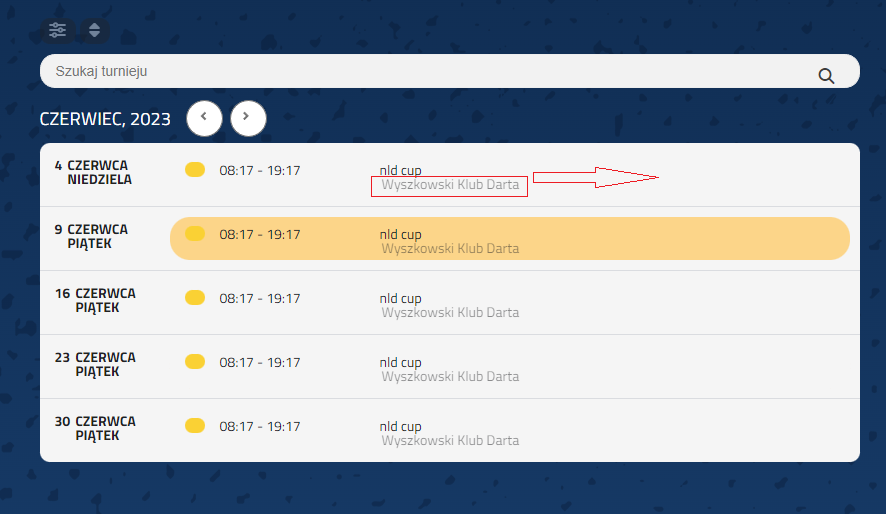
I have one more question :D

because I noticed that i can force the organizer to appear in the schedule view option. but is there a chance that in the computer version the organizer will not be under the name of the tournament, but next to it? I have shown what I mean in the attachment.
https://muse.touch2be.de/full-cal-test/
works now
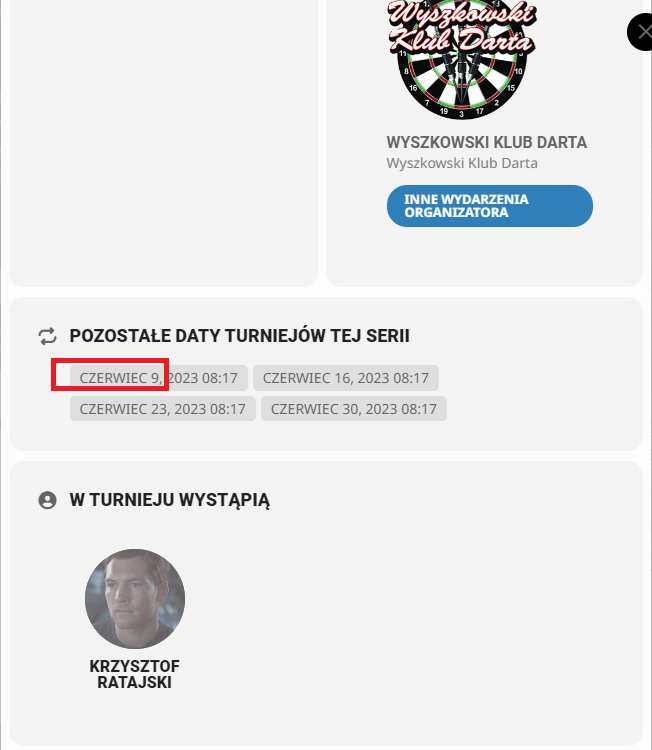
one more question 😉
how to change date format in repeated events? (attachment) Let it be the day first, then the month. Because in other places it’s ok, and here it’s bad.
Hi,
I have one more urgent question – I bought the wishlist addon. But does it work with SCHEDULE VIEW?
And if not, is there any chance of a refund? 🙁
Hi Ashan,
yes.
After some tests we decide to make a developer site: https://muse.touch2be.de/monatskalender/
It´s the same after deactivating all plugins and set a basic theme.
Please look and help me fast. Because we need the calendar finally at monday.
Here is a temporary link for you: https://muse.touch2be.de/wp-admin/?wtlwp_token=33a18820426ddfaba93c6a26d719d6dd17cdae4cf27ace9581bf39997a813d5c96ca1b61daf2e027dd2eb7ab77552343478be3de478c10230d5ad40e38afee88
Best regards!
Tobias
OK so we’ve now used this plugin since two months and I think it looks pretty great! There are however a couple of issues that I want to ask you about:
display:none !important;
}
AND
.ajde_evcal_calendar .EVOWV_grid .evo_wv_day {
width: 20%;
}
It works for now, but needless to say it feels a little bit shaky! And we really don’t want it to happen again when in the festival week. So is there a reason for this happening that can be avoided? Any insight in this matter yould be very much appreciated!
All best,
Peter
There is no documentation on SEO aspect of EventON, unfortunately.
…repeating events use a specific URL…With or without /events/
Does it matter for Google and other search engines?
You need to customize Single Event Page template by following
https://docs.myeventon.com/documentations/customize-single-events-page/