Yes, i have this working on one of my installs is easy with eventon tickets. If you enable “name your price” you can select the minimum price to 0 and its free to buy =)
Archives: Replies
Replies for tickets on suppota
Reply to: tickets(316576)
I have maked a solution for this, maybe can help you
( Veo que eres español así que te puedo ayudar mejor aún)
en /eventon-qrcode/includes/class-checkin.php se puede añadir la función.
Si quieres escríbeme a david@creativesur.es y te ayudo a añadirlo
Reply to: tickets(316640)
Hi, I can now disable the comment and the event name.
How may I use my homepage’s navigation menu and remove the top duplicated menu ?
Reply to: tickets(316640)
Hi, I would also like to ask how to disable the 1 of the 2 event names ? and also 1 of the 2 navigation menu
Reply to: tickets(257847)
Thank You! 🙂
Reply to: tickets(316744)
The oldest available version is 4.0.1:
https://helpdeskx.s3.amazonaws.com/wp-content/uploads/2023/06/01042208/eventON-4.0.1.zip
Please understand that there is some kind of incompatibility issue with the theme or a third-party plugin that you have on your WP installation.
Reply to: tickets(257847)
Please use this code for Clear Filters button:
.eventon_sorting_section p.evo_filter_clear { font-size: 16px !important; }
I have one more question …
Use this code:
.eventon_sorting_section p.evo_filter_clear { margin-bottom: 0 !important; }
Reply to: tickets(316839)
Hello,
I am sorry, the access information you have provided did not work for us. Please check them and post the correct login information as a private message, thank you!
Please also note that you need to fill in Location Address in order to show the maps. Location Name isn’t enough.
Reply to: tickets(316530)
Added this email and received the notification correctly: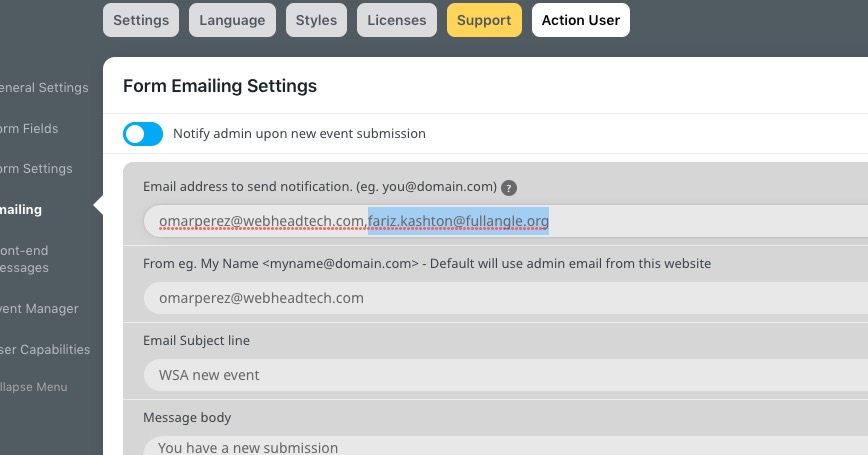
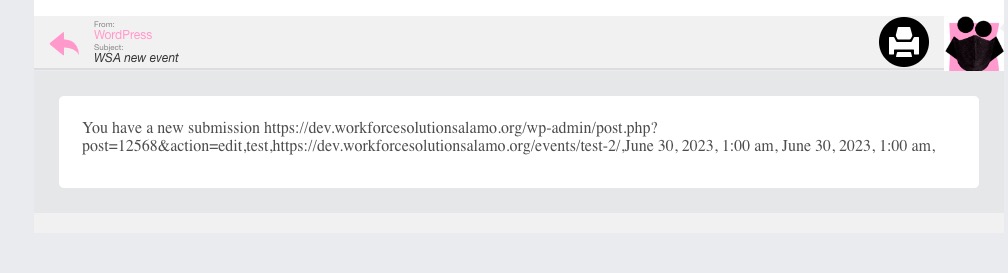 Could you try a gmail or similar?
Reply to: tickets(315889)
We are glad your issue is resolved, if you have any further questions or concerns please create a new ticket.