oh sorry this site is ip based can i have the ip you are logging in from at least 3 octets
Archives: Replies
Replies for tickets on suppota
Reply to: tickets(316574)
Hello,
Please note our staff do not work during weekend and any questions asked right before weekend or during weekend will not be answered until our staff returns. We appreciate your understanding!
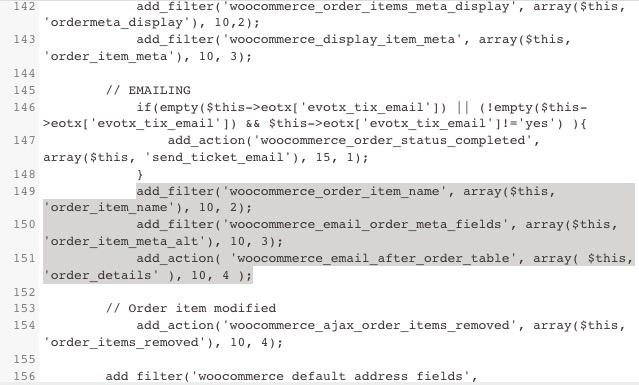
Please go to /wp-content/plugins/eventon-tickets/includes/class-integration-woocommerce.php and comment these lines:
Reply to: tickets(316424)
Unfortunately, RSVP doesn’t have such functionality at the moment. The only way is to customize the source code.
Reply to: tickets(316530)
Still the same: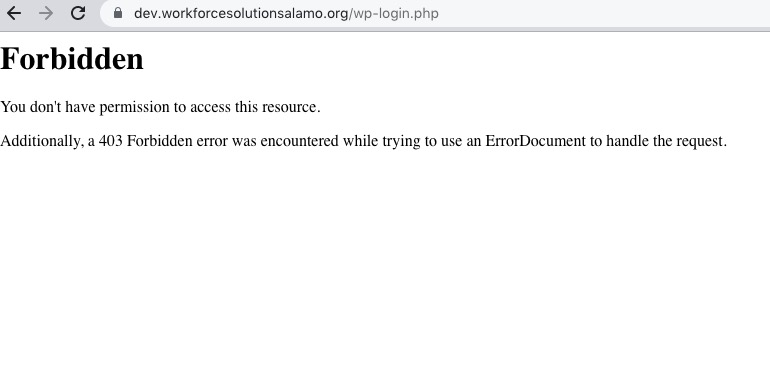
This ticket is private now.
Reply to: tickets(257847)
when you select the “WOJEWDZOTWO” category on the phone, then the “MIASTO” category drops lower and then you do not see this problem. So please go to this place again and mark ONLY “MIASTO”.
I checked this again and found a custom code from the theme that affects EventON as well.
Could you try adding this CSS code to EventON > Styles (If you don’t see any change, EventON > Scripts & Styling > turn off Write dynamic styles to header > save settings > turn on Write dynamic styles to header):
.eventon_filter_dropdown p.select, .selecttype .eventon_filter_dropdown p, .ajde_evcal_calendar .evo-sort-btn .eventon_sort_line p.select, .eventon_filter_line .filtering_set_val, .eventon_sort_line .eventon_sf_cur_val p { display: block !important; font-size: 12px !important; font-weight: 400 !important; line-height: 130% !important; margin-bottom: 0 !important; }
Reply to: tickets(257847)
when you select the “WOJEWDZOTWO” category on the phone, then the “MIASTO” category drops lower and then you do not see this problem. So please go to this place again and mark ONLY “MIASTO”.
Thank you for your messages, I am going to assign this ticket to Ashan and he will be able to take it from here and find you a solution. Please allow some time for him to get back to you, we greatly appreciate your patience and thank you for being a eventon customer! Also please disable any IP blocking on your site if there are any.
And now I have another question. Because how is it: if I choose, for example, the “WOJEWODZTWO” option and in it “DOLNOSLASKIE” then why not then uncheck it? This way, to completely reset my selection, I have to refresh the page? This is a bit of a hassle…
Please add filter_clear=”yes” to your shortcode to show Clear Filters button.
Reply to: tickets(316542)
For this you need to use RSVP add-on:
https://www.myeventon.com/addons/rsvp-events/
Try it on https://dev.myeventon.com/wp-admin/
Reply to: tickets(316576)
Hello,
Thank you for your great suggestion, at the moment it is not supported. However please create a new ticket and select Feature Request as category so others can vote on your idea and get it moved into development faster.
Basically your staff need to check if the date is correct or not, unfortunately.
Reply to: tickets(316542)
Many Thanks for the great Tipp.
Is there is also a possibility of managing participants, if they have registered, that the number of participants of the available places will be updated automatically.
Reply to: tickets(257847)
when you select the “WOJEWDZOTWO” category on the phone, then the “MIASTO” category drops lower and then you do not see this problem. So please go to this place again and mark ONLY “MIASTO”.
And now I have another question. Because how is it: if I choose, for example, the “WOJEWODZTWO” option and in it “DOLNOSLASKIE” then why not then uncheck it? This way, to completely reset my selection, I have to refresh the page? This is a bit of a hassle…