Hi there, no need to change my mind. 🙂
I have a change of heart, I won’t be going into the events business!
If that’s ok?
Replies for tickets on suppota
Hi there, no need to change my mind. 🙂
I have a change of heart, I won’t be going into the events business!
If that’s ok?
Here is the CSV file that I am using.
Thanks for helping us get to the bottom of the issue, Artem. It turns out some customization we made to the Elementor plugin was causing the behavior I reported.
Mystery solved, with your help. 🙂
Kindly try this patch fix. And then go to eventON settings> language and you should be able to change the text. This code change will also be in the next version update.
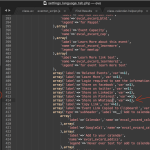
Thank you, I followed the guide and added the code in function.php of my theme, but I don’t see the example text ”Click to see more” in the eventTop. I tried with two different themes (Bricks Builder and Soundboard) but I must be missing something, because nothing happens.
Here is the test site:
https://fasser.it/n/events/testing-the-cult-live/
Thanks for your assistance, best regards,
Maddalena
Hello,
Please make sure that when you add a variation, you also add a price:
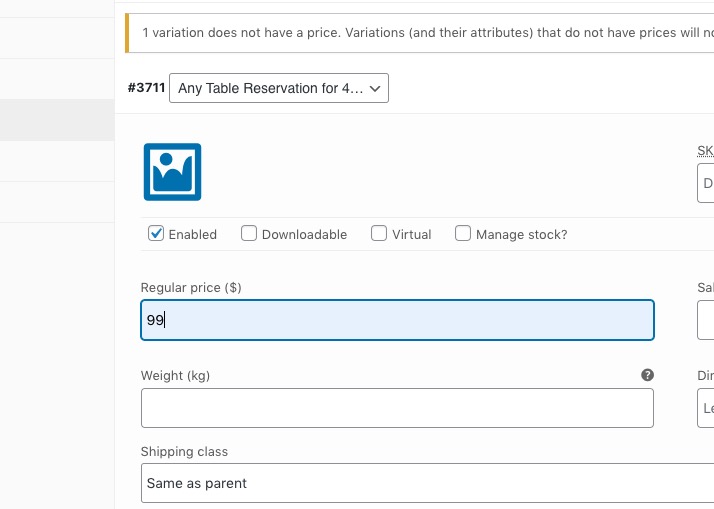
I also only see one variation. Please add option 2 as well similar to this test event I created:
https://snovalleypride.com/wp-admin/post.php?post=3745&action=edit
2. I went to https://snovalleypride.com/wp-admin/admin.php?page=eventon#evcal_004b and added Event Ticket Box, so the section should be visible from now.
3. Please take a look at this avilable shortcode:
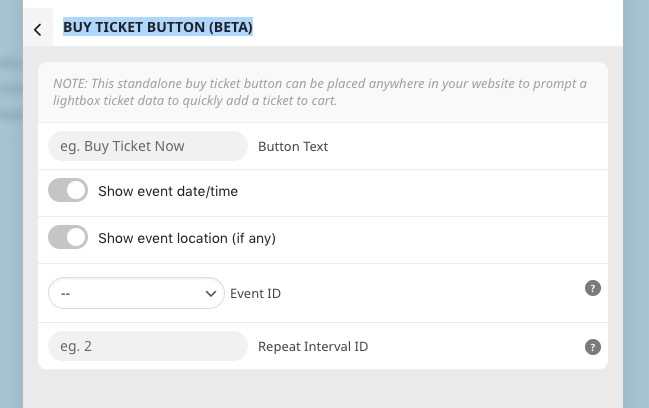
I went to EventON and enabled Remove JSON-LD data for events. It fixed the issue. Please check and let me know.
Hello,
You can use Custom Repeats and remove the repeat you don’t need:
https://docs.myeventon.com/documentations/setting-up-repeating-events/
Or Repeat Customizer add-on:
https://www.myeventon.com/addons/repeat-customizer/
Try on https://dev.myeventon.com/wp-admin/
Good afternoon, sorry, but I wasn’t notified of the response. I have made the change you mentioned and tried again, but everything is still coming out misconfigured. I have created a sample event for you to see, and I have checked that it is published.
https://asfalt.globalmarketingdigital.es/events/prueba-de-formulario/
Hello,
Please add this CSS code to EventON > Styles (If you don’t see any change, EventON > Scripts & Styling > turn off Write dynamic styles to header > save settings > turn on Write dynamic styles to header):
p.evo_card_organizer_more { display: none !important; }
I also need, on the card, the organiser’s name does not open any modal or link.
Current version doesn’t support this. But we are going to add this in the next big update.