Hello,
Please add this CSS code to EventON > Styles (If you don’t see any change, EventON > Scripts & Styling > turn off Write dynamic styles to header > save settings > turn on Write dynamic styles to header):
@media screen and (max-width: 960px){#rank-math-rich-snippet-wrapper .rank-math-review-data iframe {width:100% !important}}
Should work now:
Please take a look and let me know.
Go to EventON > enable Set all past events as completed.
Now you can use this code to change all completed event to red. Please add this CSS code to EventON > Styles (If you don’t see any change, EventON > Scripts & Styling > turn off Write dynamic styles to header > save settings > turn on Write dynamic styles to header):
.eventon_events_list .eventon_list_event .evcal_list_a.completed-event { background: red !important; }
Wait, let me check available options again.
Hello,
Thank you for your great suggestion, at the moment it is not supported. However please create a new ticket and select Feature Request as category so others can vote on your idea and get it moved into development faster.
Hello,
Please take a look at
https://docs.myeventon.com/documentations/why-my-site-and-eventon-page-loading-slow/
Also go to EventON > Select event calendar WP Query method.
Hello,
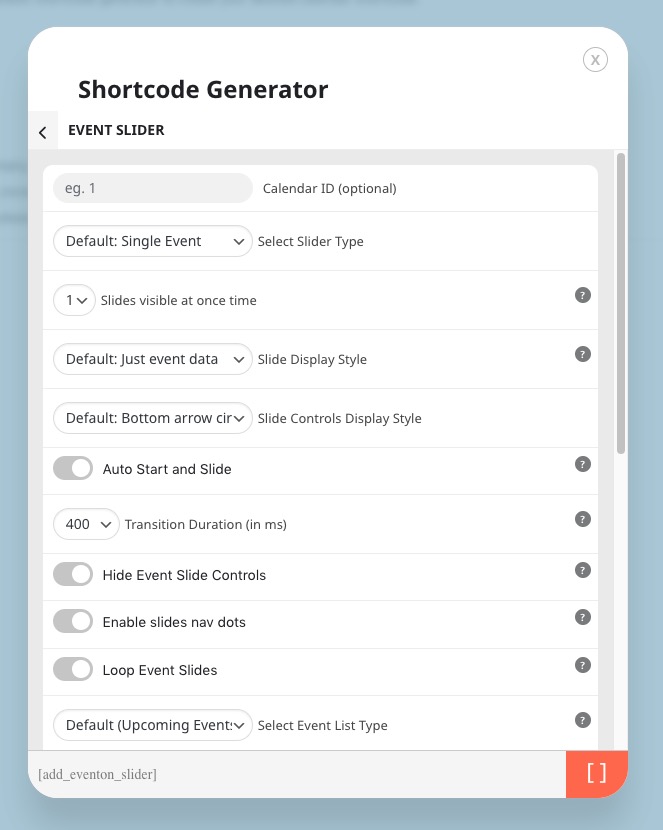
Available slider add-on can be found here:
https://www.myeventon.com/addons/event-slider/
For it’s options, please go to
https://dev.myeventon.com/wp-admin/admin.php?page=eventon#evcal_012
Hello,
Please update Event Tickets to 2.1.
To update eventon addons: You can download latest eventon addons from myeventon > my account. Then you can go to your website, deactivate old addon and install new one and activate then delete the old addon. This link will further explain the process. Also you can follow us on twitter to get real-time announcements on updates!
Can we take a look at wp-admin? Please send us wp-admin access to your site as a private message for us to further assist your situation.
If not possible, could you send us a link to your website.
Hello,
The only available option is EventON > URL for custom login link.
Okay, sorry for that but i have 2 more problems with the wishlist :
I am sorry, the access information you have provided did not work for us. Please check them and post the correct login information as a private message, thank you!