Hello,
I don’t think that we receive the image from the last message. Could you send it again?
Do you have similar issue with your shortcode but on our test site:
https://dev2.myeventon.com/test-35/
Could you check and let me know?
Replies for tickets on suppota
Hello,
I don’t think that we receive the image from the last message. Could you send it again?
Do you have similar issue with your shortcode but on our test site:
https://dev2.myeventon.com/test-35/
Could you check and let me know?
Hello,
Please add this CSS code to EventON > Styles (If you don’t see any change, EventON > Scripts & Styling > turn off Write dynamic styles to header > save settings > turn on Write dynamic styles to header):
@media (max-width: 768px){ .evosv_grid .row .evosv_items .evosv_event { width: 100%; overflow: hidden; text-overflow: initial; white-space: normal; flex-wrap: unset; }}
Hello,
Please add this CSS code to EventON > Styles (If you don’t see any change, EventON > Scripts & Styling > turn off Write dynamic styles to header > save settings > turn on Write dynamic styles to header):
.evo_page_body .evo_sin_page .evosin_event_title { display: none !important; }
Hello,
When you done changing please do this:
EventON > Scripts & Styling > turn off Write dynamic styles to header > save settings > turn on Write dynamic styles to header
Try my suggestion and let me know.
Hello,
There are two ticket with the same issue from you:
https://helpdesk.ashanjay.com/ticket/customers-are-able-to-double-book-seats-either-with-quantity1-or-multiple-people-purchasing/
https://helpdesk.ashanjay.com/ticket/customers-are-able-to-double-book-seats-either-with-quantity1-or-multiple-people-purchasing-2/
We closed the second one as a duplicate.
Thank you for this information!
I have someone helping me with this and this documentation was helpful. Right now, we figured out how to apply the “subscribe” button shortcode to all of the eventcards and it works perfectly fine on the single event pages, but on the homepage, I use the open events as a lightbox feature and the subscribe button does not open in that layout. I am guessing because it’s basically a popup within a popup.
I was thinking about just using the subscriber form in the eventcard so it’s not in popup form. What would you suggest?
Ok, thx. Is there a way to hide the event title? It displays twice. It looks like the wordpress title displays first (even though the template page title checkbox is disabled and the EventOn title second.
See the following page:
Alcohol Inks Painting Ornaments, Cards & Gift Tags – #33 | The Clearing
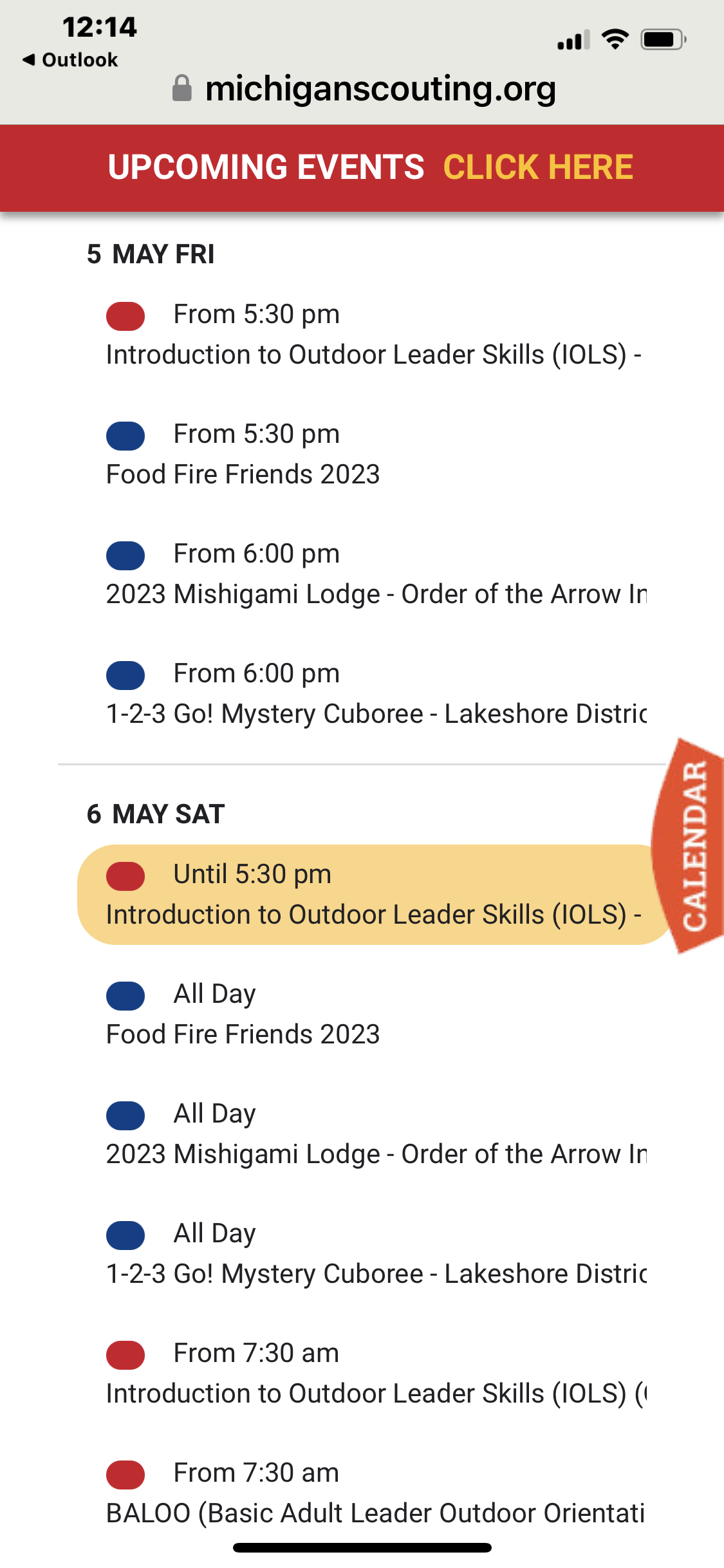
Attached is screenshot from iOS mobile device showing titles not wrapping properly.
The solution works but as written I need a solution that lasts. Thank you!
Mascha
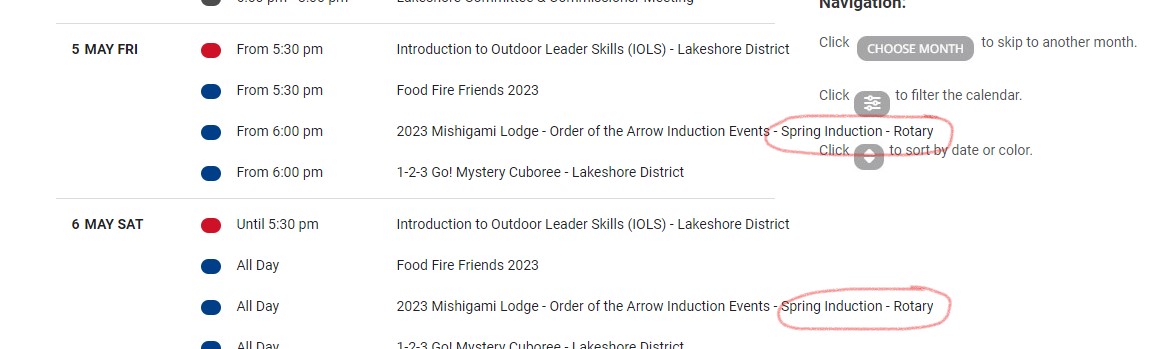
Also happens on web. In attached image you can see the words are exceeding the container, bleeding into the the side bar.