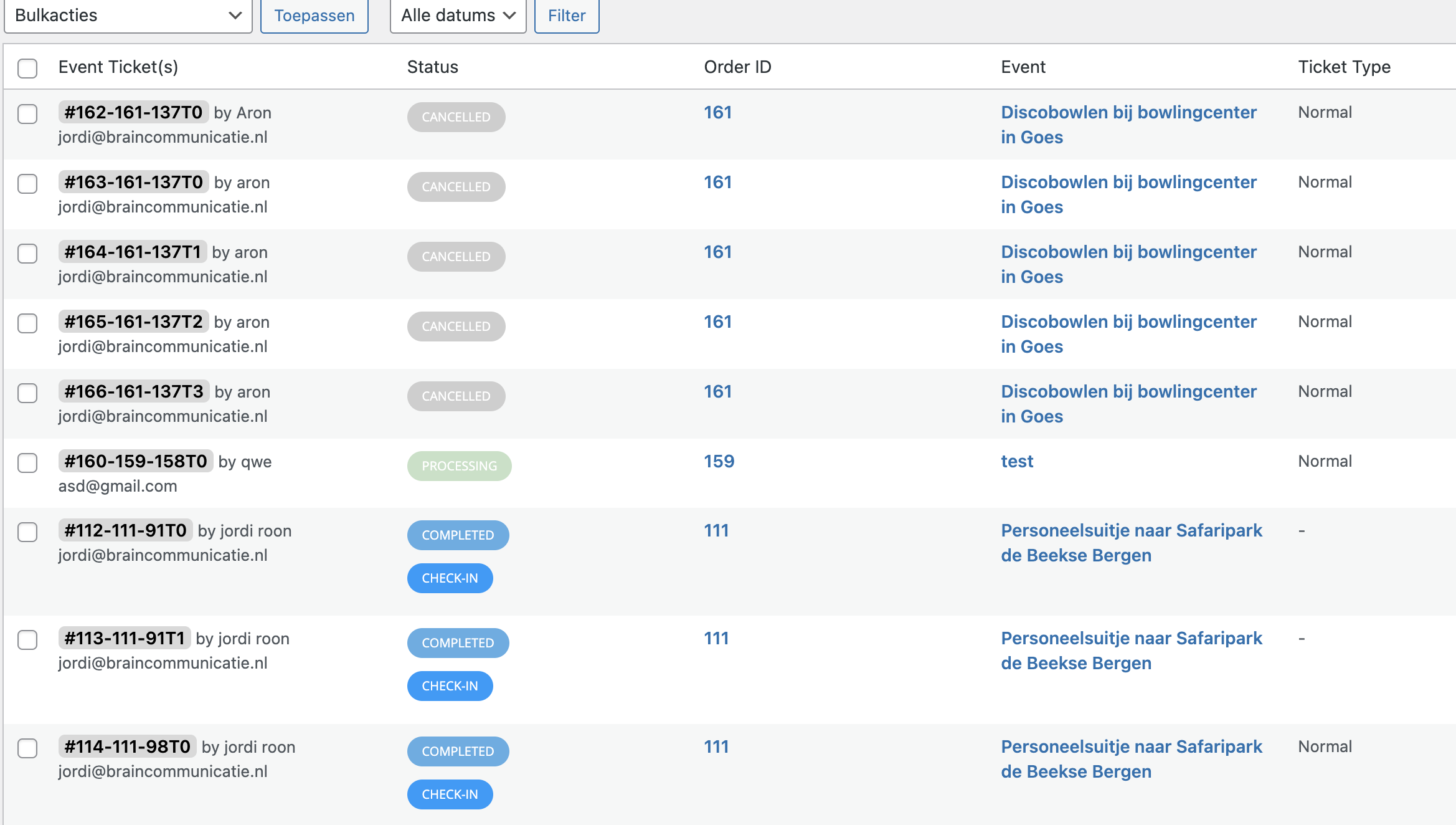
the screenshot for point 3
Replies for tickets on suppota
the screenshot for point 3

[19-Apr-2023 14:19:11 UTC] PHP Warning: Undefined array key 2 in /home/u107620p145109/domains/braintestweb.nl/public_html/czav/wp-content/plugins/eventon-tickets/includes/class-evo-tix.php on line 237
[19-Apr-2023 14:19:11 UTC] PHP Warning: Undefined variable $EVENT in /home/u107620p145109/domains/braintestweb.nl/public_html/czav/wp-content/plugins/eventon-tickets/templates/email/ticket_confirmation_email.php on line 300
yes. tile_bg_size=”med” is in my shortcode
ok, sorry for mistake.
No in your test there is not the bug i have in my website.
Please let us know if there is a way to manually handle it from our end; be it through code changes.
It’s a critical matter for us to get the ICS body content changed.
Hallo,
in order to speed up the query
i have limited the query at last 6 monts (EventON > Select event calendar WP Query method)
i have changed the status of old events in draft
we have a dedicater server
i’m using cache plugin
but the program takes always 10 seconds to load and sometimes filters doesn’t works
Any other possibilities to have more speed? Maybe totally deleting old events?
Hello,
Can we disable the custom made plugin for a test?
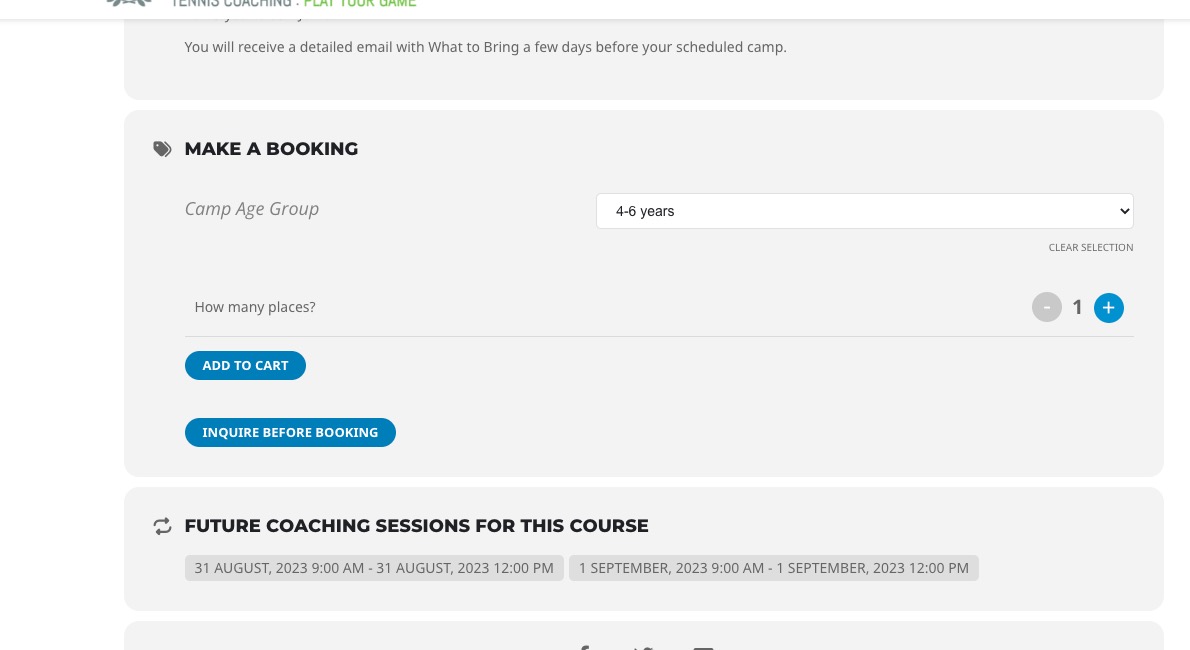
One other thing – the ticket variation details do not appear on the event details in the cart or on the booking confirmation. Can you please check I have set it up properly?
Could you elaborate about this one? They seem to be visible for me when I check future events:
https://rosieclarktenniscoaching.co.uk/events/4-13-years-bloxham-summer-holiday-camp-23-6/
Their descriptions should be “Org test” and “Org test 1“:
https://dev2.myeventon.com/Events-Directory/org-test/
https://dev2.myeventon.com/Events-Directory/org-test-1/
Could you send us a screenshot?
Have you tried adding this to your shortcode?
tile_bg_size=”med”
I am referring to this option:
https://helpdeskx.s3.amazonaws.com/wp-content/uploads/2023/04/16123516/Screenshot-2023-04-16-at-21.34.07.jpg
Hello,
We are very sorry for the delay. I contacted Ashan about your issue. He will reply ASAP.