event types will only show if there are events in that event ype-
Archives: Replies
Replies for tickets on suppota
Reply to: tickets(311487)
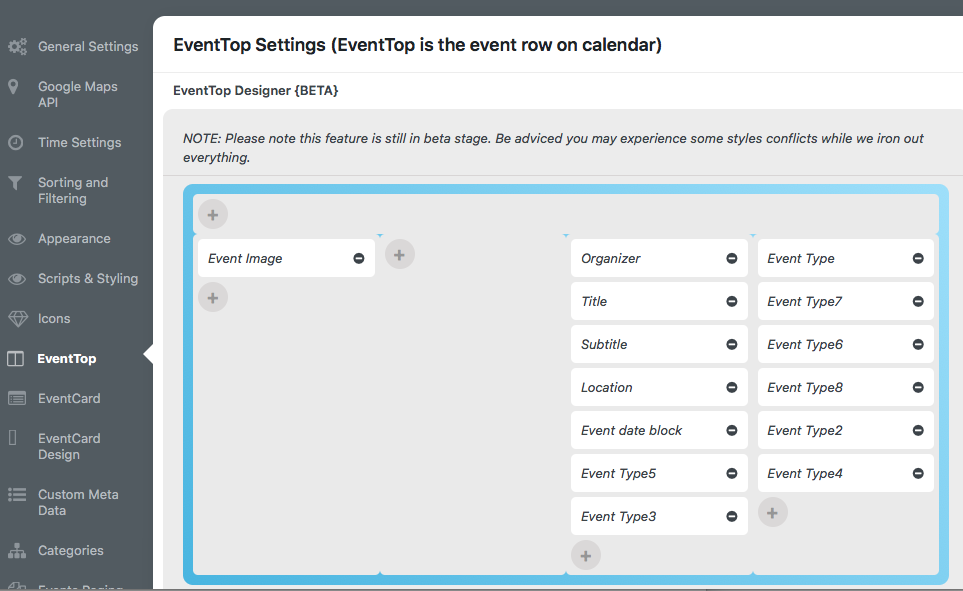
this is the screenshot
Reply to: tickets(302564)
Wait, this is a early version sure? The ftp I have sent you is of the store in operation and I would not like to have problems in sales with my client. If you have an installation where I can test it send me the url and we can try it.
I would really love to try the new version =)
Reply to: tickets(302564)
of course,
server: rossevip.club
user: ashan
password: Eventon2023.@
Thanks!
Reply to: tickets(310548)
Do you mean that I give you access to Google seach console? It can be done, but I need a gmail account of yours.
If you send it to me I give you access.
Reply to: tickets(310797)
Hi Kristen,
The password you have provided does not seem to work. Please send in a password that works so that we can take a closer look at the issue.
Reply to: tickets(311438)
Hi Peter,
You can create a staging site and then update the plugin there. Afterwards, send us admin access to that staging site so that we can take a look and troubleshot the issue you are having.
Let us know if that works for you.
Reply to: tickets(311470)
Hi Dennis,
To hide the button, use the custom CSS code below
/*hides organizer learn more button on event card*/
.evo_card_organizer_more{display:none;}
Please add the custom CSS code to “EventON Settings > Styles” and save changes. If you do not see the new style changes, Go to “EventON Settings > Styles & Scripting > Turn off write styles to header” Click save changes – to write the styles css code direct into page header. You can turn this off once the cache is cleared.
Reply to: tickets(309508)
Sorry for the confusion Ashan, I thouht it was a caching issue and closed the ticket already. I’ve reverted it back to the original version. With the new version, I was not able to change the picture anymore in the backend. When I selected a new picture and refresh afterwards, it was still displaying the old picture and the picture in the frontend is still not showing. I made an intermediate fix that I added the picture to the text area.
Reply to: tickets(311342)
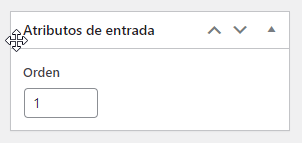
I have a calendar with more than 10 items around 20 by day. The problem is some events overlap others, sometimes we have 7 items at the same time slot. My client needs and wants to order them in these time slots. I use this option an it works with less than 10 items,