Reply to: tickets(310169)
Replies for tickets on suppota
Thank you for your reply!
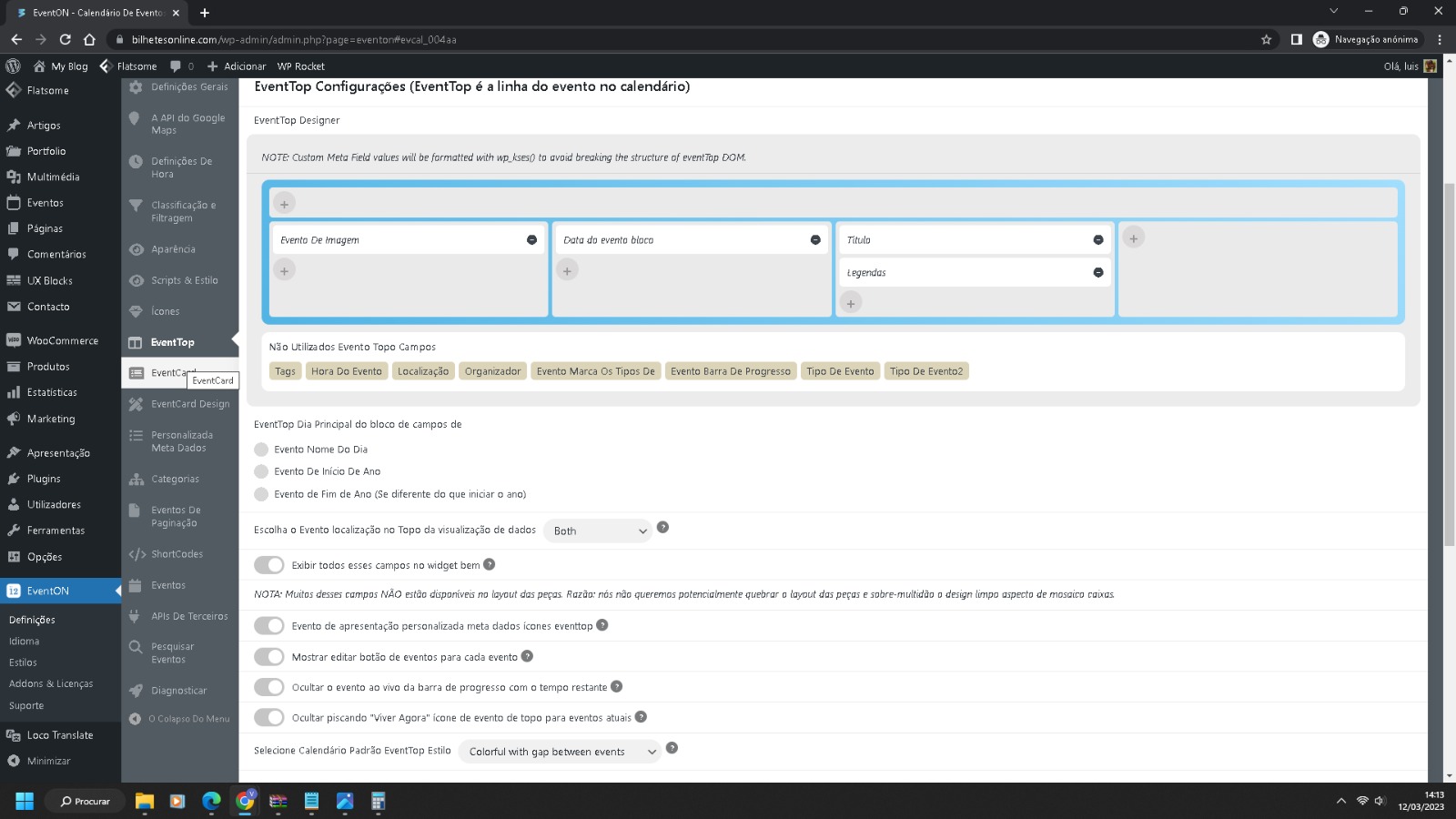
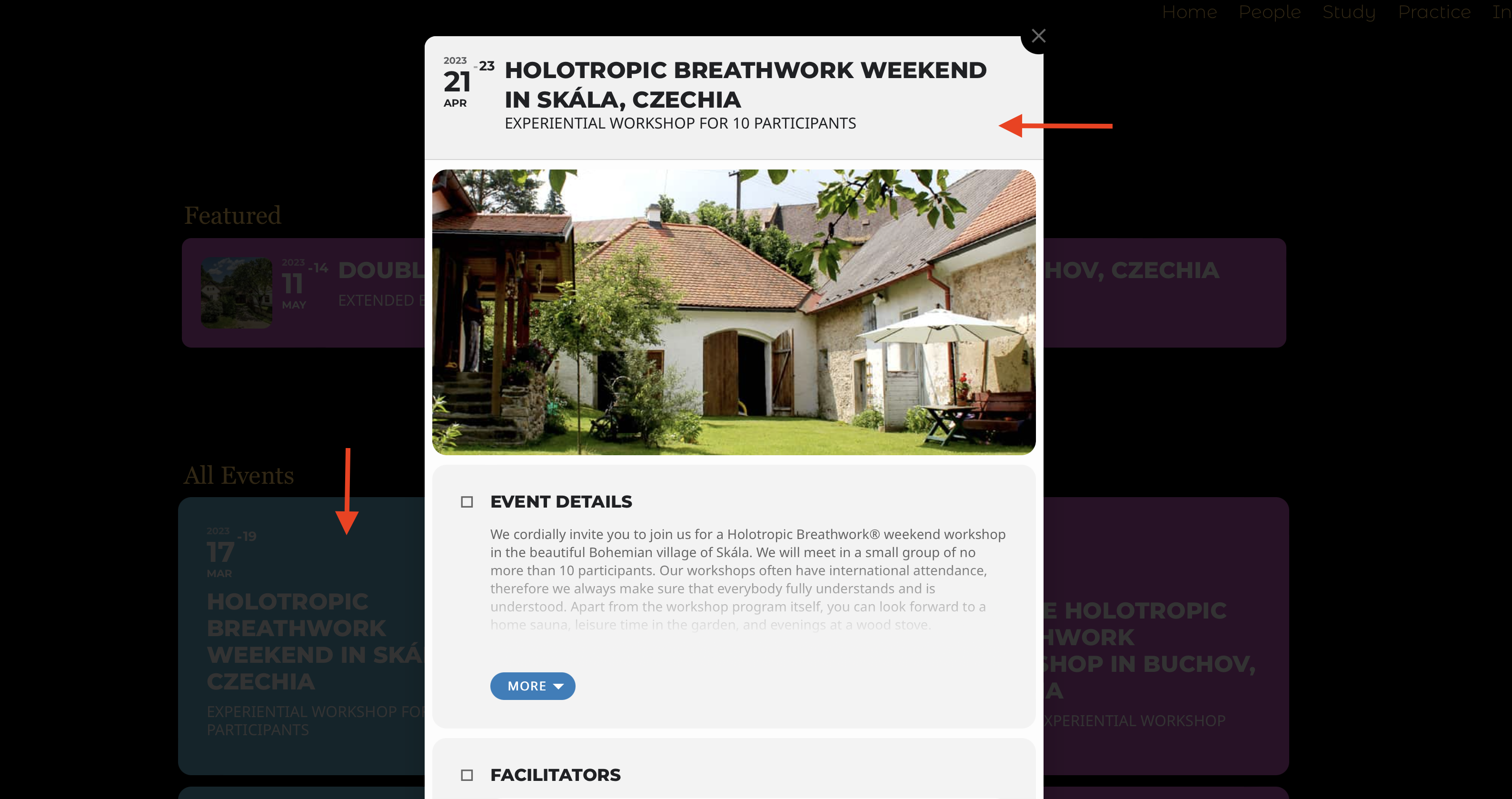
Now, is there a way to make the background of the uppermost section of the event card reflect the “event color”? (Because I think this is what it looked like before). I am sorry to have so many basic questions, but there are so many options and settings it gets a bit confusing. 😀
Thanks!
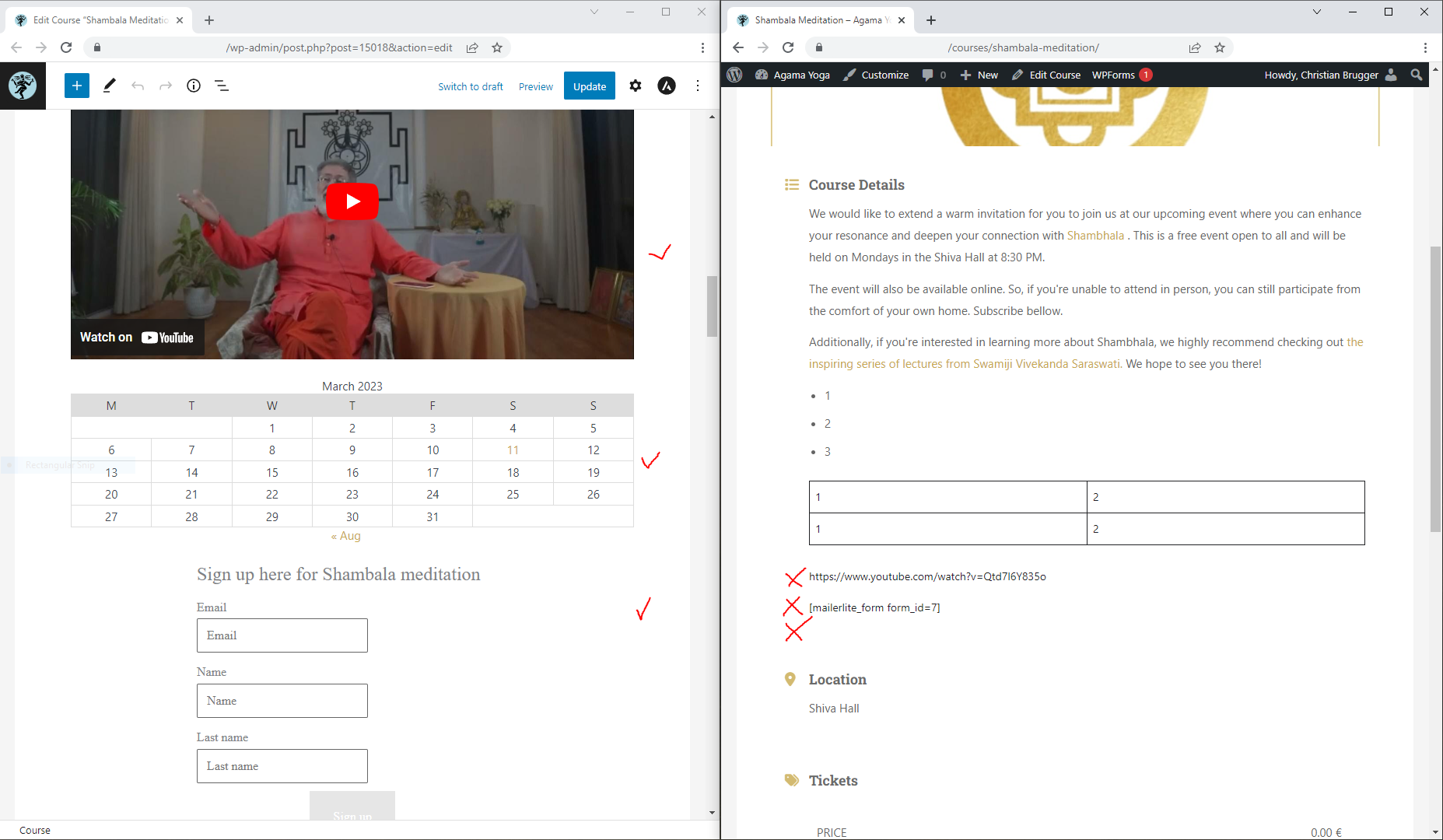
In the attached image you can see on the left the admin interface (Edit Event). Here the blocks are loading as usual (Youtube, Calendar, MailerLite, etc.).
On the right there is the event page. Here many of the blocks are not loading. For some nothing appears, for other just the shortcode or a snipped of the data.
I remember at Youtube working in the past. What do I need to do to make the blocks load?
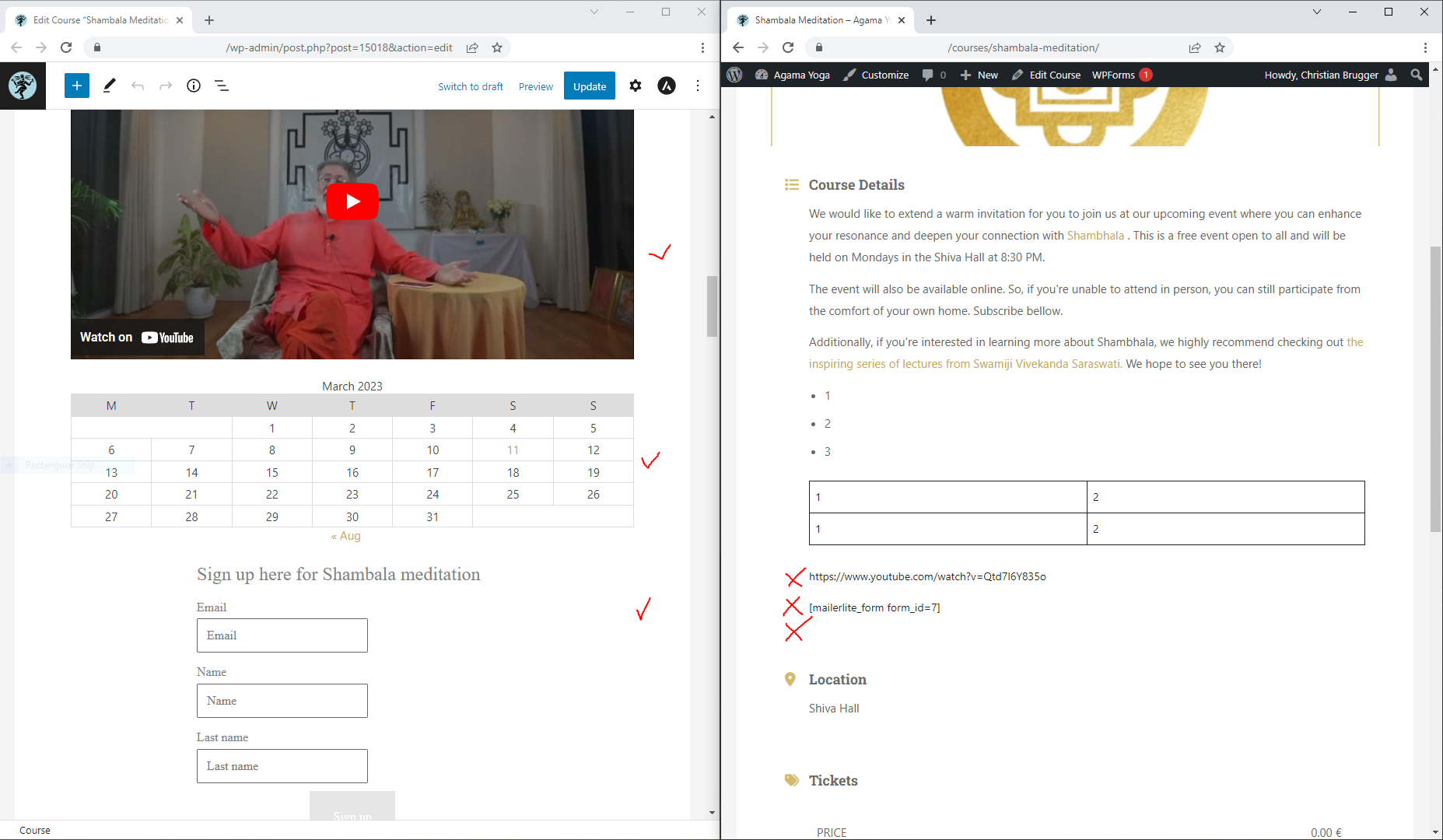
In the attached image you can see on the left the admin interface (Edit Event). Here the blocks are loading as usual (Youtube, Calendar, MailerLite, etc.).
On the right there is the event page. Here many of the blocks are not loading. For some nothing appears, for other just the shortcode or a snipped of the data.
I remember at Youtube working in the past. What do I need to do to make the blocks load?
Hello, Tried to make what I think is the suggested change and the same error persists in my litespeed dashboard.
The screenshot you sent and the files in my unedited installation are not lining up on the same line, which makes me think there are other edits made to the file, perhaps?
Is there a way to share the full corrected file? Otherwise myself or other users are forced to try to interpret and then transcribe edits. This obviously leaves a wide margin for error
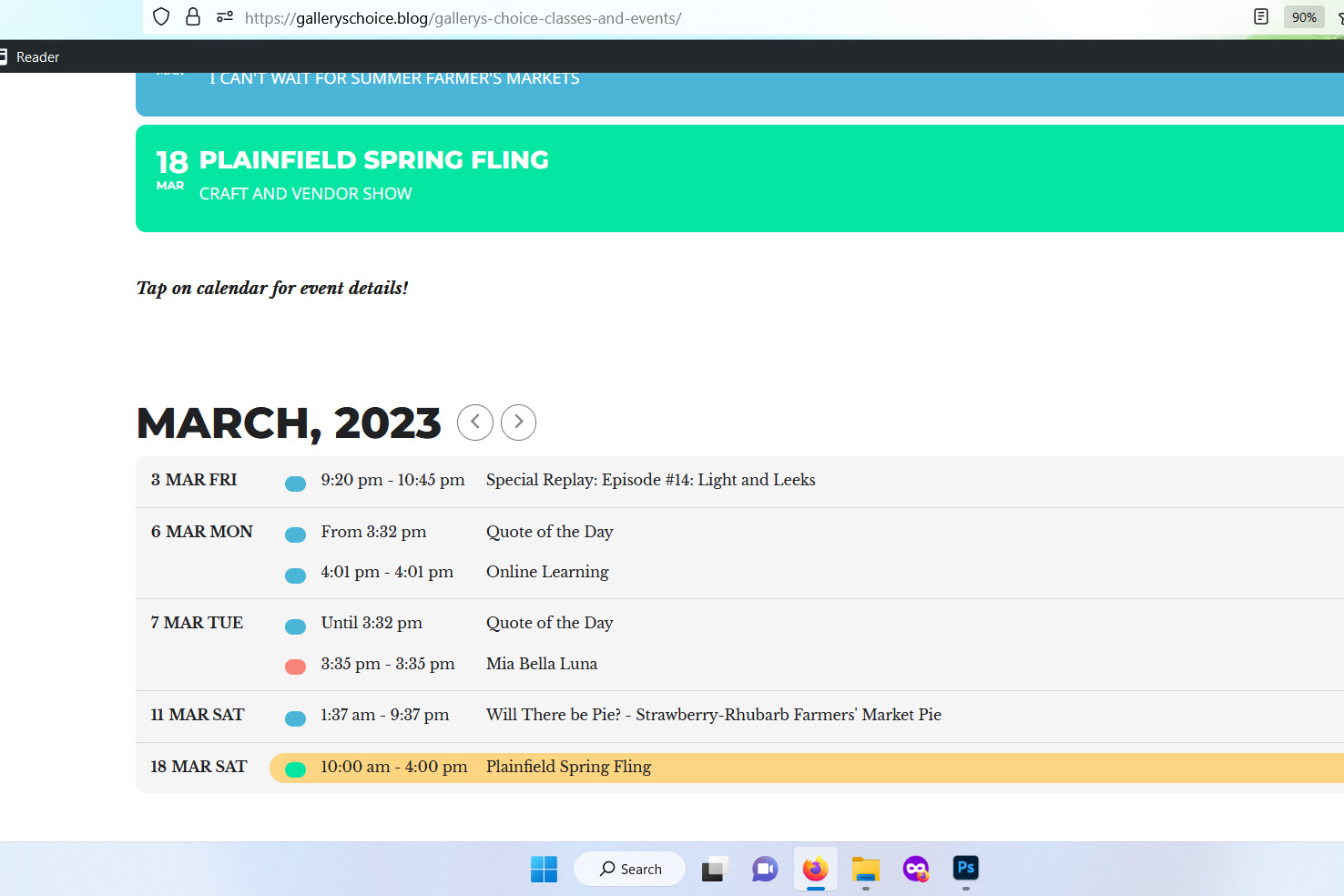
Front end calendar visual attached
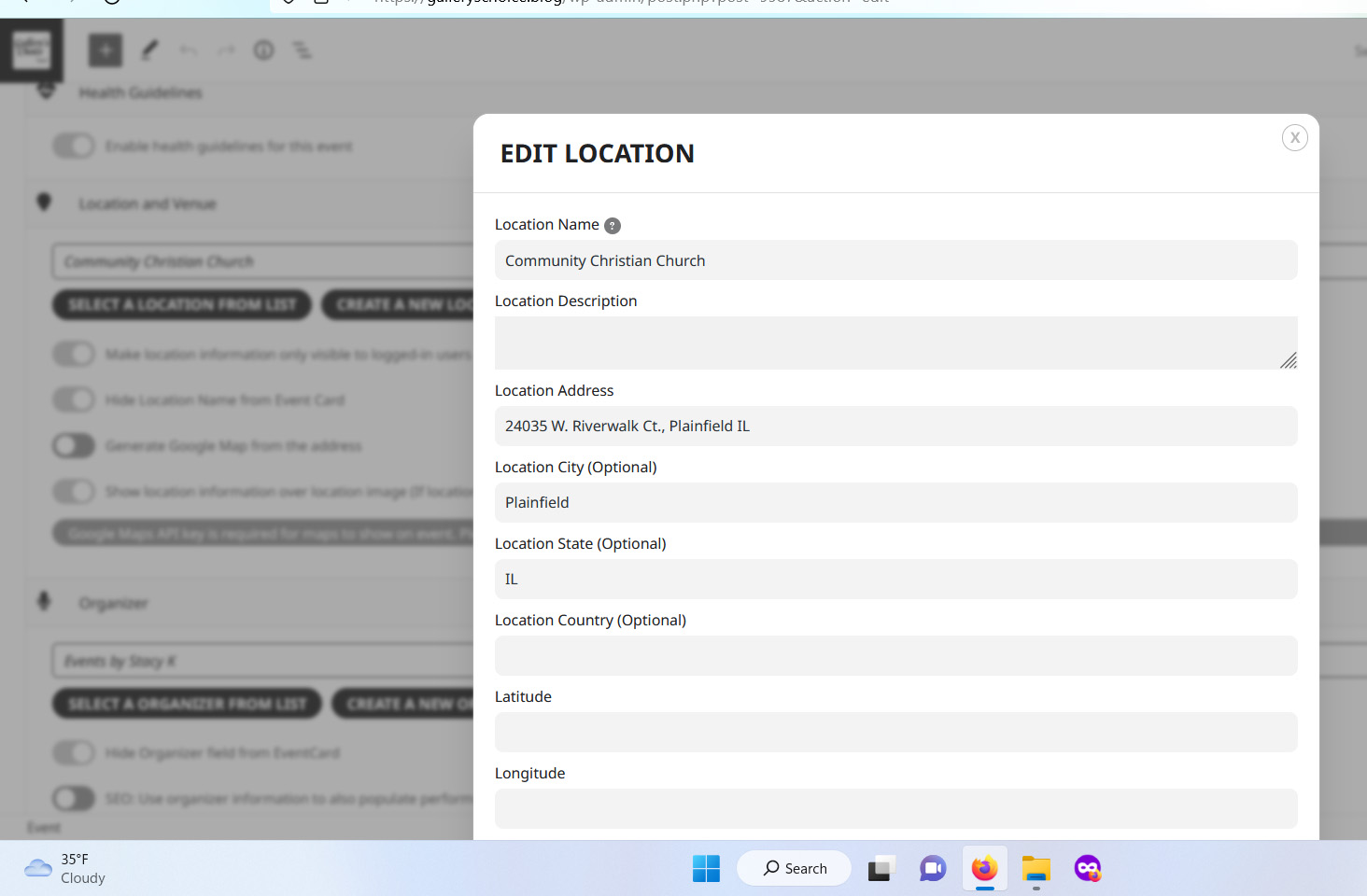
Yes. Confirmed – Location field is populated.
For reference –
https://galleryschoice.blog/gallerys-choice-classes-and-events/
is the page where the calendar exists – and it is the second one on that page – just under the full calendar – where I used the latest shortcode generator to produce the following:
[add_eventon_sv show_location=”yes” etc_override=”yes” include_any=”yes”]
The event I am looking at is “Plainfield Spring Fling” on March 18th, and it should show the location as: “Community Christian Church”
The location was added to the Locations drop down list prior to creating the event post.
Images below – hope these help!
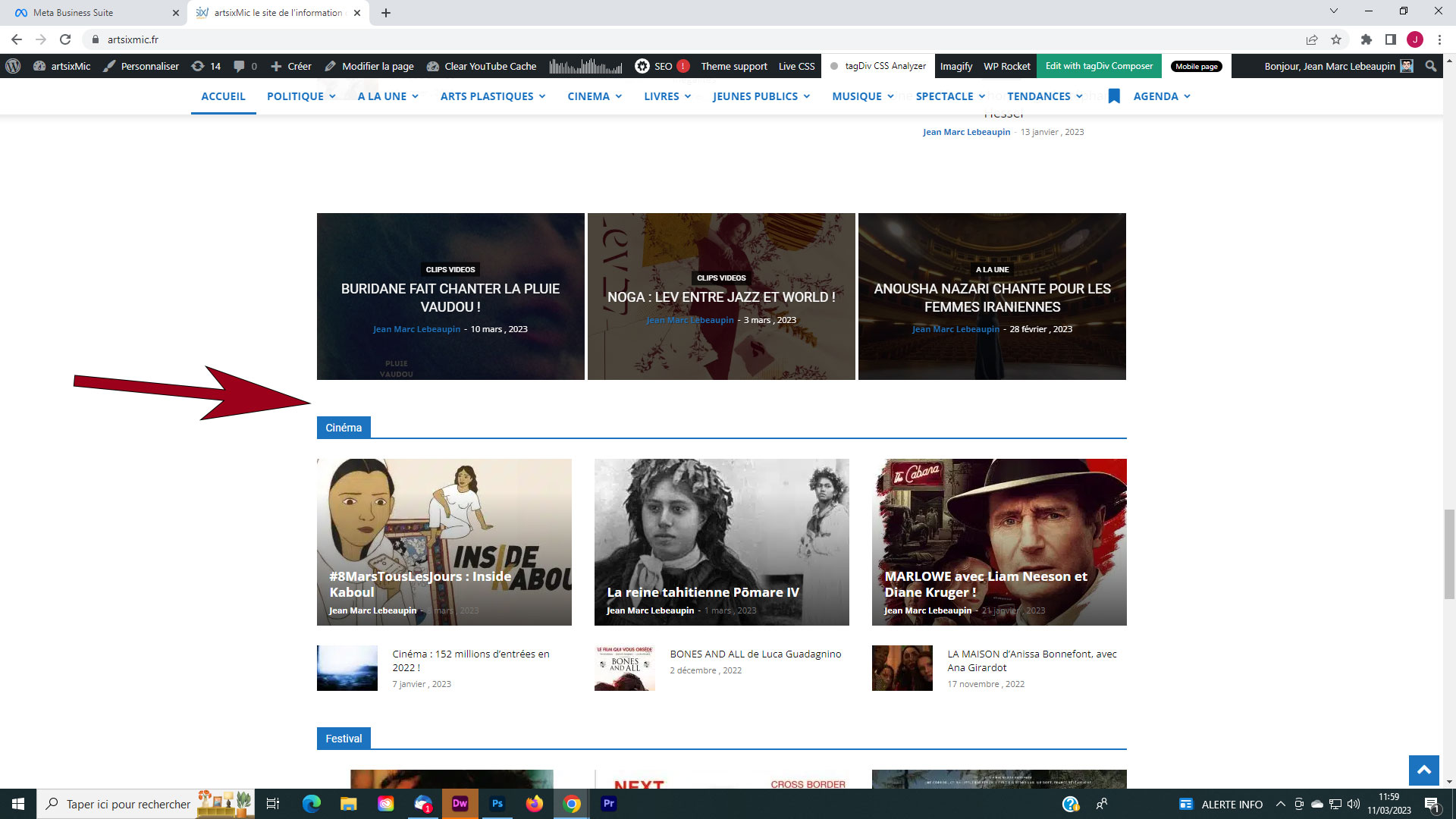
En résumé sur la page d’accueil et les autres pages du site , certaine fenêtre ne s’affichent sous Chrome ! Merci
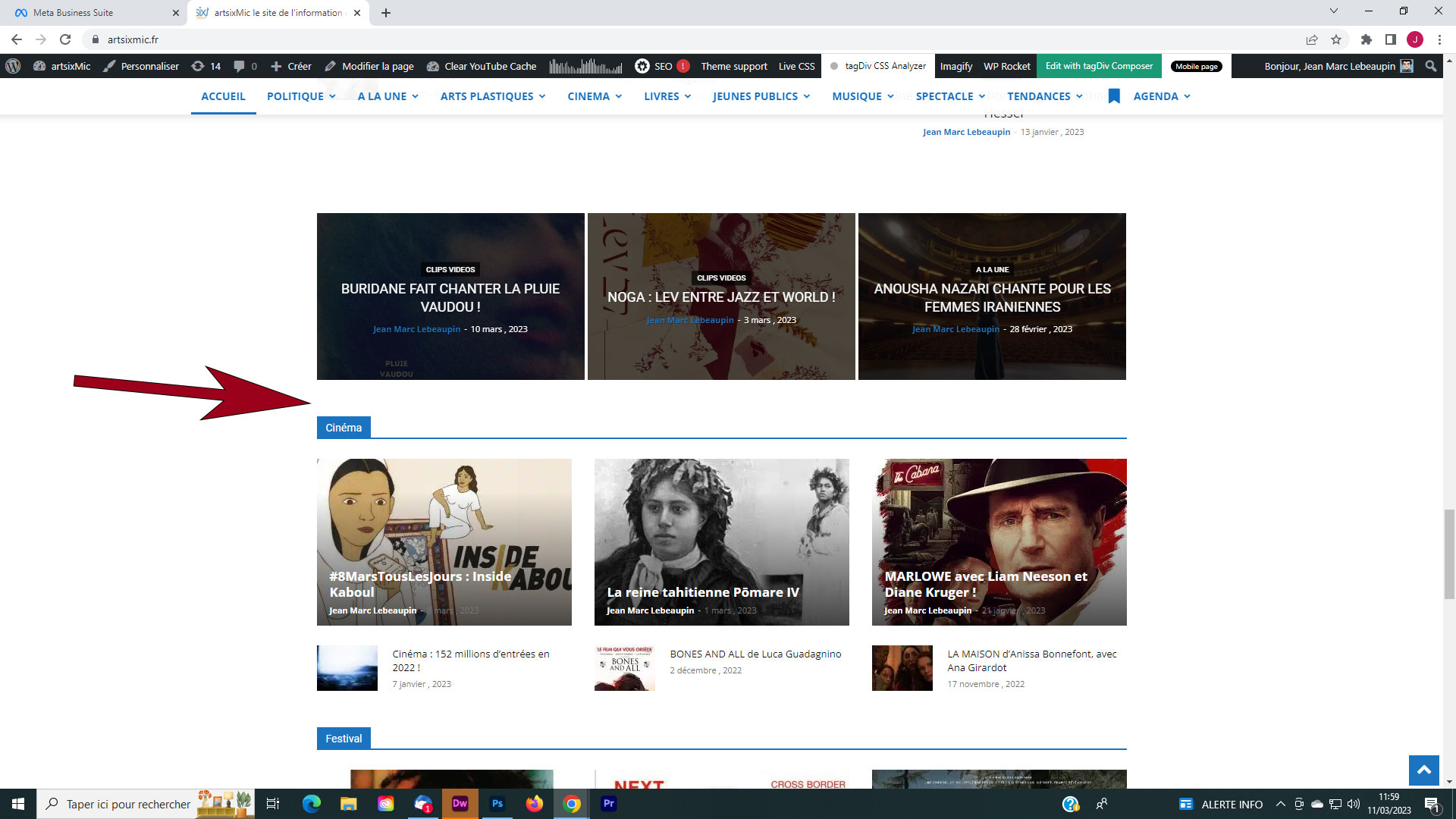
Avec chrome