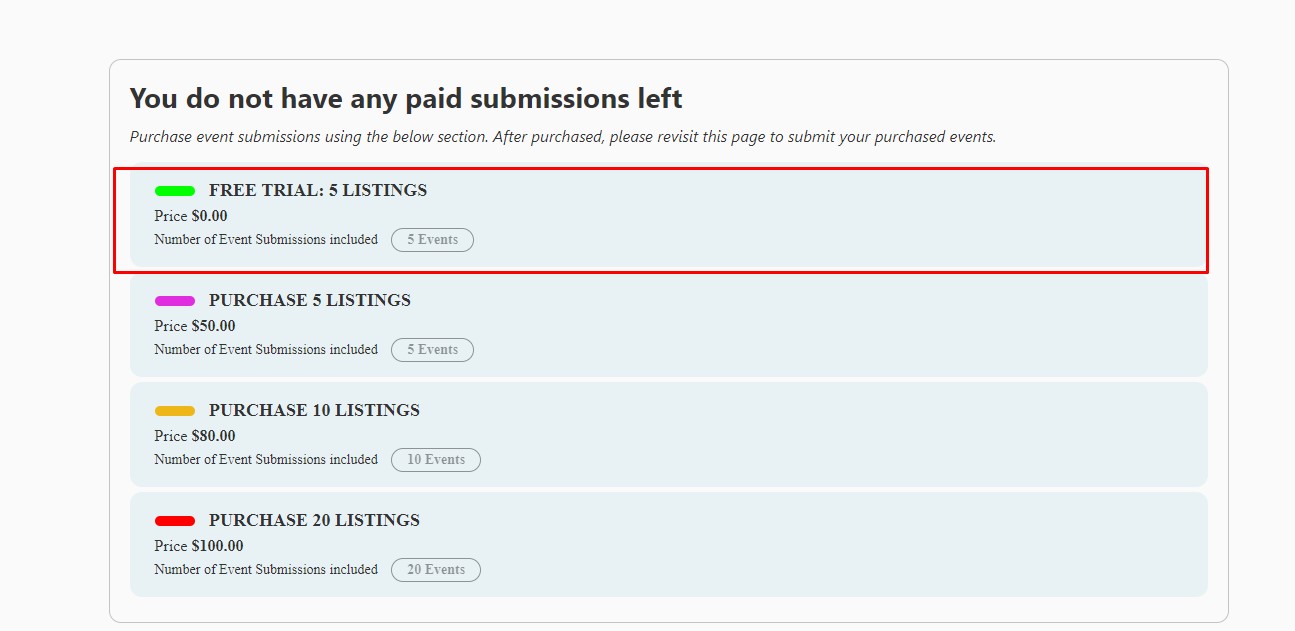
See attached image.
I was planning to add this plan, where the user can get or check out this free trial only once in their account
Replies for tickets on suppota
See attached image.
I was planning to add this plan, where the user can get or check out this free trial only once in their account
dying to hear ashan’s opinion on this, my site is so slow (with or without ajax)

Thank you I look forward to his response.
I really appreciate all of the support here. Here’s my thought process with why I chose EventOn:
I chose EventOn for the schedule view as we have so many meetings per day that a normal view simply takes up too much real estate and also doesn’t show the actual meeting time (without being clicked on). The schedule view is just what we need. It is relatively compact, shows the date, day of the week, and meeting time, and keeps the meetings in order by time so it is intuitive to understand from the viewer’s perspective.
Right now I’ve only input a partial list of repeating events. I think I’ve got somewhere around 50 repeating events and the full list is somewhere around 300 repeating meetings monthly.
Before I input all of the remaining meetings I wanted to see if the EventOn plugin would work. I purchased the standard EventOn license, as well as the CSV Import addon license as I may be able to export the events from the old calendar plugin, clean them up and reformat them for import to EventOn as manual input of events is sooo time-consuming. The previous plugin’s export ability is non-existent so I have to get the data from the db.
My ultimate goal was to purchase the DailyView addon but I wanted to test the basic features of EventOn before that investment. What I really want is to remove past events (they only take up room and are repeating so we only care about events happening today and in the future) and hopefully display using a kind of schedule view list.
Would any of that help in speeding the load times up? Beyond what you’ve been working on? That schedule view is vital, though less so when we are only showing a single day. If the schedule view is a bottleneck, is there a way to show event time and day on that default view? Having people manually switch to a schedule view after the page loads is a non-starter.
I have tested the site with the old calendar plugin disabled and it makes no difference to load times so there doesn’t seem to be a conflict there.
Doesn’t work, past months are empty.
Here is the login info
https://868estatevineyards.com/wp-admin/
user: rtw
pass: 33qeOj%yNqj5!*ePG3
Another note.
When i duplicate the event that works, the new duplicate works fine too. When i change the permalink though it breaks. Resetting permalinks does not fix it.
Hi,
I changed the settings at WPML and now events are also translatable.
Then i created an event yesterday for 16 march and the link works. Unfortunately, i tried creating more events today and they dont work. The one from yesterday still works though.
Ashan will check this ASAP. Sorry for the delay.
No updates from Ashan, unfortunately.
Could you follow https://www.hostinger.com/tutorials/website/how-to-inspect-and-change-style-using-google-chrome
Please open the page with the issue and inspect the close button. Send us a screenshot of the styles sidebar, so we can take a look.