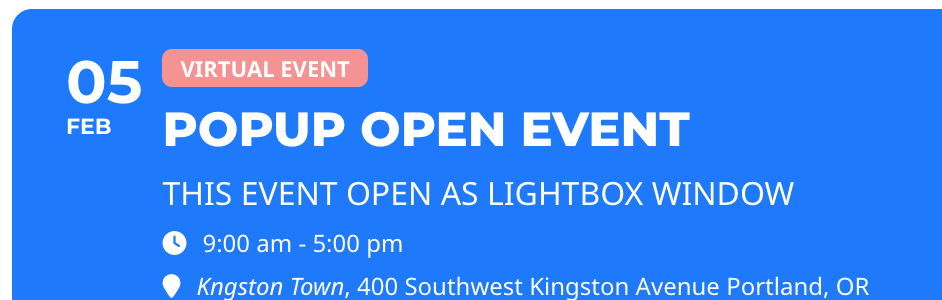
yes like this Virtual Event how can i add this categories there? thx
Replies for tickets on suppota
yes like this Virtual Event how can i add this categories there? thx
Hi Peter,
I added the code to this page https://engelwurz.at/wp-admin/post.php?post=506&action=edit and it’s displaying.
I edited the quotation marks to make it display
[add_eventon_list number_of_months=”12″ tiles=”yes” tile_bg=”1″ tile_style=”1″ ft_event_priority=”yes” event_type=”13″]
ok i found now it is working
[add_eventon_list number_of_months=”12″ event_type=”14″ tiles=”yes” tile_bg=”1″ tile_style=”1″ ft_event_priority=”yes”]
this is not working here
[add_eventon_list number_of_months=”12″ tiles=”yes” tile_bg=”1″ tile_style=”1″ ft_event_priority=”yes” event_type=”13”]
We bought these upgrades over 24hours ago, as our site wasn’t working any more with the Eventon updates.
We cannot create events due to this issue, so we do not have any patience as we now have a NON Functioning website due to these issues so we really do not have any time.
We really need this resolved and some sort of timely communication in the next 18 hours.
I await your response.
Hi Peter,
Would you mind sending a screenshot of the badge you are referring to just to make sure we are on the same page?
Hi Trenton,
We are glad your issue is resolved, if you have any further questions or concerns please create a new ticket. If you have a moment, we would greatly appreciate if you could kindly leave us a review at codecanyon! from your account > downloads. Cheers!
Duplicate ticket #308105
Hi Daniel,
Thank you for your messages, I am going to assign this ticket to Ashan and he will be able to take it from here. Please allow some time for him to get back to you, we greatly appreciate your patience and thank you for being a eventon customer!
Hi Paul,
Please use the custom CSS code below to correct the display of the search box
.evo_search_bar_in{height:40px;}
Please add the custom CSS code to “EventON Settings > Styles” and save changes. If you do not see the new style changes, Go to “EventON Settings > Styles & Scripting > Turn off write styles to header” Click save changes – to write the styles css code direct into page header. You can turn this off once the cache is cleared.