Hi Dan,
I do not see any picture, would you mind sending it so that we can take a look and advise accordingly?
Replies for tickets on suppota
Hi Dan,
I do not see any picture, would you mind sending it so that we can take a look and advise accordingly?
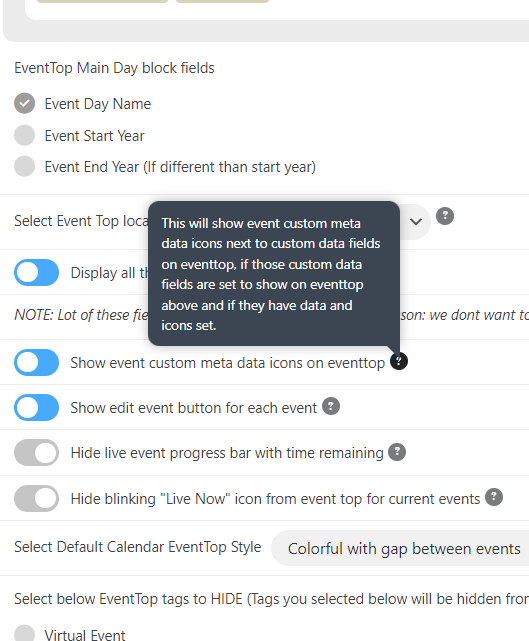
Dear,
It seems that this issue is available only for event create by previous version (4.2) : when you edit with 4.3.2, the issue appears.
If you create new event directly by 4.3.2, there is no issue. Thus, this problem is not so important, from my opinion.
BUT :
On latest version, on frontend eventcard I get the event custom metadata icon and event custom meta data fields value. This is normal.
The new issue is : on eventtop I get only the event custom metadata icon. The value doesn’t appear.
I you check on www.canardsbastogne.be/calendrier/ , you can see event create by previous version where the event custom meta data fields value is displayed on Eventtop. And other events created with the latest version 4.3.2 where the value is not displayed : this is a bug I think.
Could you confirm and send a hotfix ?
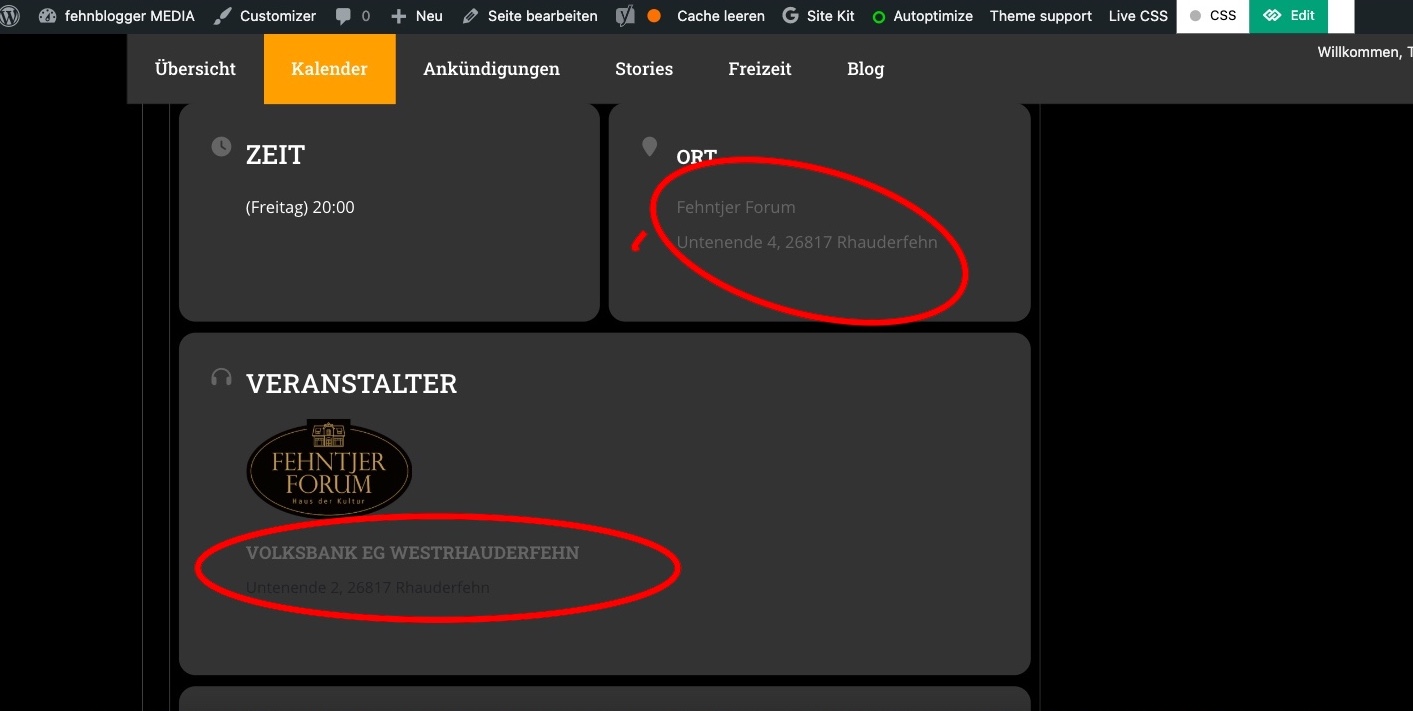
Hi Artem,
but maybe you can still help me. Since the last update, the colors for the organizer and address have changed again. However, I can’t find anything in the color settings with which I could change it back to white.
It is the marked points in the picture.
Thanks for your link, I’ll see if I can work with the theme manufacturer and their helpdesk to help.
Several users have already asked about removing the link to the organizer popup, and a “fix” was also posted. However, it looks exactly the same there as in my installation. So I don’t know what to change there.
Hi Artem,
As you see at the begin of this ticket the main problem was that the pop-up was loading on the side – see sceenshot. The fonts are just something that I noticed but wouldn’t be that problem.
As the pop-ups didn’t work I changed all events (one by one) to load as a slide down.
Then I created the test page (https://sam-dogs.ch/sam-dogs-mantrailing-schweiz/event-test-eventon/) to be able to test out what you suggested (without efecting the PROD page)
Right now what I see (testing on Mac Firefox):
Right now I can’t reproduce the issue with loading on the side, what was the main problem – if this is fixed, then I would like to change all the events back to pop-ups.
I experienced a similar issue (loading fonts) and solved it by disabling “Combine theme CSS files” in the theme “modules and Speed” section (Left menu – Theme Options – Modules and Speed). Might this cause the issue ?
Thanks
Marcin
BTW: the fonts on Firefox looks like a default font
Hello,
Thank you for your comeback.
The feature image works one time on two. It’s not working each time.
I think there is a conflict with another plugin. I try to know which one is.
(I m not sure but after the first test I have an issue with Yoast)
I’m still processing my test.
Have a nice.
you only have 2 events in total
one is in january the other is the 25th feb
so [add_eventon_list number_of_months=”6″ event_count=”12″ ux_val=”3a” show_et_ft_img=”yes” etc_override=”yes” eventtop_style=”1″ tiles=”yes” tile_height=”350″ tile_bg=”1″ tile_style=”1″ hide_month_headers=”yes” hide_mult_occur=”no” hide_empty_months=”yes” event_past_future=”all”]
will only show events from the current month onwards which is feb and onwards
so if you added an event for the 1st feb- it will appear but those in jan will not- unless you start the calendar in previous months
such as what you have done in the next shortcode
[add_eventon_list month_incre=”-3″ number_of_months=”6″ hide_empty_months=”yes”]
what exactly are you trying to do? and we can help build a shortcode that will work to your needs
Hello,
Thank you for your message, I am going to assign this ticket to Ashan and he will be able to take it from here. Please allow some time for him to get back to you, we greatly appreciate your patience.
Hello,
Please check now, you just need to increase the number of months a bit for the events to show. The two months you had indicated earlier there might have been no events during those months, hence the reason they were no events showing.
and we would need the user name and password
Here is a download link for you of the basic plugin and also Korea for Woocommerce which is required: https://drive.google.com/drive/u/2/folders/1AqkQfci3cy0jflPSUvtsW6s2ccfoJCyP
I have an updated version of EasyPay that links Kakao and Naver pay options on my website, but I don’t have a download link for that version. Functionality should be the same though