It’s perfect !! 🙂
Thanks Artem !
Replies for tickets on suppota
It’s perfect !! 🙂
Thanks Artem !
Hello,
Please use ESE widget https://docs.myeventon.com/documentations/use-eventon-shortcode-executor-widget/ with this shortcode:
[add_eventon_list number_of_months=”12″ tiles=”yes” tile_bg=”1″ hide_empty_months=”yes”]
Could you try disable it to see if it’ll become Sold Out automatically again?
This ticket is private.
Hello,
Please take a look at this test event:
https://wp.cjp.ch/wp-admin/post.php?post=2480&action=edit
After updating, it still has the correct date range:
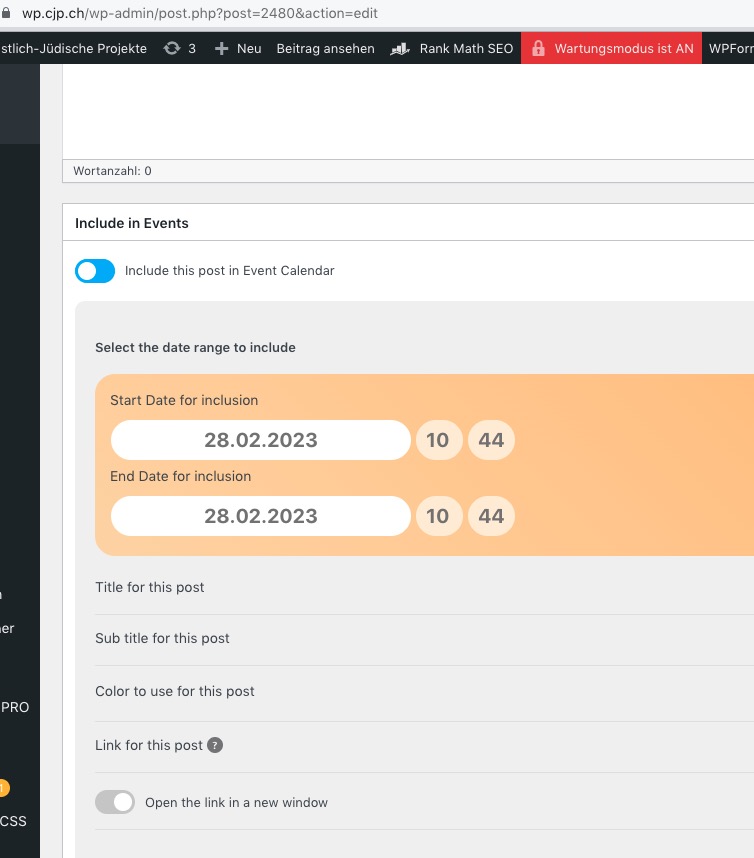
Hello,
Please go to wp-admin > Events > Edit Event > Action User:
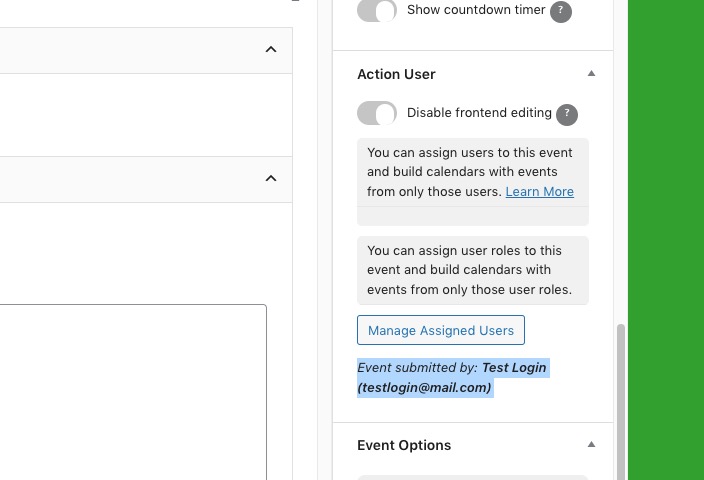
Try adding this code:
.ajde_evcal_calendar.boxy.boxstyle1 #evcal_list .eventon_list_event .evcal_desc span.evcal_event_title, .ajde_evcal_calendar.boxy.boxstyle1 #evcal_list .eventon_list_event .evcal_desc span.evcal_event_subtitle { word-wrap: normal; white-space: normal; }
Hello,
Please follow this guide:
https://docs.myeventon.com/documentations/customize-eventtop-date-format/
Can we access wp-admin with the provided login info?
https://404london25.e.wpstage.net/wp-admin redirects to https://404london25.e.wpstage.net/sessions/
You need to use Event Lists: Ext add-on
https://www.myeventon.com/addons/event-lists-extended/
Try on https://dev.myeventon.com/wp-admin/
[add_eventon_el number_of_months=”12″ event_count=”6″ event_count_list=”yes” hide_empty_months=”yes”]