Mollie is a payments platform https://www.mollie.com
Archives: Replies
Replies for tickets on suppota
Reply to: tickets(306274)
I have added some css to customize>>>>additional css
so that text should be white now
Reply to: tickets(306436)
I’d emote a thumbs up if I could!
I was genuinely surprised at how good the resulting page looked and as I say, if I could just tidy it up a little, it would be ideal and i’d be likely to look at what other modules could be added.
In fact, while i’m at it, the ability to rename ‘organizer’ to something else more fitting to my requirements would also be a huge bonus.
Reply to: tickets(306436)
WORD!
Same here – i don’t need this page or popup.
Reply to: tickets(306437)
could you tell us what mollie is?
Reply to: tickets(306438)
events list will work
just add tiles=”yes” tile_bg=”1″ tile_style=”1″ to the events list shortcode
see video below
[add_eventon_list number_of_months=”6″ hide_empty_months=”yes” tiles=”yes” tile_count=”3″ tile_height=”350″ tile_style=”1″ tile_bg=”1″]
Reply to: tickets(306223)
Hello,
Could you please try the instructions mentioned in this documentation to check where the conflict is coming from?
Reply to: tickets(306431)
Hi Dan,
I do not see any picture, would you mind sending it so that we can take a look and advise accordingly?
Reply to: tickets(305991)
Dear,
It seems that this issue is available only for event create by previous version (4.2) : when you edit with 4.3.2, the issue appears.
If you create new event directly by 4.3.2, there is no issue. Thus, this problem is not so important, from my opinion.
BUT :
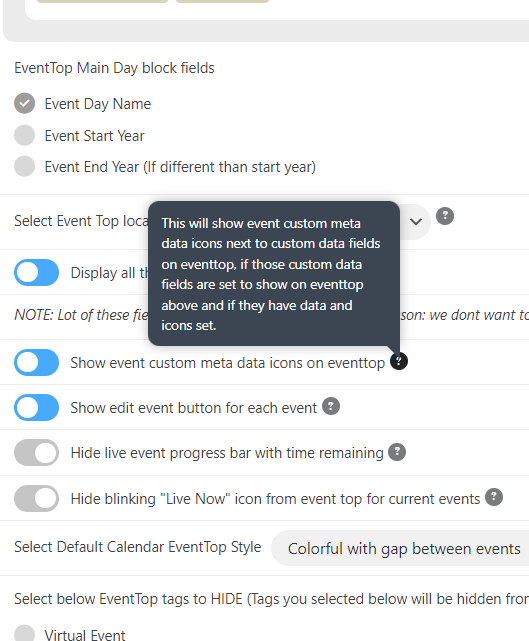
On latest version, on frontend eventcard I get the event custom metadata icon and event custom meta data fields value. This is normal.
The new issue is : on eventtop I get only the event custom metadata icon. The value doesn’t appear.
I you check on www.canardsbastogne.be/calendrier/ , you can see event create by previous version where the event custom meta data fields value is displayed on Eventtop. And other events created with the latest version 4.3.2 where the value is not displayed : this is a bug I think.
Could you confirm and send a hotfix ?
Reply to: tickets(306274)
Hi Artem,
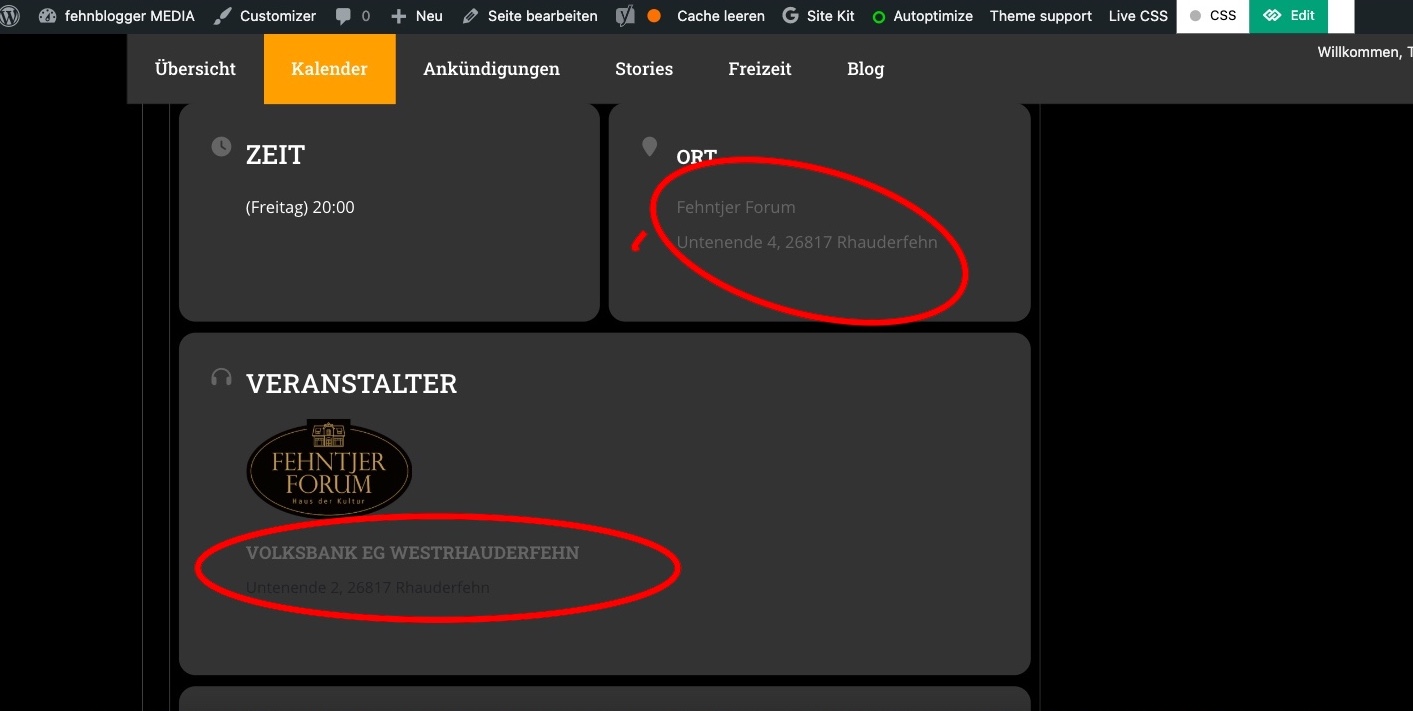
but maybe you can still help me. Since the last update, the colors for the organizer and address have changed again. However, I can’t find anything in the color settings with which I could change it back to white.
It is the marked points in the picture.
Thanks for your link, I’ll see if I can work with the theme manufacturer and their helpdesk to help.
Several users have already asked about removing the link to the organizer popup, and a “fix” was also posted. However, it looks exactly the same there as in my installation. So I don’t know what to change there.