Here is a patch fix that will allow the li values. Please try this out, it will allow you to save the list correctly.

Replies for tickets on suppota
Here is a patch fix that will allow the li values. Please try this out, it will allow you to save the list correctly.
so you are using https://moodle.com/
and not the version you download and run on your own server for more control found at https://moodle.org/
we don’t provide customizations however
its possible to sell tickets via our tickets addon
(the tickets addon uses woocommerce to process the checkout)
and possibly use this to bridge wordpress/woocommerce to moodle
https://wordpress.org/plugins/moowoodle/
I suggest installing https://wordpress.org/plugins/moowoodle/ and woocommerce on your site (woocommerce is free) and making a product and testing it out
then ONLY after that works consider buying eventon tickets
If you look closer featured events are moved to the top of each month. Just not above all the events from the entire list. That was never a supported feature.
Would you like us to add support for such feature? in that way, however then events from dif months would appear above more recent events. Kind of unordered..
Thank you for letting us know. we will work on the RTL CSS additions possibly for the next update.
Hi,
Thanks for your reply.
Moodle is only an online e Learning platform.
We would like to link it via its API to Eventon.
The e-learning site they receive a login and enrolment key.
We would like, once they buy the ticket on eventon, that it automatically directs them to this API login portal.
Can you please recommend any plugins that could do this for us.
Thanks
Daniel
see video below
https://mysite.com/evofeed?event-type=3
http://yoursite.com/evofeed?event_type=63
that number is found under events>>>event_type
so currently you only have 1 event type
all future events:
https://podcastparties.com/evofeed
Only virtual mixers
https://podcastparties.com/evofeed?event-type=3
please note you need to have events in the future for them to display on the rss feed
you’ll want to update your rss addon
To update eventon addons: You can download latest eventon addons from myeventon > my account. Then you can go to your website, deactivate old addon and install new one and activate then delete the old addon. This link will further explain the process. Also you can follow us on twitter to get real-time announcements on updates!
done see video below
We are glad your issue is resolved, if you have any further questions or concerns please create a new ticket.
If you have a moment, we would greatly appreciate if you could kindly leave us a review at codecanyon! from your account > downloads. Cheers!
I was able to get these figured out. The HTML speaker description will need to use this patch fix on eventON files.
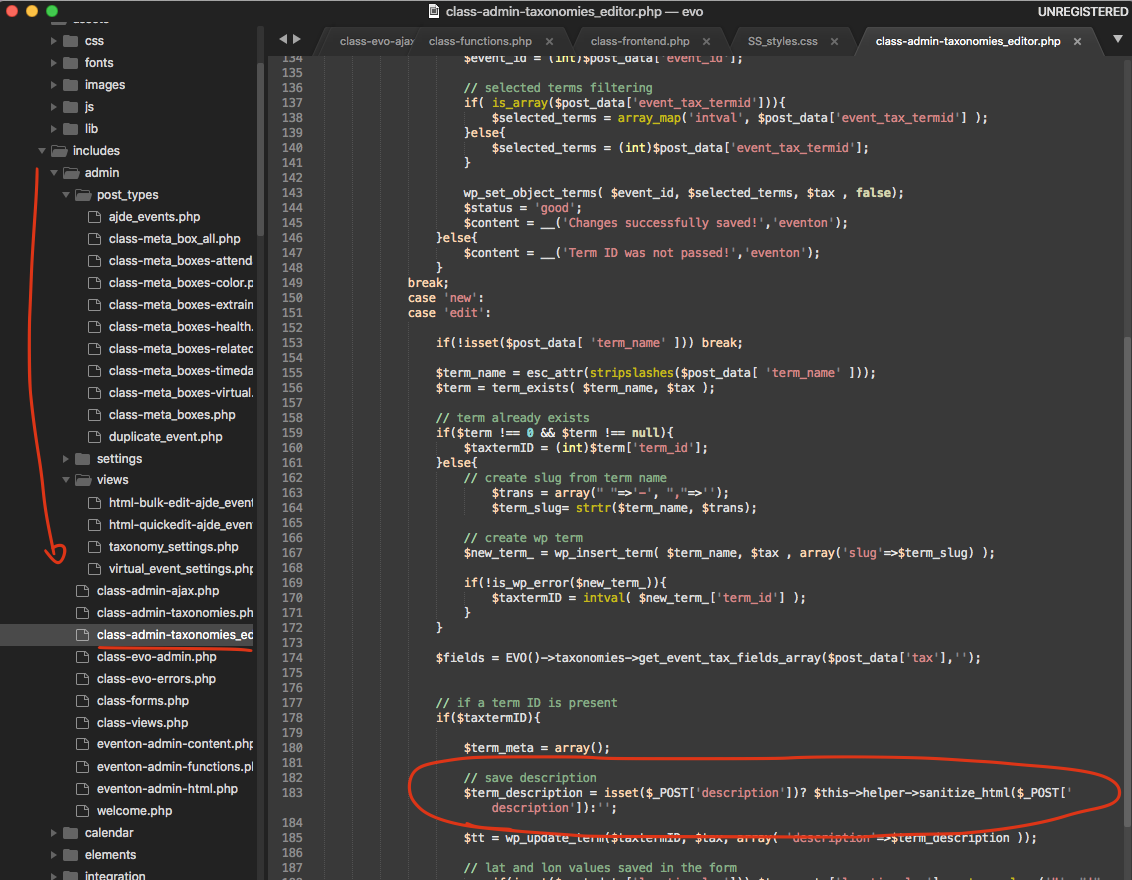
you’ll need to provide a little more info.
does moodle have a method to buy tickets? and do you have moodle installed on your server?
or do you want to sell tickets using eventon but then have them access the elearning
you will need to educate us on the process
so they buy a ticket
how do they access the e-learning- with a password, with something else?
I did. this is what they said:
Hello Jennifer
Yes, you are right, this is not something that is directly related to the Avada theme because the issue occurs on the event archive page as soon as you enable the “EventON” plugin on your website, so it is their responsibility to make it compatible with the Avada theme.
If a 3rd party plugin is developed according to strict PHP and WordPress coding standards, it stands a good chance of generally working with most themes. We cannot accommodate or guarantee that every 3rd party plugin will be 100% compatible with Avada, it is simply impossible.
If a 3rd party plugin is very well known or widely used, devs can look at potential issues that are reported, depending on circumstance.
Thank you
Usually I get helpful support from Avada – but the last couple of comments they just wanted to wash their hands of it. A little disappointing especially considering I’ve purchased multiple copies of their theme.
Like I said, I completely removed the plugin and re-installed it and I still get an error. I have it running successfully on a different website so I don’t think it’s something inherently wrong with Avada. I’m just at a loss as to what to do.