btw, I am inable to log in on this eventOn page. I purchased the plugin via code canyon. I think the email address and user name is the same as the code canyon one?? I can’t set a new password either, because it recognises neither code-canyon username nor the email. how can I set iup a new account on the event on wegpage?
Archives: Replies
Replies for tickets on suppota
Reply to: tickets(305516)
I updated the pluggin in the wordpress admin space. it says it is up to date now, however these weird bars are still showing. please have a look at my webpage.
Reply to: tickets(302442)
RE: ABOVE
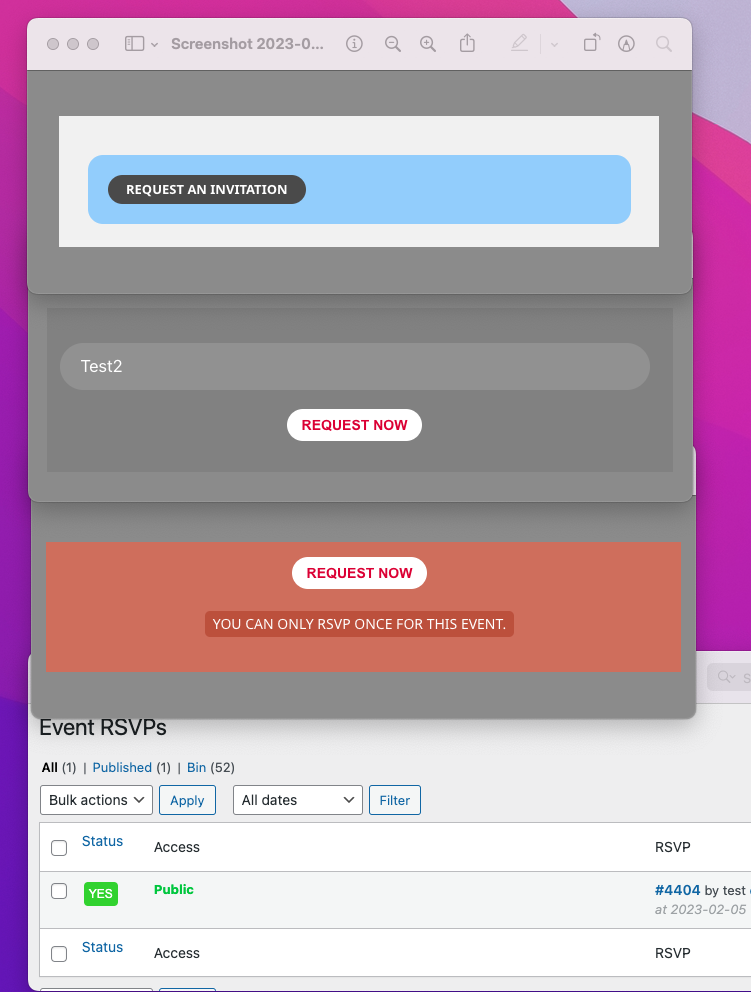
It appears if one person has applied to the event then it blocks anyone else applying… on some of the events.
You can see below that test has applied to the event… and test2 hasn’t but tets2 is getting the: YOU CAN ONLY RSVP ONCE FOR THIS EVENT.
Reply to: tickets(302442)
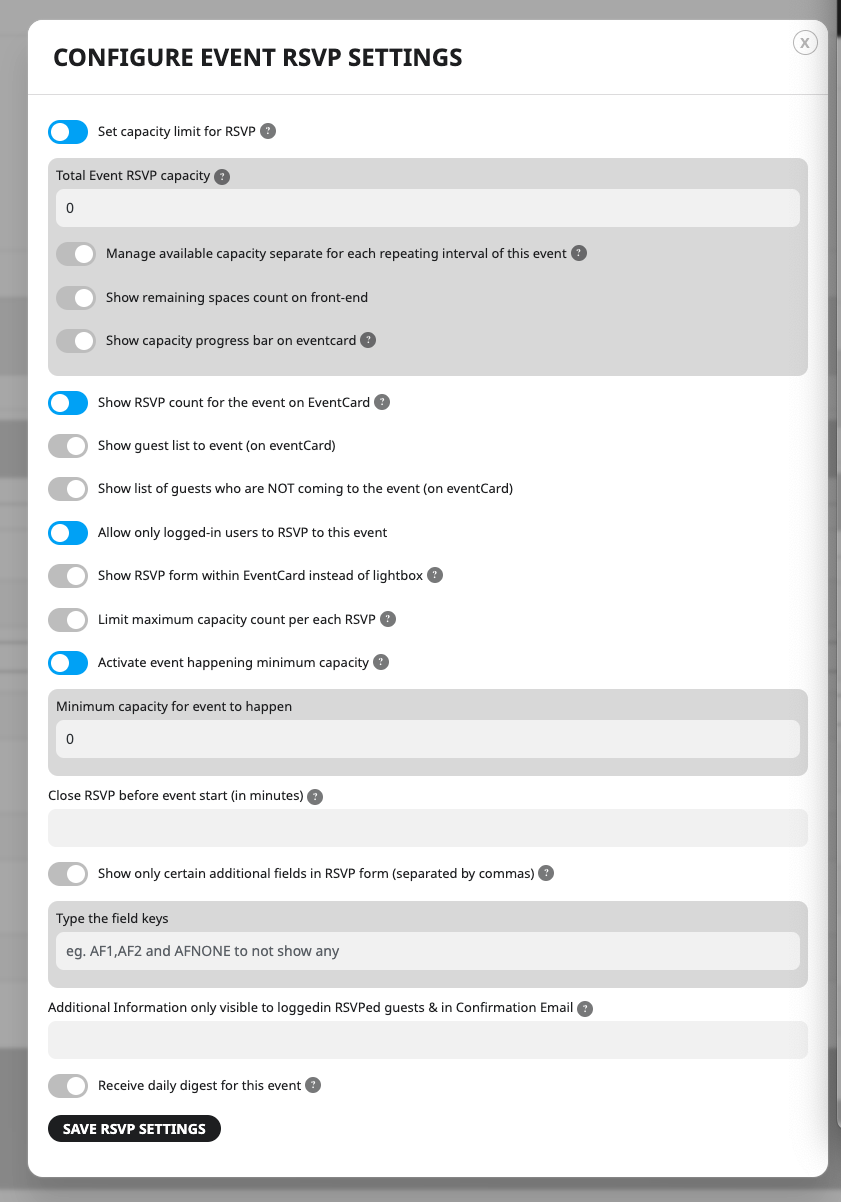
Sorry I have another issue…
I have 20 different events, but when. try to RSVP for them on some I am getting this message:
YOU CAN ONLY RSVP ONCE FOR THIS EVENT.
The user hasn’t RSVP’ed the event..
The settings on each event are the same – see attached..
Thanks,
Dan
Reply to: tickets(305630)
Here you can find it
https://standupist.co.il/entertainment-shows/
Reply to: tickets(302523)
Hi,
No things are still not correct
This is using the updated version on draft site https://g2solution.co.uk/shropshire/event-type-5/family-educational/
This is what I want to achieve before the latest version updates https://guide2.co.uk/shropshire/event-type-5/family-educational/
Reply to: tickets(294170)
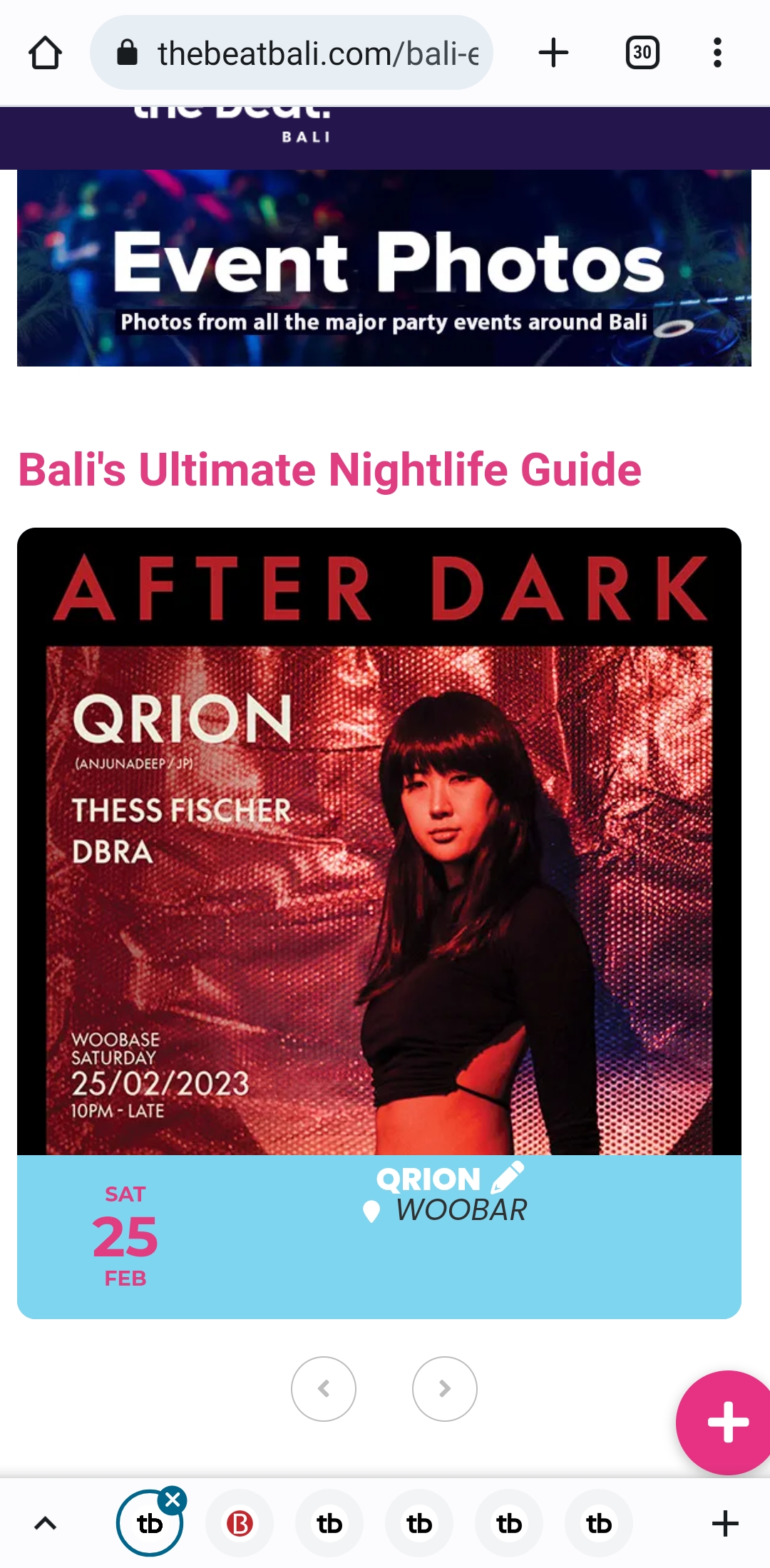
Continuation from message above…..
And MOBILE.
Event and venue text alignment wrong again. (attached is the screenshot)
Reply to: tickets(294170)
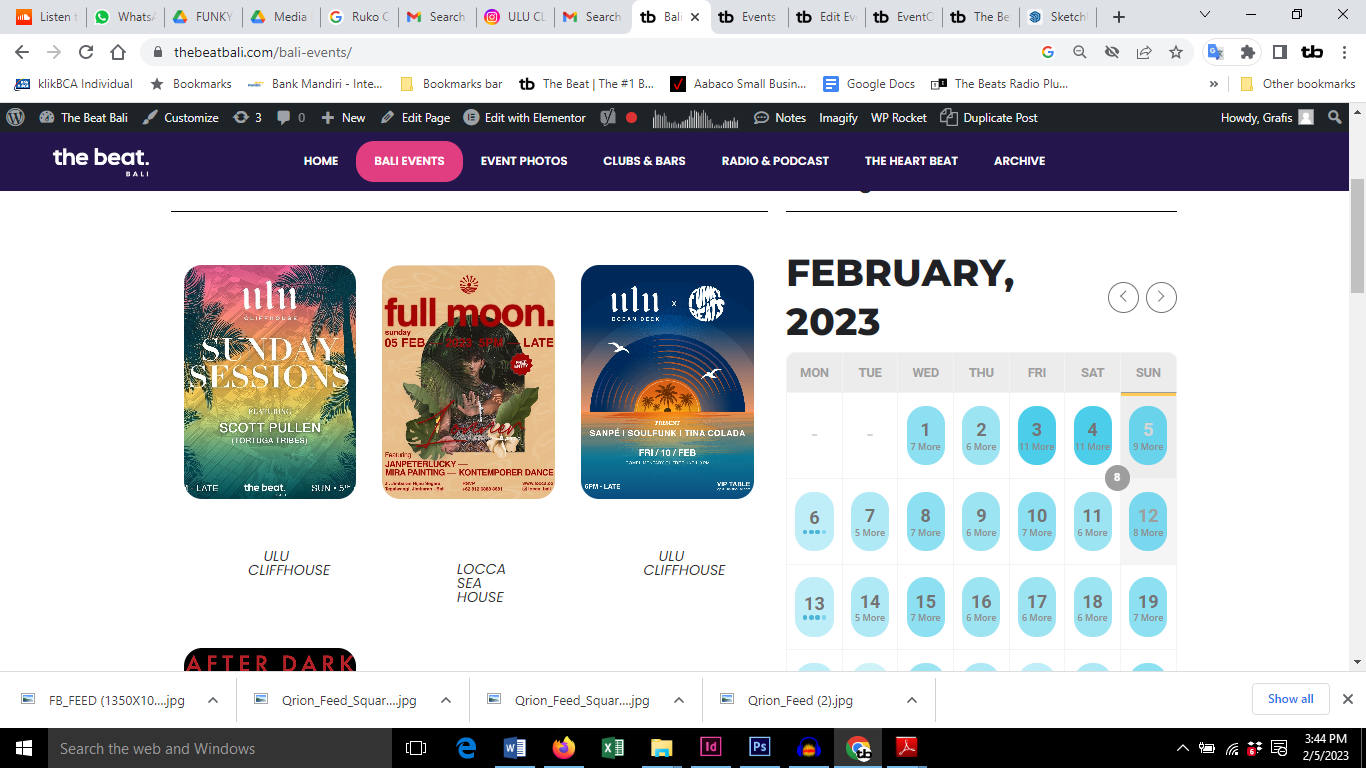
Hi guys. The same problems have occurred again.
DESKTOP.
https://thebeatbali.com/bali-events/
Lost the border color around the flyers again. (screenshot attached)
And MOBILE.
Event and venue text alignment wrong again. (I will send the screenshot for this in another message)
Reply to: tickets(305652)
Found it – was greyed out and I missed it Appearance>Primary Calendar Font family
Sorry for bother
Reply to: tickets(305030)
Did you try https://wiregrassconnections.com/events/wp-admin? Because its working for me.
I did reset it anyway.
Thanks a ton for your help!