Hello,
When I try access wp-admin it says “Not available.”.
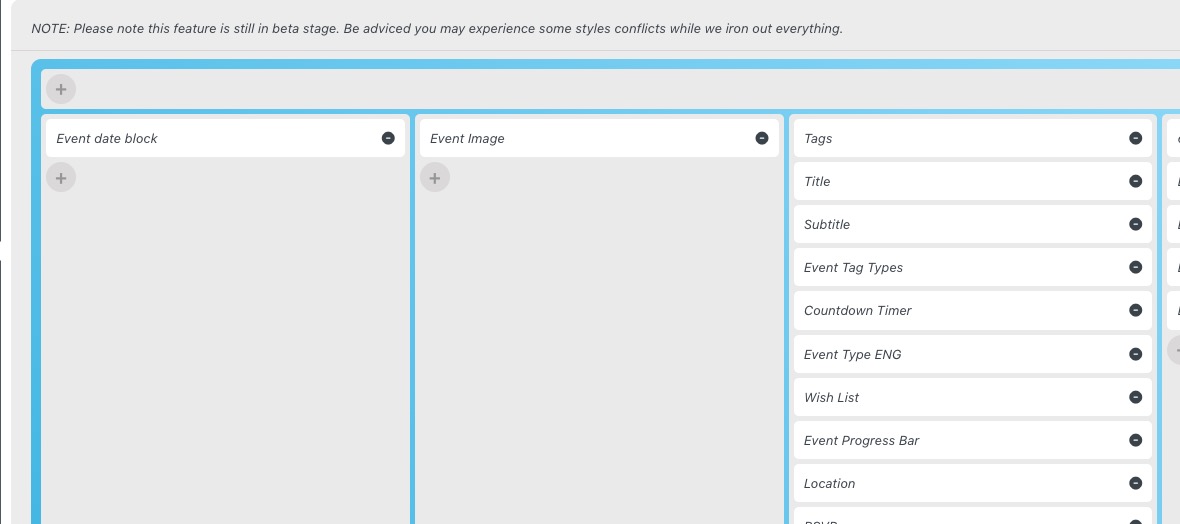
Could you go to EventON > Event Top > arrange fields similar to
 As for styles, please go to EventON > Appearance > Event Top > make sure that everything is correct. After go to EventON > Scripts & Styling > turn off Write dynamic styles to header > save settings > turn on Write dynamic styles to header.
Please send us wp-admin access to your site as a private message for us to further assist your situation.
It seems that if you go to CodeCanyon, download 4.3.1 again (even if you already have one installed) and update it, it should resolve your issue. Sorry about this.
Could you try?
Please send us wp-admin access to your site as a private message for us to further assist your situation.
Hello,
Please try adding hide_mult_occur=”yes” to your shortcode.
Hello,
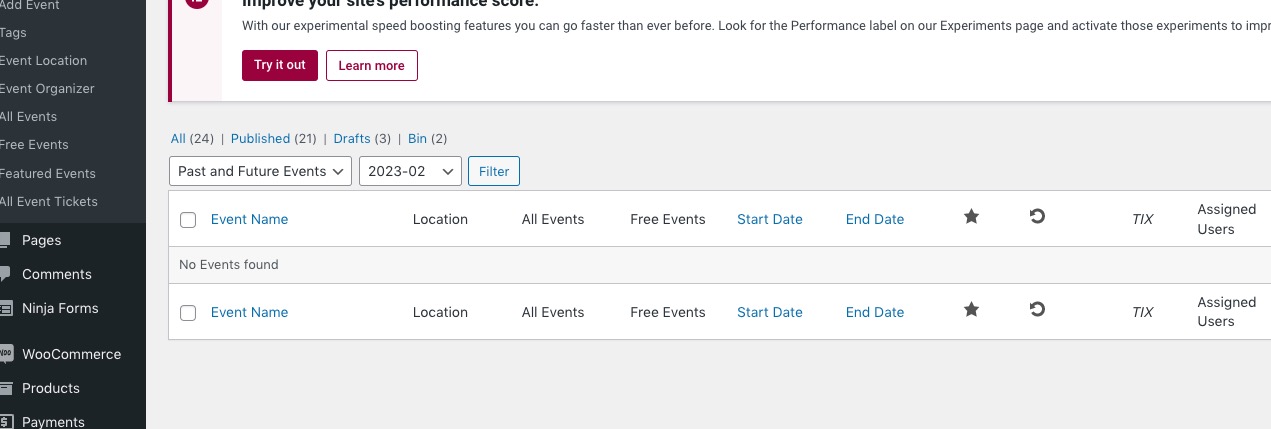
There are no events in February:
 Could you send us a link to the event?
1. Please use [evo_rsvp_manager]
2. They can go to wp-admin > Events > Edit > RSVP or wp-admin > Events > All Event RSVPs. If you want to allow them to check this from the front-end, please use Action User add-on:
https://www.myeventon.com/addons/action-user/
Try [evo_event_manager] shortcode on https://dev.myeventon.com/wp-admin/
Also, the appearance of the calendar changed: https://ewst.pl/events/ – no matter how I try to get earlier nice and clean one (similar to the demo on your site https://demo.myeventon.com/) there is something wrong and it was like this earlier 🙁
Hello,
Is it possible to take a look at wp-admin? I want to copy one of your events.
Please send us wp-admin access to your site as a private message for us to further assist your situation.
Hello,
Please send us wp-admin access to your site as a private message for us to further assist your situation.
Also make sure to take a look at
https://docs.myeventon.com/documentations/set-event-tickets/
 As for styles, please go to EventON > Appearance > Event Top > make sure that everything is correct. After go to EventON > Scripts & Styling > turn off Write dynamic styles to header > save settings > turn on Write dynamic styles to header.