Was able to recover an older version.
Please fix the bugs in 4.3.
Replies for tickets on suppota
Was able to recover an older version.
Please fix the bugs in 4.3.
Are you sure if you have events in future months for event_type=”118″?
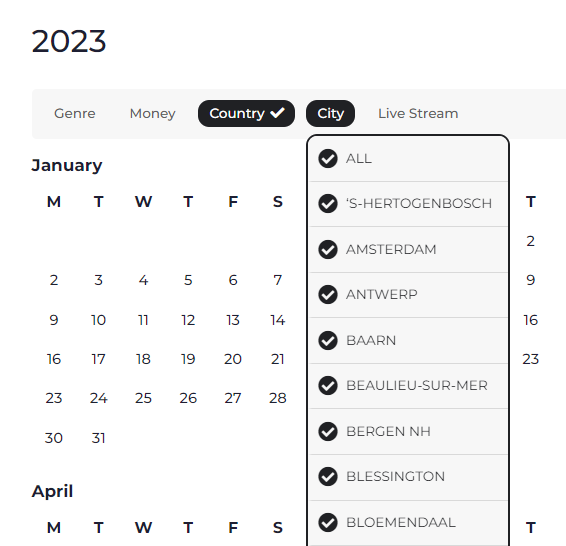
Hi, in Country I have selected Belgium, but under City it still shows all cities, not just cities in Belgium!
I reinstalled v4.0.6 and the events are now visible. I left v4.3 installed so you can troubleshoot. thanks!
I removed this from the shortcode because I no longer see it in the shortcode guide.
filter_show_set_only=”yes”
I already tried resetting permalinks.
If I don’t hear back by 10:30 AM CT, I’m going to restore the site from backup. So please let me know if you see the old version of eventon.
… do you have a copy (backup) of your plugin directory ?
just replace the current eventon dir within /wp-plugins with that backup
Thank you for your great suggestion, at the moment it is not supported. However please create a new ticket and select Feature Request as category so others can vote on your idea and get it moved into development faster.
Hello,
1. Sync add-on isn’t available anymore.
CSV Import is to import events downloaded from EventON > Download all eventON events. > CSV FORMAT.
ICS Import is what you can use. The only thing is that you cannot sync events from EventON to your calendar. ICS Import only import events from Google, Outlook or other calendar app.
Try on https://dev.myeventon.com/wp-admin/
2. You don’t really need any guides. Just go to EventON > ICS Import > add your calendar URL to ICS File URL – ONLY If you are using ICS file from external source > select Import Method: Schedule import from ICS file URL – daily.