Ashan,
Updated version of EventON broke their custom version of EventON.
I told them where to find the updated version of the code, but they couldn’t fix it, so I tried to fix it myself and it worked except styling issues. They changed everything to the way it was originally.
Is it our responsibility to fix these kinda of issues?
I gave you the code in my first message:
Reply to: 301219
Please understand when you make any customizations, it is entirely up to you when and how to update them. Providing or fixing any changes to the code you made is against CodeCanyon’s Support Policy you can find here:
https://codecanyon.net/page/item_support_policy
Could you tell us who created the custom version of Single Event Page template?
I am also going to assign this ticket to Ashan and he can take a look at this situation. Please wait for his response.
2. Unfortunately, just rechecked it, when you enable Exclude from calendar, it excludes events from every calendar, even external ones.
So the only way is to disable the option.
Ashan,
The same on dev2:
https://dev2.myeventon.com/wp-admin/post.php?post=32441&action=elementor
Hard to take a screenshot of the issue.
Thank you for your messages, I am going to assign this ticket to Ashan and he will be able to take it from here and find you a solution. Please allow some time for him to get back to you, we greatly appreciate your patience and thank you for being a eventon customer!
We are glad your issue is resolved, if you have any further questions or concerns please create a new ticket.
We are glad your issue is resolved, if you have any further questions or concerns please create a new ticket.
If you have a moment, we would greatly appreciate if you could kindly leave us a review at codecanyon! from your account > downloads. Cheers!
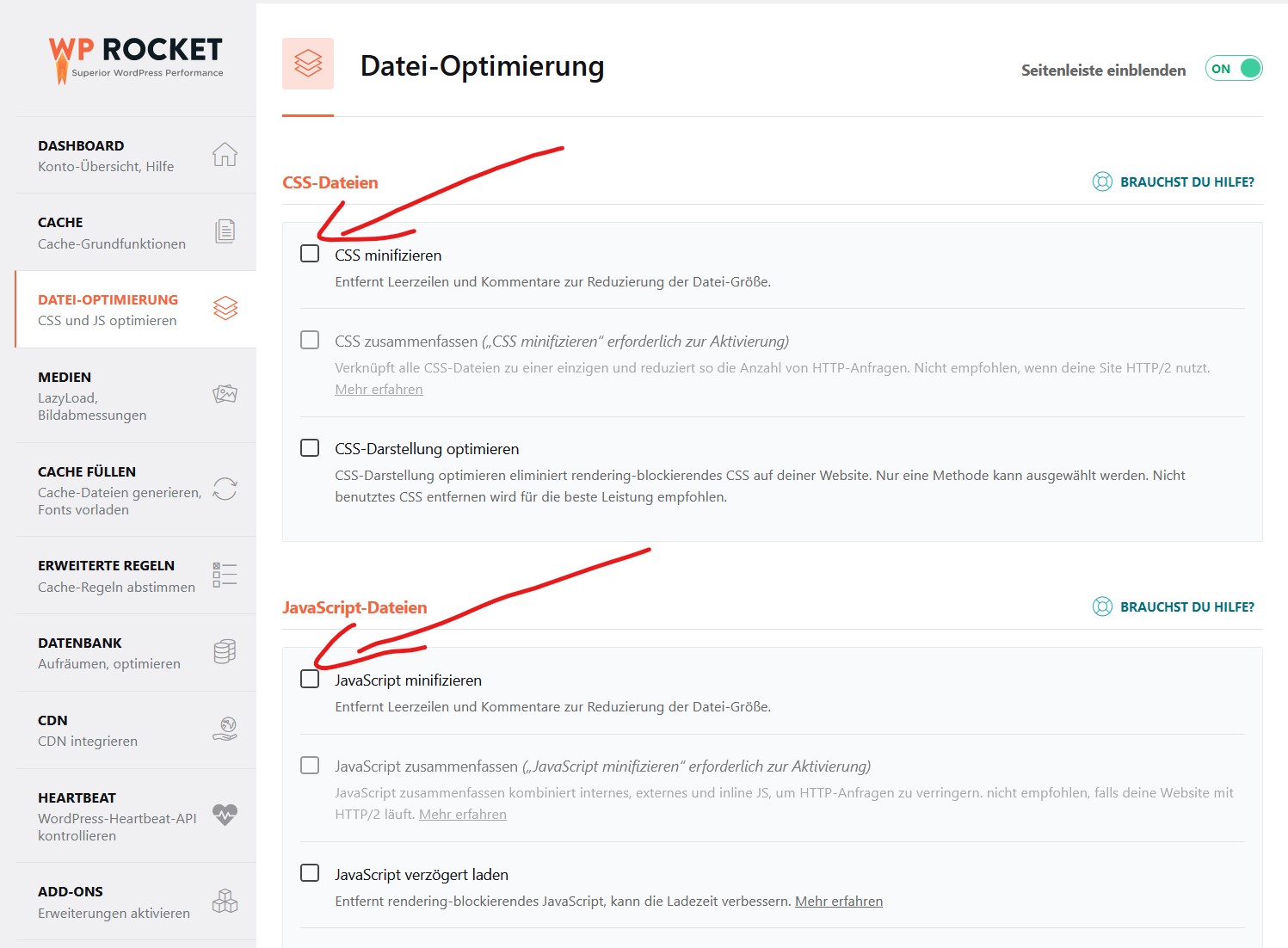
After different tests I found where the problem is:
– CSS minimize
– JavaScript minimize
If I minimize these two elements, then the yearly calendar no longer works regularly, in which case it loads very slowly or not at all. I use for caching the WP Rocket Plugin, all other Plugins have no problems (done testing)
Now my question though is, who should contact WP Rocket? I as a customer don’t think I have enough luck to get an answer, you should do some testing with this Plugin and then we have enough results to contact WP Rocket.
Thank you and sorry for giving you extra work.
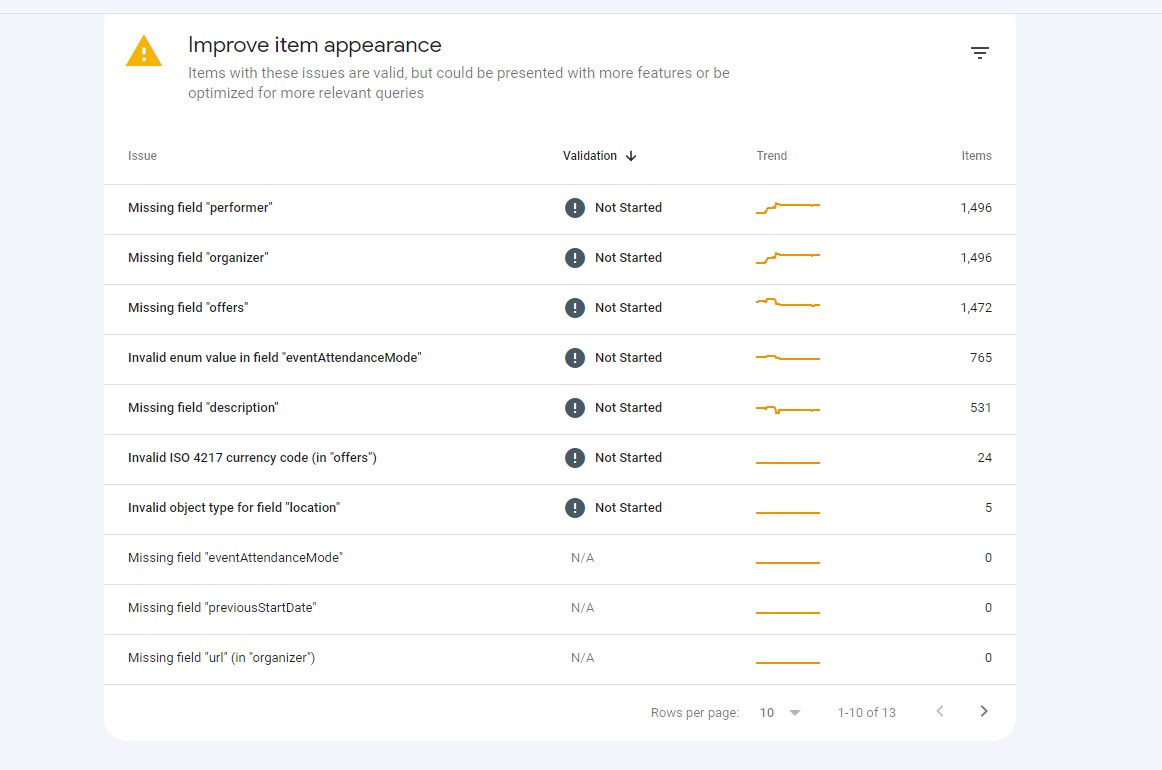
I am getting the same thing as well, and my site is trawled daily.
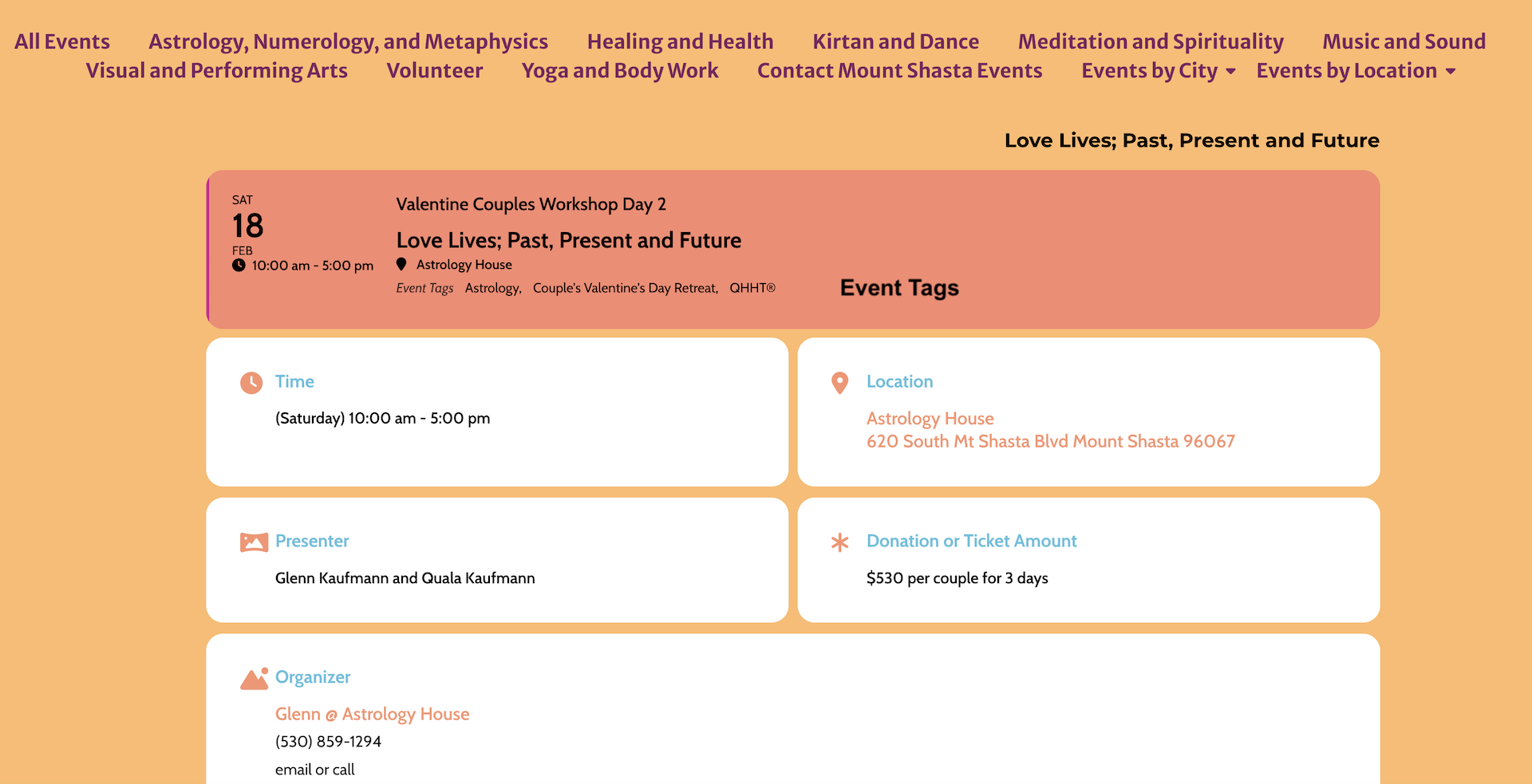
These are the event tags, they are the Event Type Tag when added to the Event Top.