
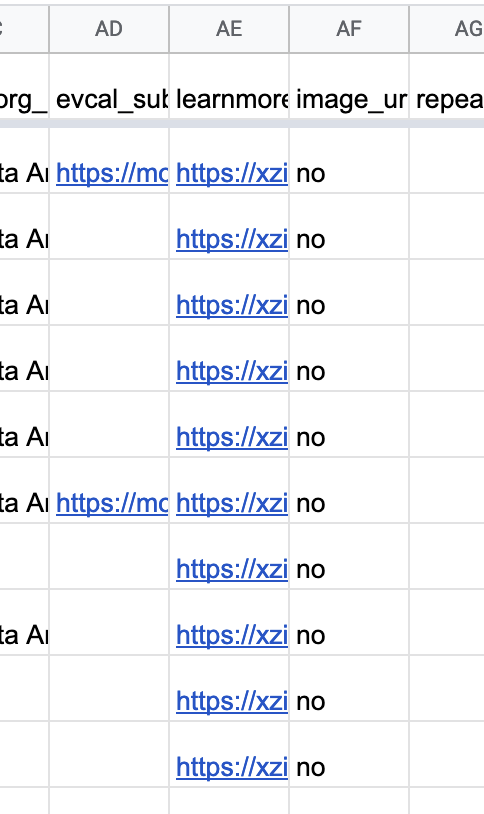
In the photo attached prior, the should have been shifted one column to the to the right…
Its an export problem, not a problem in my back end
Replies for tickets on suppota
In the photo attached prior, the should have been shifted one column to the to the right…
Its an export problem, not a problem in my back end
Disregard that event you cited carola, that is a test event.
The near 1000 events are correct in my wp admin, and broken on export to csv. The images for example are being written into the learn more column on some, not all rows.
They are being shifted due to some problem with the export. How do I troubleshoot this?
Ashan,
Sometimes it shares event’s image:
Sometimes it doesn’t:
[Replyto/301285]
Not sure if we can do something about this.
Thank you for your messages, I am going to assign this ticket to Ashan and he will be able to take it from here and find you a solution. Please allow some time for him to get back to you, we greatly appreciate your patience and thank you for being a eventon customer!
Waitlist or Wishlist? Could you elaborate?
Hello,
Open browser is in Incognito Mode:
https://support.google.com/chrome/answer/95464?hl=en&co=GENIE.Platform%3DDesktop#:~:text=Windows%2C%20Linux%2C%20or%20Chrome%20OS,Press%20%E2%8C%98%20%2B%20Shift%20%2B%20n.
RSVP > refresh the window > RSVP again and so on.
Invalid enum value in field “eventAttendanceMode”
Similar issue with this:
https://helpdesk.ashanjay.com/ticket/we-are-getting-invalid-enum-value-in-field-eventattendancemode-from-our-google-search-console-review/
Please read Ashan’s answer in the end of the conversation.
Is there a way to reference the custom fields in EventOn?
Thank you for your great suggestion, at the moment it is not supported. However please create a new ticket and select Feature Request as category so others can vote on your idea and get it moved into development faster.
Regarding enum error: Correction, this is the most current version of the same page. Notice that Performer and Organizer are not found. Organizer was set on the event and I have enabled the SEO about Organizer and Performer. I also toggled the organizer on and off in case it wasn’t set with the new settings.
No errors or warnings: https://validator.schema.org/#url=https%3A%2F%2Fmount-shasta-events.com%2Fevents%2Fviolet-flame-meditation-with-yosha%2F
It seems that Google caches the results, so you need to make sure that it checks the latest version.
I cannot access wp-admin by using the link above. Could you check?
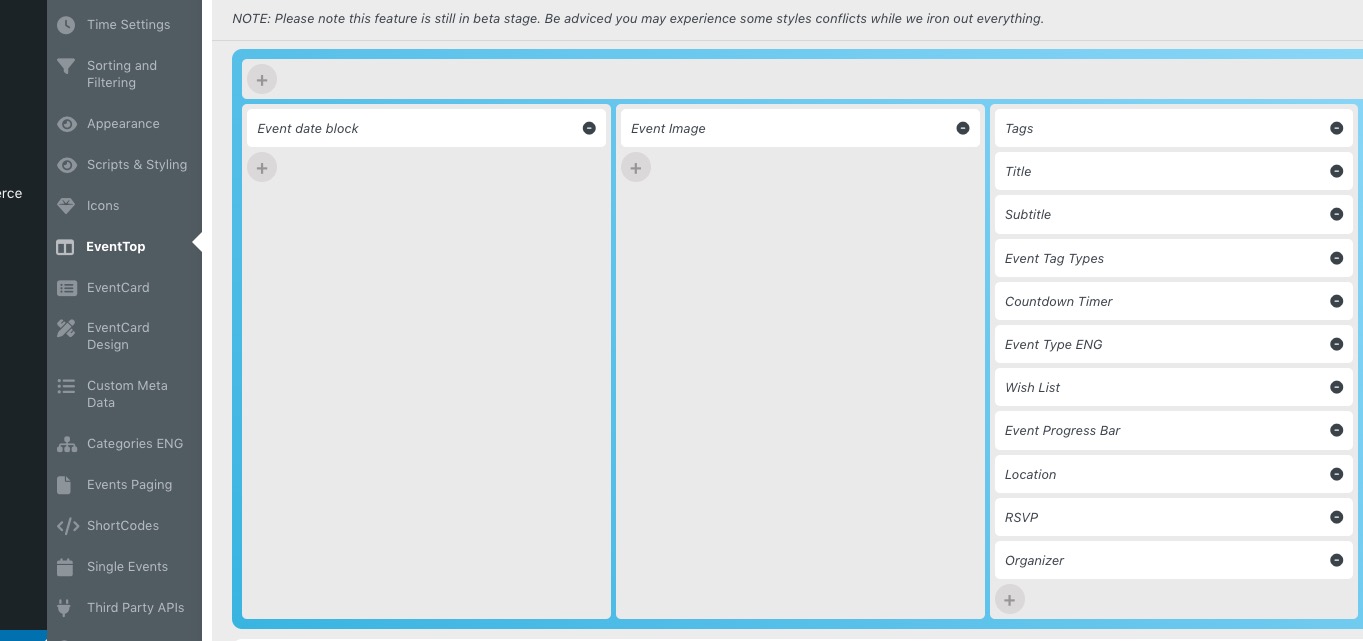
Please go to EventON > Event Top > arrange fields similar to
 Add this cal_id=”sidebar_widget_1″ to the shortcode on this screenshot https://helpdeskx.s3.amazonaws.com/wp-content/uploads/2023/01/03091242/Skarmavbild-2023-01-03-kl.-13.40.05.png, so we can give you the code made specifically for the widget.
When I try to connect using FTP:
Status: Resolving address of www.closeup-zauberkunst.de
Status: Connecting to 91.203.111.33:21…
Status: Connection established, waiting for welcome message…
Status: Initializing TLS…
Status: Verifying certificate…
Status: TLS connection established.
Command: USER web397
Response: 331 Password required for web397
Command: PASS ************
Response: 530 Login incorrect.
Error: Critical error: Could not connect to server
Please install the add-on, but don’t activate it:
http://workshops.closeup-zauberkunst.de/wp-admin/plugins.php
Oh wow that is amazing!
Okay that wasn’t obvious from the video lol…
If I add the waitlist function can i see, as an admin, who is on the waitlist for each event?
The functionality we are looking for:
Thanks
Dan