Tank you but it’s not working
Replies for tickets on suppota
Tank you but it’s not working
Hello,
Try the custom CSS code below:
.ajde_evcal_calendar.boxy .eventon_events_list .eventon_list_event .evcal_desc {
flex: 1 0 50%;
width: 100%;
}
.ajde_evcal_calendar.boxy.boxstyle2 #evcal_list .eventon_list_event .evcal_desc span.evcal_event_title, .ajde_evcal_calendar.boxy.boxstyle2 #evcal_list .eventon_list_event .evcal_desc span.evcal_event_subtitle{
white-space: break-spaces;
}
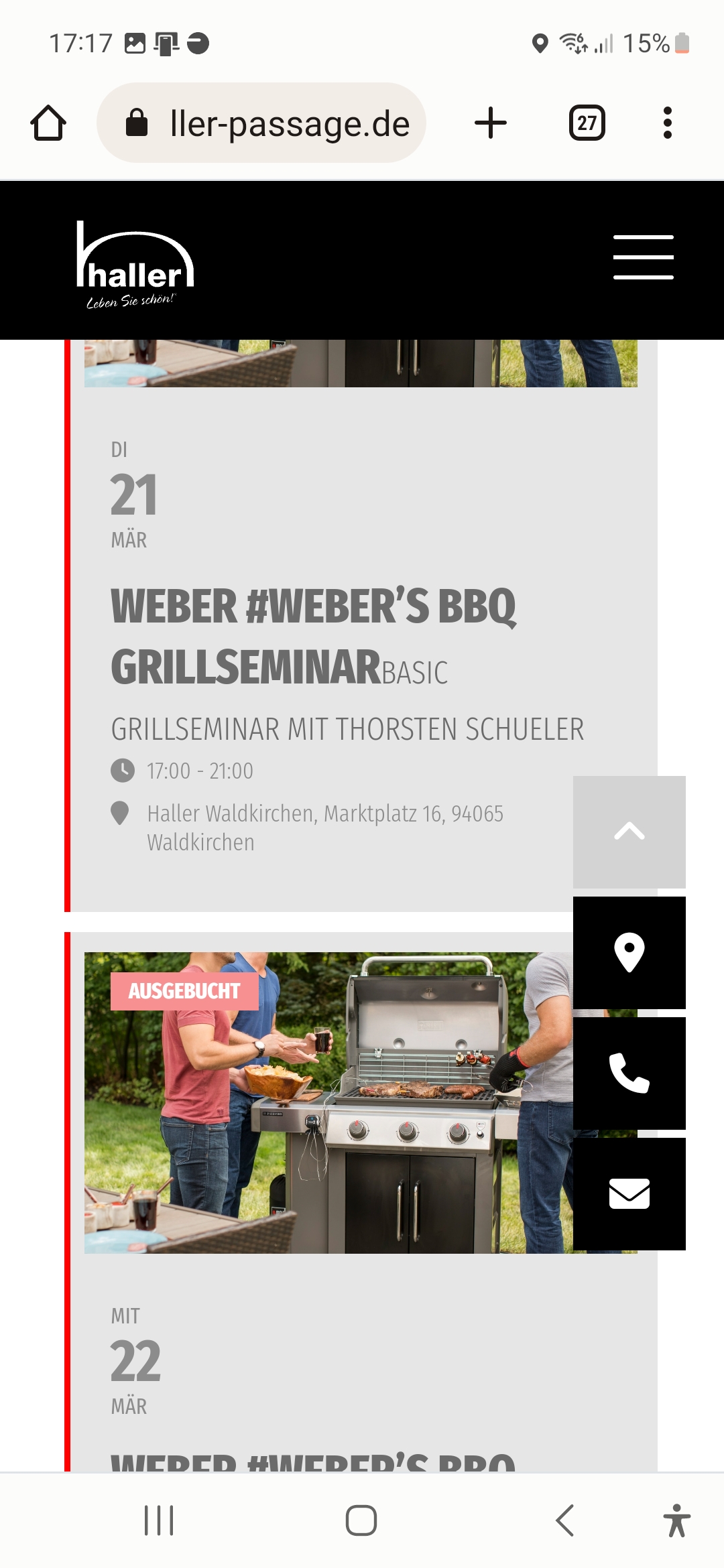
the second picture is mobile
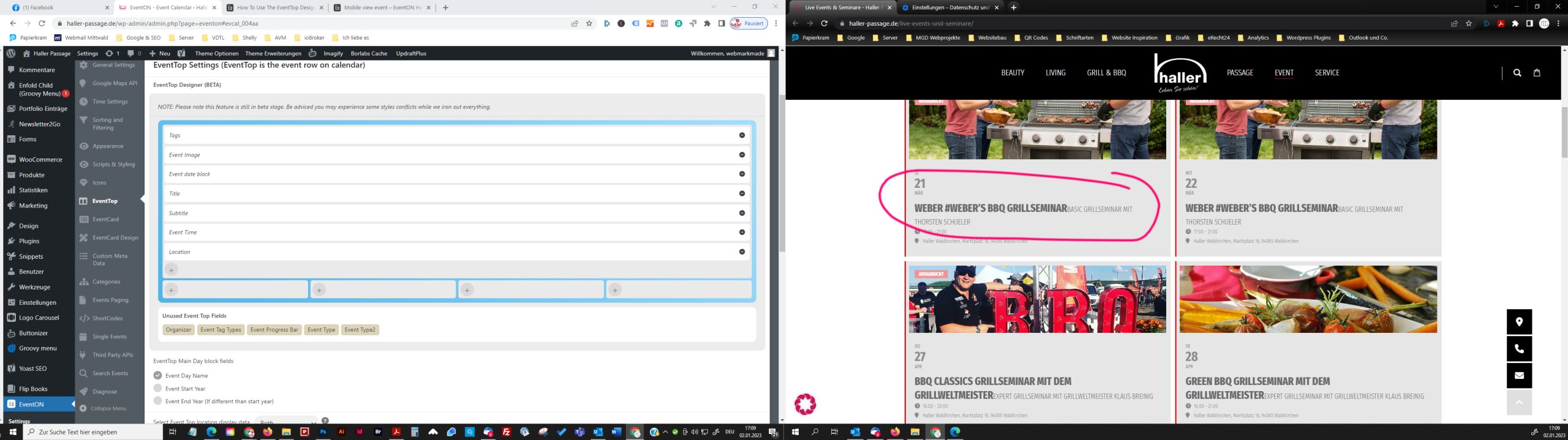
I managed it with the following code.
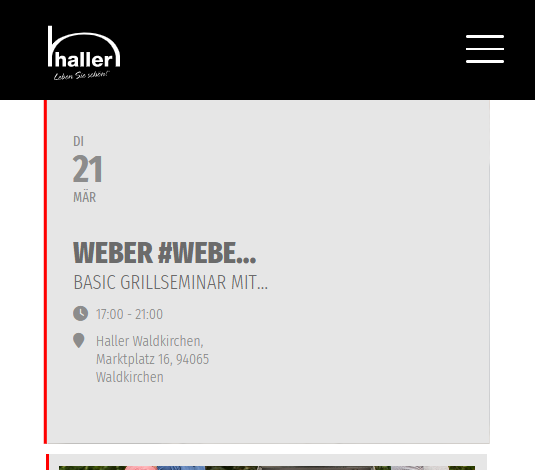
@media (max-width: 768px){ .eventon_events_list .eventon_list_event .evoet_c4, .evo_pop_body .evoet_c4, #page-content p.evoet_c4 { flex-basis: min-content; }}
However, I have the problem that the data is not displayed over the full width.
I tried to enter all data in the full-width container in the EventTop Designer. Unfortunately, it then shows the title and subtitle not one below the other, but side by side.
Please take a look!
The first picture is desktop,
the second picture is mobile
Hi Elin,
1. You can change the size of the title using custom CSS
.ajde_evcal_calendar #evcal_head.calendar_header #evcal_cur, .ajde_evcal_calendar .evcal_month_line p, .ajde_evcal_calendar .evo_footer_nav p.evo_month_title{font-size:14px;}
Please add the custom CSS code to “EventON Settings > Styles” and save changes. If you do not see the new style changes, Go to “EventON Settings > Styles & Scripting > Turn off write styles to header” Click save changes – to write the styles css code direct into page header. You can turn this off once the cache is cleared.
2. To display two events per column, include the following in the shortcode
tiles=”yes” tile_count=”2″
Hello Rita,
Please follow the instructions in this documentation to activate debug in your site to see any PHP errors recorded that can provide insight on to whats going on. Please reply with a link to debug.log file. If you are not able to do this please send us FTP access to your site so we can do this for you.
Hi Markus,
Those display just fine on my end. Would you mind sending a screenshot of how it’s displaying on your end. Also, which phone and OS are you using to test?
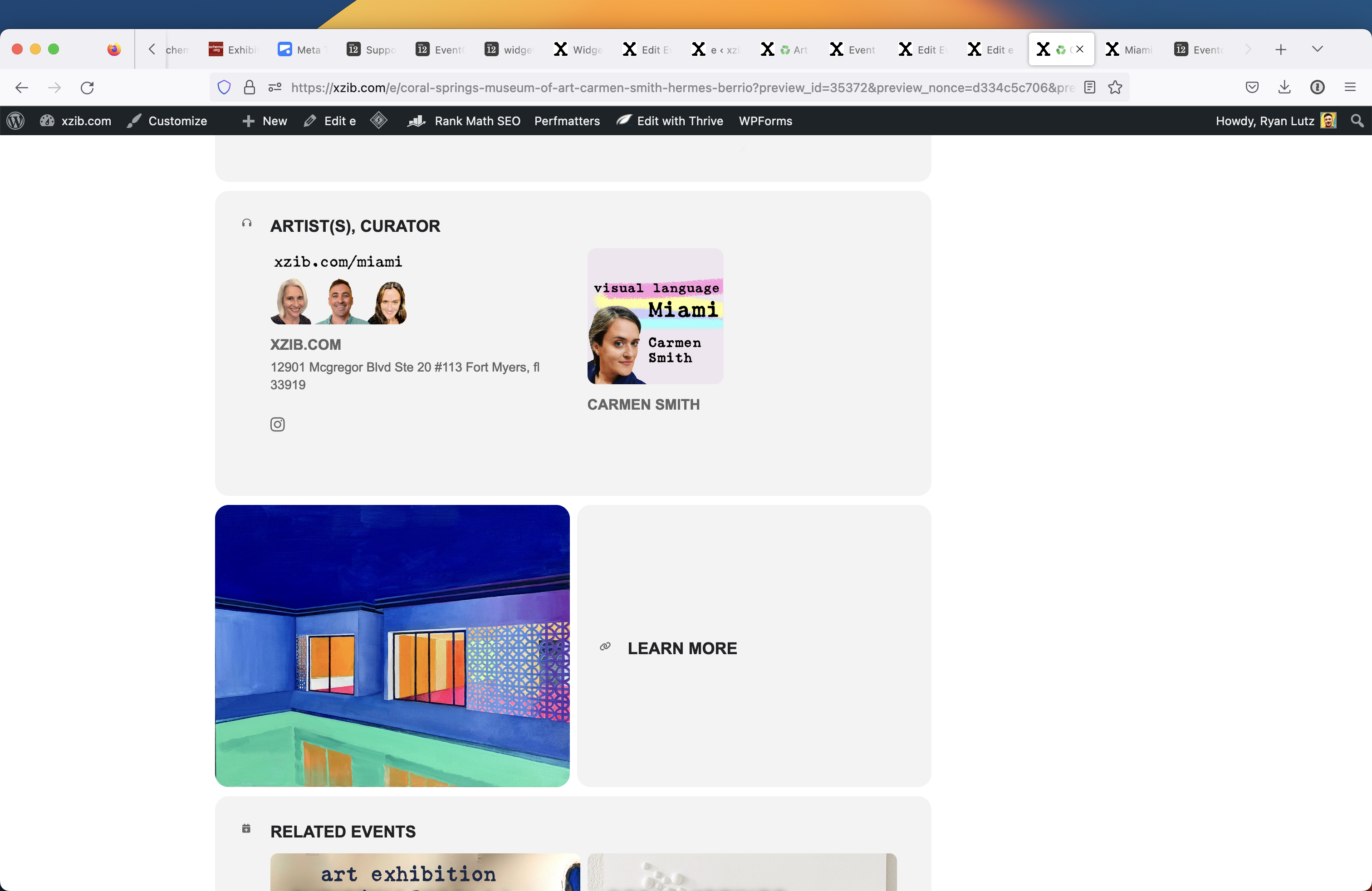
Since yesterday The widget has been serving and visible across all pages organizer/location/event pages.
https://xzib.com/e/art-basel-paris
https://xzib.com/event-organizer/perez-art-museum-miami
*Location pages have the widget below the content
Event /e/ pages elements seem to be “inline”
organizer pages, 2 elements on the same row. Both widget elements (single events sidebar and default widget area) have the exact same elements applied. So there is a difference in the way the widgets are being applied between organizer and event pages.
____
____
My goal is to get all of these displaying the same way, so that there is a predictable way for me to edit and design. I had asked for this solution prior, and I think the code in appearance/customize css is only effecting the location pages by putting the widget below.
.evo_page_body .evo_page_sidebar, .evo_page_content.evo_se_sidarbar article { width: 100%; float: none; }
__
DESIGN
Is there a way to make mobile/pad fill 100% width, and have a left/right padding of 5% on desktop?
And make the eventcard column about 65% width, and the widget area 32%. While keeping the middle padding at 2%?
you are right! 🤦♂️
There must be some setting that I am toggling on and off, which is controling when description is displayed. And it must be delayed somehow, so that when Im testing it, Im not seeing it reflected on the front end despite cache clearing of browser and cdn. My cdn is supposed to be dynamically caching. On scripts and styling, All toggles are to the right, and not engaged.
On the front end the Instagram logo and address is showing on the organizer page. Can you comment Everything out, or advise me how to comment that out. I only want the name and the organizer image to show to keep the page design from breaking or looking bad when there are 5-20 added
Reminder : i cannot extract the value from “Brevet” column in exported .csv.
Could sou help ?