there is no css solution for the toggles it would require customizing the form template
Archives: Replies
Replies for tickets on suppota
Reply to: tickets(257847)
Artem 🙁
please look at this place when you are logged in and when you are NOT logged in. Do you see the difference?
https://laczynasdart.pl/turnieje-dart/
Reply to: tickets(300138)
jump month shows all 12 months of the 1 year.
see video below
the shortcode used was
[add_eventon_list number_of_months=”4″ hide_empty_months=”yes” show_year=”yes”]
Reply to: tickets(300010)
Thanks. I have tryed that first. But then the result is blanc. No result whatsoever is shown.
Reply to: tickets(295465)
Thank you i see the issue, unfortunately we are doing a big update to tickets and seats addon and that will take some time to get it all wrapped up which will also include this issue.
I do not have an immediate fix for this, i hope as a temp solution you can switch to assigned seatings.
Reply to: tickets(299974)
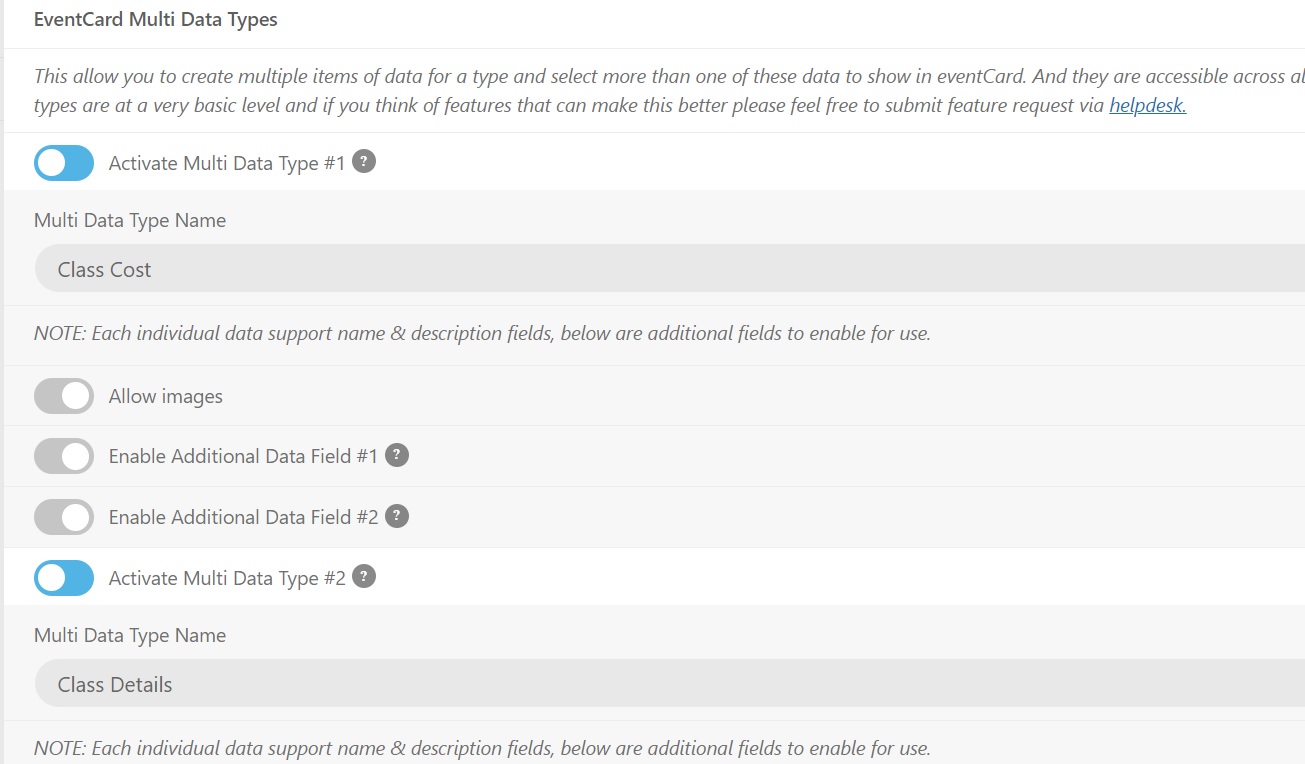
Hello
I’m going to have to give this to our developer but I want to be sure on this – on the code linked to I don’t see a wp_set_object_terms() so where would he use this in the code? And how would he refer to the multi data type? By the name or multi_data_type_1?
For reference these are the 2 types we have
Reply to: tickets(257847)
These two lines should fix both issues:
.ajde_evcal_calendar #evcal_head.calendar_header #evcal_cur, .ajde_evcal_calendar .evcal_month_line p, .ajde_evcal_calendar .evo_footer_nav p.evo_month_title { color: white !important; }
.eventon_filter_dropdown p, .ajde_evcal_calendar .evo-sort-btn .eventon_sort_line p { color: black !important; }
Reply to: tickets(300126)
Hello,
Add this to the shortcode
ux_val=”4″
Go to wp-admin > Settings > General > select Week Starts On.
Reply to: tickets(299881)
We are glad your issue is resolved, if you have any further questions or concerns please create a new ticket.
If you have a moment, we would greatly appreciate if you could kindly leave us a review at codecanyon! from your account > downloads. Cheers!
Reply to: tickets(299932)
Add exp_so=”yes” to your shortcode.