Thank you for your messages, I am going to assign this ticket to Ashan and he will be able to take it from here and find you a solution. Please allow some time for him to get back to you, we greatly appreciate your patience and thank you for being a eventon customer!
Archives: Replies
Replies for tickets on suppota
Reply to: tickets(396038)
There are new versions of Action User and RSVP are available. Please update them, so I can check if the same issue continues after the update.
Reply to: tickets(396252)
It should show no images or the default WooCommerce image. Like this
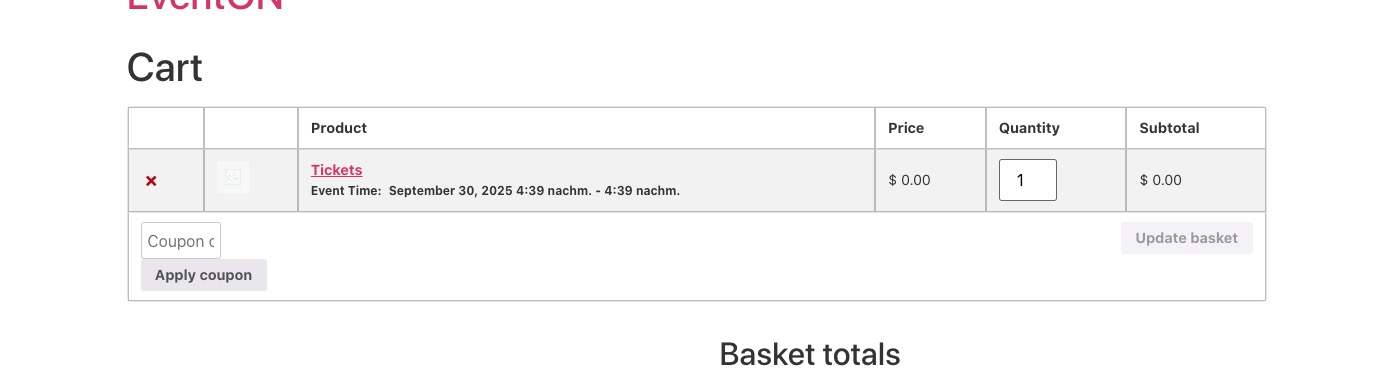
Please check and let me know.
Reply to: tickets(396429)
Meanwhile we are working on the issue, please try using any of 0:00 timezones.
Reply to: tickets(396429)
Ashan,
Is “(GMT+00:00) Universal Time UTC” supposed to be available among default Event Timezones?
Could you let the customer know?
Reply to: tickets(396429)
Hello,
Thank you for your messages, I am going to assign this ticket to Ashan and he will be able to take it from here and find you a solution. Please allow some time for him to get back to you, we greatly appreciate your patience and thank you for being a eventon customer! Also please disable any IP blocking on your site if there are any.
Reply to: tickets(337218)
Please add this CSS code to EventON > Styles (If you don’t see any change, EventON > Scripts & Styling > turn off Write dynamic styles to header > save settings > turn on Write dynamic styles to header). You can also add this code to wp-admin > Appearance > Customize > Additional CSS.
.ajde_evcal_calendar .eventon_sort_line, .eventon_filter_line { justify-content: center; }
Reply to: tickets(396432)
Hello,
Please add this CSS code to EventON > Styles (If you don’t see any change, EventON > Scripts & Styling > turn off Write dynamic styles to header > save settings > turn on Write dynamic styles to header). You can also add this code to wp-admin > Appearance > Customize > Additional CSS.
.eventon_events_list .eventon_list_event .evoet_dayblock, .eventon_events_list .eventon_list_event .evoet_cx .evoet_dayblock span, .evo_pop_body .evoet_dayblock { flex-wrap: nowrap; flex-direction:row; }
Reply to: tickets(394308)
I am referring to Shortcode Generator you can find by going to EventON > Shortcodes > Configure Calendar:
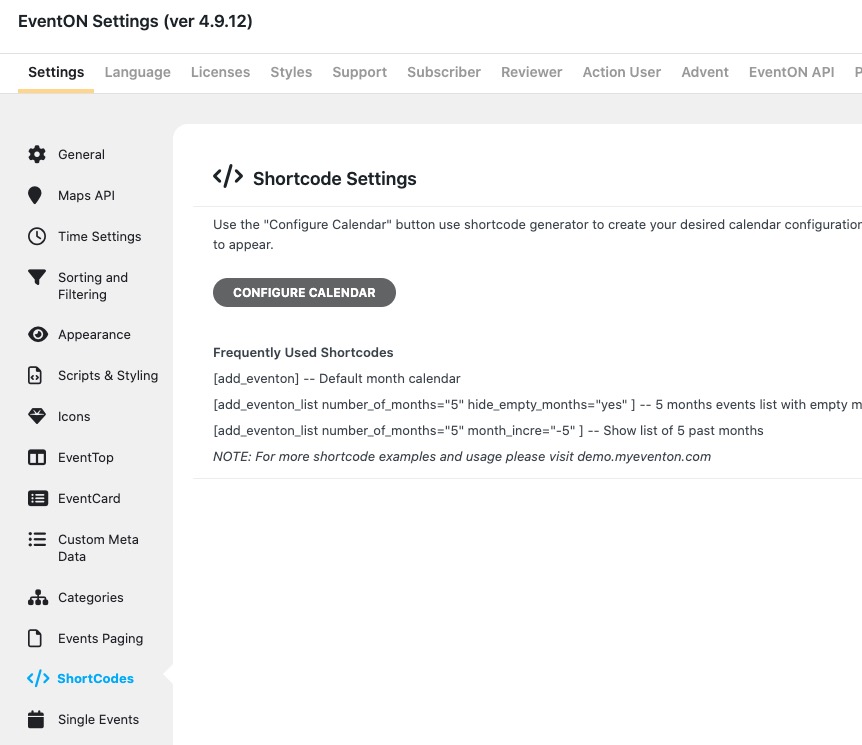
More info:
https://docs.myeventon.com/documentations/shortcode-generator/
Please check and let me know.
Reply to: tickets(396437)
Hello,
Please take a look at this guide:
https://docs.myeventon.com/documentations/how-to-add-additional-fields-to-download-attendees-csv-file/
Order notes are located in order_comments variable.
Please also create a new ticket and select Feature Request as category so others can vote on your idea and get it moved into development faster.