Hello,
What kind of automation are you referring to? Could you elaborate?
You can find orders by going to wp-admin > WooCommerce > Orders. So you can use any plugin that works with Woo to try to achieve what you want.
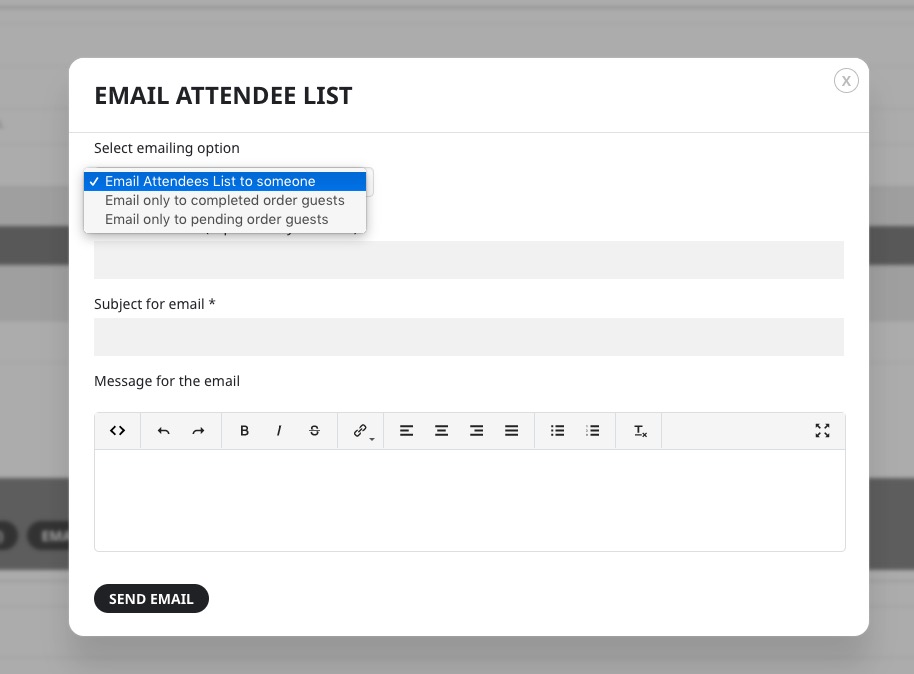
There is also an EventON feature that allows you to communicate with customers. Go to Edit Event > Tickets > Emailing:
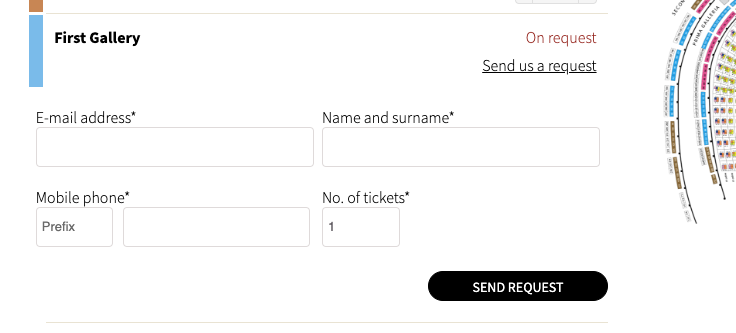
Is there a possibility with eventon to do something like this when the event is sold out? This is so that we have the requests and if we have availability again we can send them the possibility to buy.
Please use:
.eventon_single_event.immersive .eventon_list_event .evoet_time_expand em.evcal_time, .eventon_single_event.immersive .eventon_list_event .evoet_location em.evcal_location { background-color: #DDDDDD !important; }
I think that ddddd is till too clear. Try more darker color.
I want that at a time 3 three nearest upcoming events should show.
Unfortunately, the only issue is this. You cannot show the next 3 events without Event Lists: Ext add-on.
So the issue has been resolved?
Hello,
Could you tell us more about what you are trying to achieve, so we can help?
I am also going to assign this ticket to Ashan. Please allow some time for him to get back to you about the refund, we greatly appreciate your patience and thank you for being a eventon customer!
All roles should be able to RSVP.
The plug in update seems to have worked and resolved the issue for new events.
no no - forget about nocnaligadarta.pl Everything is on www.laczynasdart.pl, where I already gave you login details
login: Robert
pass: Jagodka1
I don’t want to spend more. Isn’t there any easy way out in the present plugin as it already has so many good options.

Hi Kenneth,
Thanks, it’s OK now ! 🙂
But on this page for example :
https://2023.saint-claude.fr/events/un-couple-magique/
The background for date, location is too clear. How can I change the color background by #DDDDDD for example ?
Thanks again 🙂