The layout and the fonts I used, were always different. About some weeks ago, after an EventOn update – it suddenly changed. I prefer the way it looked before the change, and I don’t know how to change it back. What is changed in the update, regarding to fonts?
Archives: Replies
Replies for tickets on suppota
Reply to: tickets(298660)
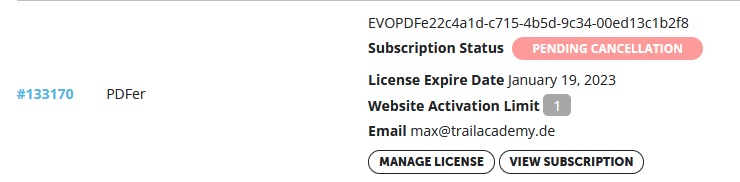
Hi Artem,
thanks a lot for the help.
Please see the attached screenshot for PDFer.
Order ID #133170
License valid until 01/19/2023
Reply to: tickets(298361)
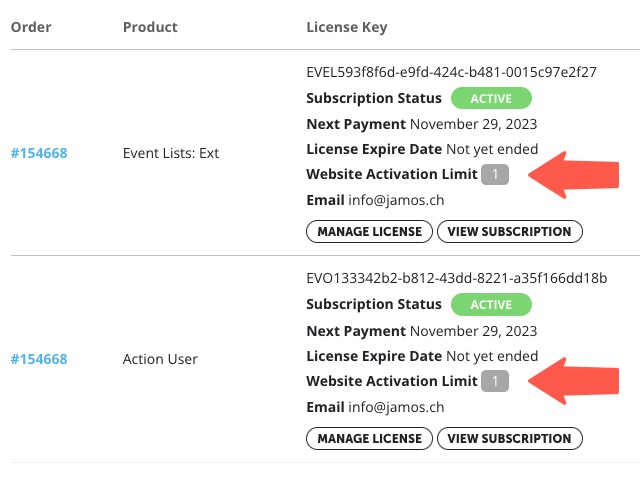
sorry is still wrong. I can still activate only 1 license. The screenshot is attached
Reply to: tickets(298768)
just what i needed, thanks
Reply to: tickets(298716)
purchasing it from codecanyon is the other option.
Reply to: tickets(298792)

I have created a temporary admin user.
na.esgstaging.com/wp-admin
Username: EventOnHelp
Password: gEu8S7x)t(*I)TwL9KqEm)e#
Reply to: tickets(298792)

Using the .evo_boxtop selector allowed me to remove the border radius on the event image, but nothing has worked on the outer container(s)
Reply to: tickets(267235)
Hello,
We are sorry for the delay. Could you let us know where can we find this website to test things out:
https://helpdeskx.s3.amazonaws.com/wp-content/uploads/2022/02/14102931/Screen-Shot-2022-02-14-at-12.25.46-PM.png
Reply to: tickets(292139)
You are trying to hide month headers only on certain calendars, right? Seems working: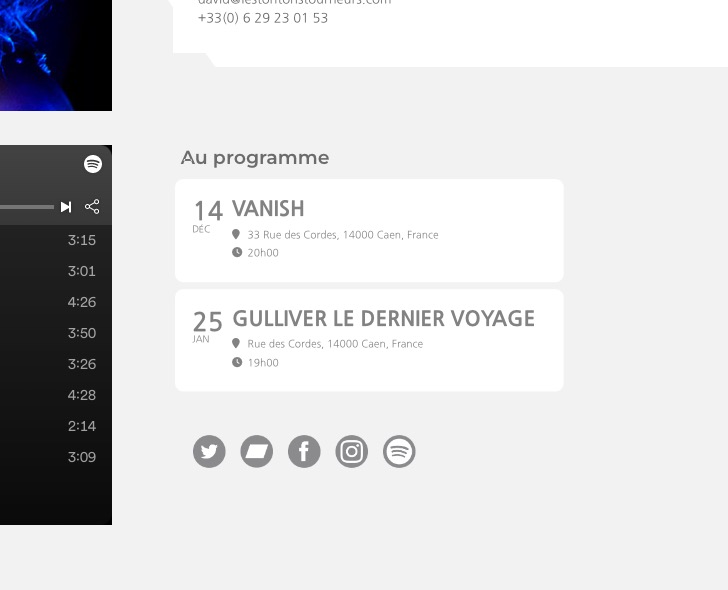 Try adding this code to wp-admin > Theme > Customize > Additional CSS:
#evcal_calendar_customcal.ajde_evcal_calendar .calendar_header .evo_header_title { display: none !important }
The code works for the calendar with added cal_id=”customcal”
Reply to: tickets(298716)
Hello,
I can not autoupdate. When I go to codecanyon my account > download I do “not have any downloads yet”.
It was the woman who created my website back then who purchased EventOn.
She would probably not be able to find this and download the latest version as zip file.
Is there another way around updating to the latest version.
Thank you for your help in advance