I copied the new template files for single events into my theme and customized. I guess there was a major update that broke my original customizations to the eventon single event template.
Thanks,
Michael
Replies for tickets on suppota
I copied the new template files for single events into my theme and customized. I guess there was a major update that broke my original customizations to the eventon single event template.
Thanks,
Michael
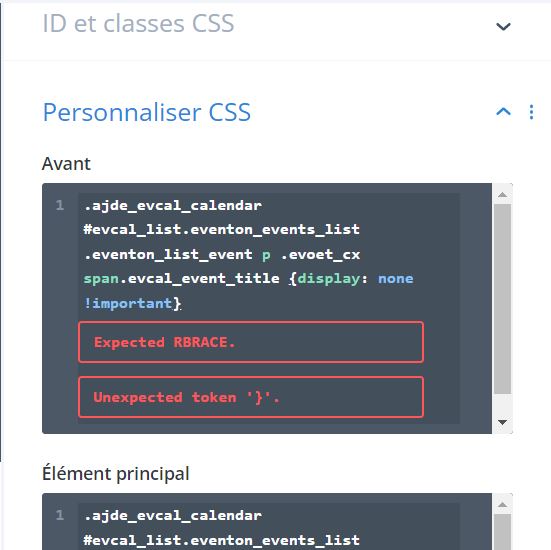
Thanks, Is it possible to change the calendar on one page but not on the other? For example, I would like not to display calendar titles on a page. On another page, I would like the titles to be visible. I tried to enter the code directly in the css of the module. I don’t know where to put it. I’m having trouble seeing the css changes (even when checking “Write dynamic styles to header”), so I don’t know if it works.
Hello, I have just done my 5 star rating. 🙂 All the best to you.
That did the trick. Thx a lot. Nice module by the way!
I did contact him about the issue. He will reply ASAP. We are sorry for the delay.
Hello,
Ashan have already answered in your refund request. Please take a look. As for the other ticket, Ashan will reply ASAP.
Ashan will contact you in your refund ticket ASAP.
Hello,
Please take a look at Custom Meta fields:
https://docs.myeventon.com/documentations/setup-use-custom-meta-fields-events/
You can also show categories through the code by following:
https://docs.myeventon.com/documentations/show-additional-custom-data-eventcard/
https://docs.myeventon.com/documentations/taxonomies-eventon/
We are glad your issue is resolved, if you have any further questions or concerns please create a new ticket.
If you have a moment, we would greatly appreciate if you could kindly leave us a review at codecanyon! from your account > downloads. Cheers!
Please go to EventON > Appearance > Primary/Secondary Calendar Font family.
If you don’t see any change, EventON > Scripts & Styling > turn off Write dynamic styles to header > save settings > turn on Write dynamic styles to header.