And can’t I swipe to the next photo like on Instagram when I want to see another one?
What I want is to have the photo displayed large, and then be able to swipe sideways to see the next one.
Replies for tickets on suppota
And can’t I swipe to the next photo like on Instagram when I want to see another one?
What I want is to have the photo displayed large, and then be able to swipe sideways to see the next one.
Update: downloaded the file that says 2.5.7 and deleted the old version and uploaded the 2.5.7 and still not working. Also when I install the plugin it still says 2.5.6 just fyi.
My server hosting company did this to bring the site backup and running have renamed the plugin folder and your site is up now :
[root@host plugins]# mv eventon-action-user eventon-action-user_back
Plugin event action user is now causing a critical error on the site and showing this error Uncaught Error: syntax error, unexpected single-quoted string “tt”
in /home/visitwoodland/public_html/wp-content/plugins/eventon-action-user/includes/form/class-form.php on line 880
Call stack:
eventon_au::init('')WP_Hook::apply_filters(NULL, array)WP_Hook::do_action(array)do_action('init')require_once('/home/visitwoodland/public_html/wp-settings.php')require_once('/home/visitwoodland/public_html/wp-config.php')require_once('/home/visitwoodland/public_html/wp-load.php')require_once('/home/visitwoodland/public_html/wp-admin/admin.php')1. “How can I set up PhotoPlus like the one shown in this link? Do I need to use a shortcode? Is there a detailed explanation about the available options?”
2. “When I tested it on the staging server, the events were just listed out, and it didn’t expand to full width.”
Artem, I’ve finally managed to do it with the help of ChatGPT and tweaking some of the settings. So no need to follow up. One quick question: after a cal plugin update, does custom CSS added get obliterated in some way? Because I had also styled the search bar and field, and that style is gone.
Ashan,
When “Google Add to Calendar” is on EventCard, there is this issue with the event:
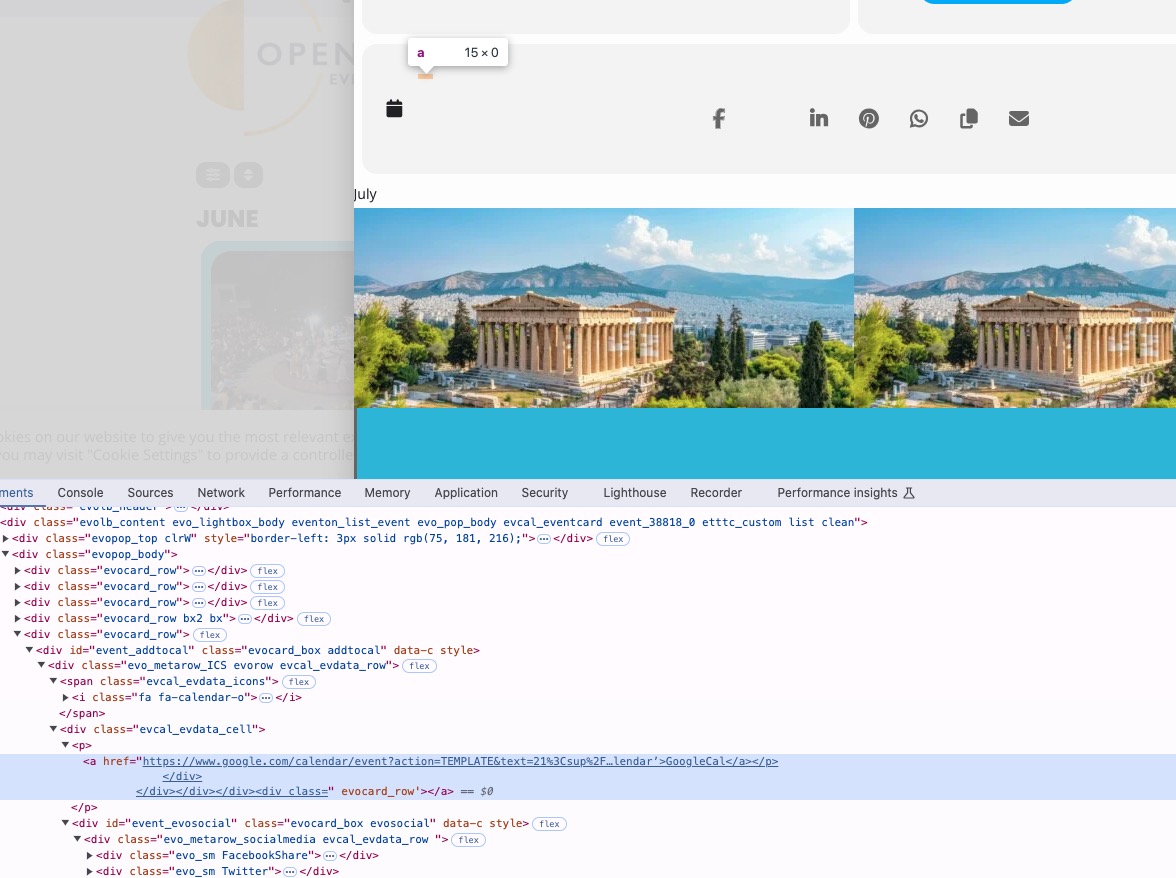
I enabled “Activate event description content HTML validity check” and it does show the error, but when I checked for unclosed tags, the website showed that everything is fine.
Could you check?
It seems that there is an issue with “Google Add to Calendar” on Event Card. I’ve managed to fix the issue by going to EventON > EventCard > set “Select which options to show for add to your calendar: Only ICS download event”.
Could you check and let me know?
I am also going to assign this ticket to Ashan, so he can take a look at the issue as well. Please allow some time for him to get back to you, we greatly appreciate your patience and thank you for being a eventon customer! Also please disable any IP blocking on your site if there are any.
Please take a look at
https://www.godaddy.com/help/cache-exceptions-41618
Could you try adding this to the shortcode:
cal_init_nonajax=”yes”
This will load Initial Calendar without AJAX.