I found it. It was in a different area.
Archives: Replies
Replies for tickets on suppota
Reply to: tickets(297891)
see video
you need to edit your events that are workshops and make them the workshop event type
and then we can create a calendar showing both and your customers will be able to switch between the 2 types or view them all
or we could create 2 calendars side by side- one for workshops and one for conferences but the event type needs to be checked first
Reply to: tickets(297875)
Perfect! Thank you.
Reply to: tickets(297911)
Here is an image to help identify which navigational arrow I’m referring to:
 https://snoflinga.org/wp-content/uploads/Screen-Shot-2022-11-29-at-3.45.17-PM.png
Reply to: tickets(297891)
Hi, that’s exactly what I need.
Can you tell me what I was doing wrong?
The activities are only two days, March 02 / 03. But there are two types of activities.
CONFERENCES & WORKSHOPS
How can I display them on the same page?
Reply to: tickets(297811)
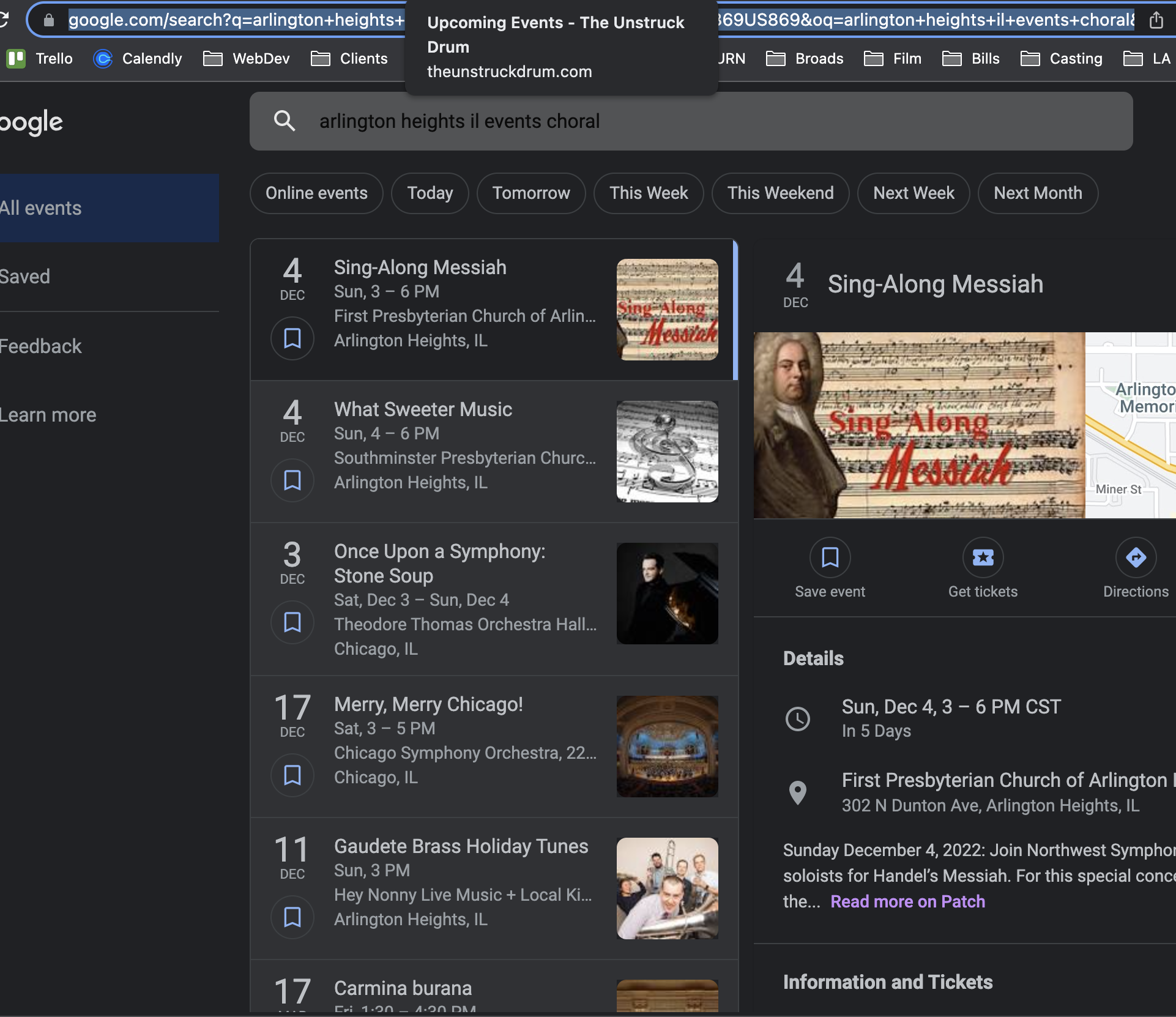
Sure, I’m searching “Arlington Heights, IL events choral” That’s the name of the city & state, and the word “choral” is part of their event name “NORTHWEST CHORAL SOCIETY CONCERT” – here’s the link to the search I ran & screenshot is attached: https://www.google.com/search?q=arlington+heights+il+events+choral&rlz=1C5CHFA_enUS869US869&oq=arlington+heights+il+events+choral&aqs=chrome..69i57j33i160l2j33i15i22i29i30.9748j0j7&sourceid=chrome&ie=UTF-8&ibp=htl;events&rciv=evn&sa=X&ved=2ahUKEwj5qIbQuNT7AhX4EkQIHSs3AMsQ8eoFKAJ6BAgIEA4&sxsrf=ALiCzsamZv9cMx8lckI5oB6kCNl7mVENxw:1669761045997#htivrt=events&htidocid=L2F1dGhvcml0eS9ob3Jpem9uL2NsdXN0ZXJlZF9ldmVudC8yMDIyLTEyLTA0fDQ0MjgwNTA4MjQ2NzgyMDM1OTA%3D&fpstate=tldetail
And I’m not seeing their event listed anywhere when I scroll down. IRONICALLY, the top event listed belongs to a different client of mine, which I ALSO use this same plugin with, and their events are showing just fine.
Reply to: tickets(297891)
Hello,
Since you only need one month to show please take a look at
https://puntacanatopconferences.com/test/
However, please make sure that there are events in this month. February 2023 (no events): https://puntacanatopconferences.com/wp-admin/edit.php?s&post_status=all&post_type=ajde_events&action=-1&event_date_type=all&ev_month=1675209600-1677628799&seo-filter&schema-filter=none&filter_action=Filtrar&paged=1&action2=-1
Reply to: tickets(297807)
Hello,
Please follow this guide:
https://docs.myeventon.com/documentations/how-to-use-webhooks/
Make sure to enable RSVP add-on for trigger points to be available.
Reply to: tickets(297765)
Hello,
Unfortunately, we unable to help with customizations, since it’s against CodeCanyon’s Support Policy.
However please create a new ticket and select Feature Request as category so others can vote on your idea and get it moved into development faster.
Reply to: tickets(297857)
Hello,
Thank you for your great suggestion, at the moment it is not supported. However please create a new ticket and select Feature Request as category so others can vote on your idea and get it moved into development faster.