Ashan,
This event isn’t visible and there are other events with the same issue:
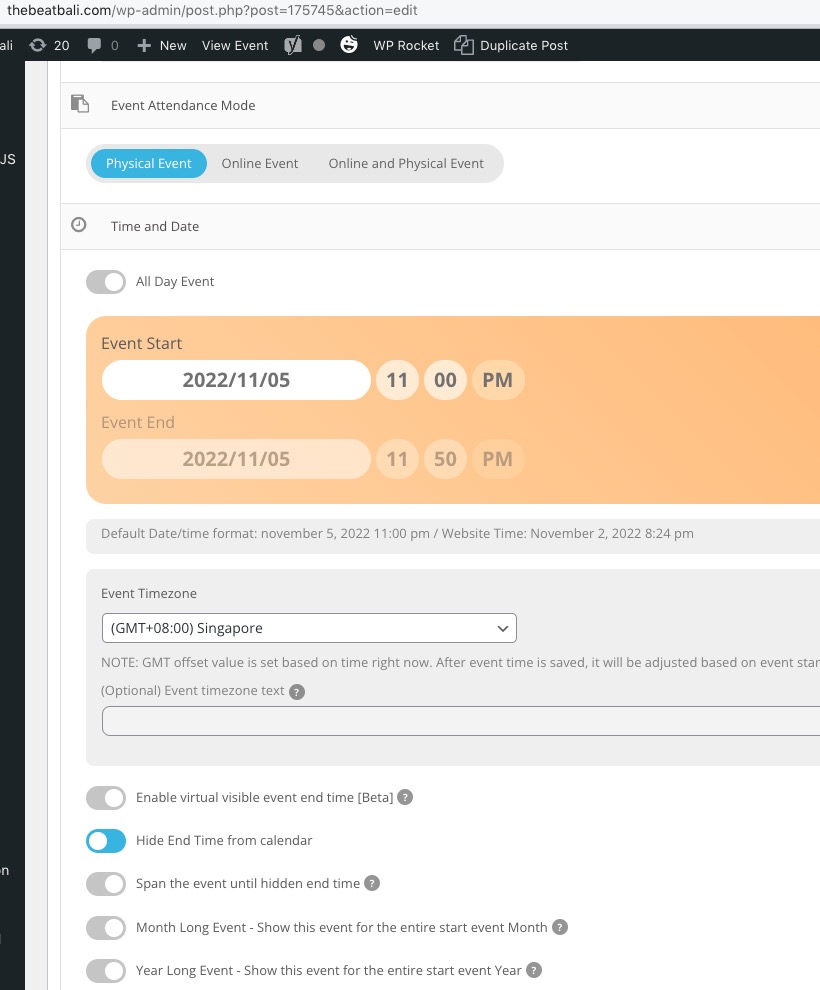
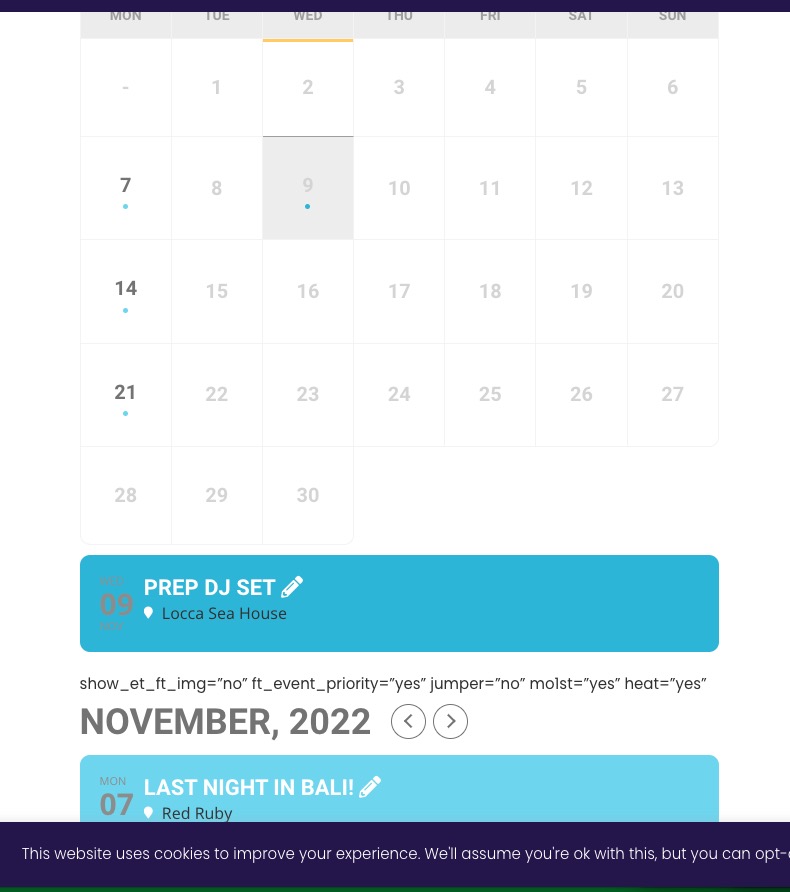 Last time they fixed this by duplicating the event.
Replies for tickets on suppota
Ashan,
This event isn’t visible and there are other events with the same issue:
Last time they fixed this by duplicating the event.
I fully understand how serious the issue is.
This is first time someone has reported this, so quite hard to understand what’s going on.
I am going to contact Ashan.
Meanwhile can I try disabling plugins and switch the theme? It’ll take a minute or so.
We are sorry for the inconvenience caused.
Now please fix this error:
Geocoding Service: This API key is not authorized to use this service or API. For more information on authentication and Google Maps JavaScript API services please see: https://developers.google.com/maps/documentation/javascript/get-api-key
Follow https://help.time.ly/google-maps-api-error-geocoding-service/
Hello,
Thank you for your great suggestion, at the moment it is not supported. However please create a new ticket and select Feature Request as category so others can vote on your idea and get it moved into development faster.
However, Action User allows you to select which capabilities each role can have: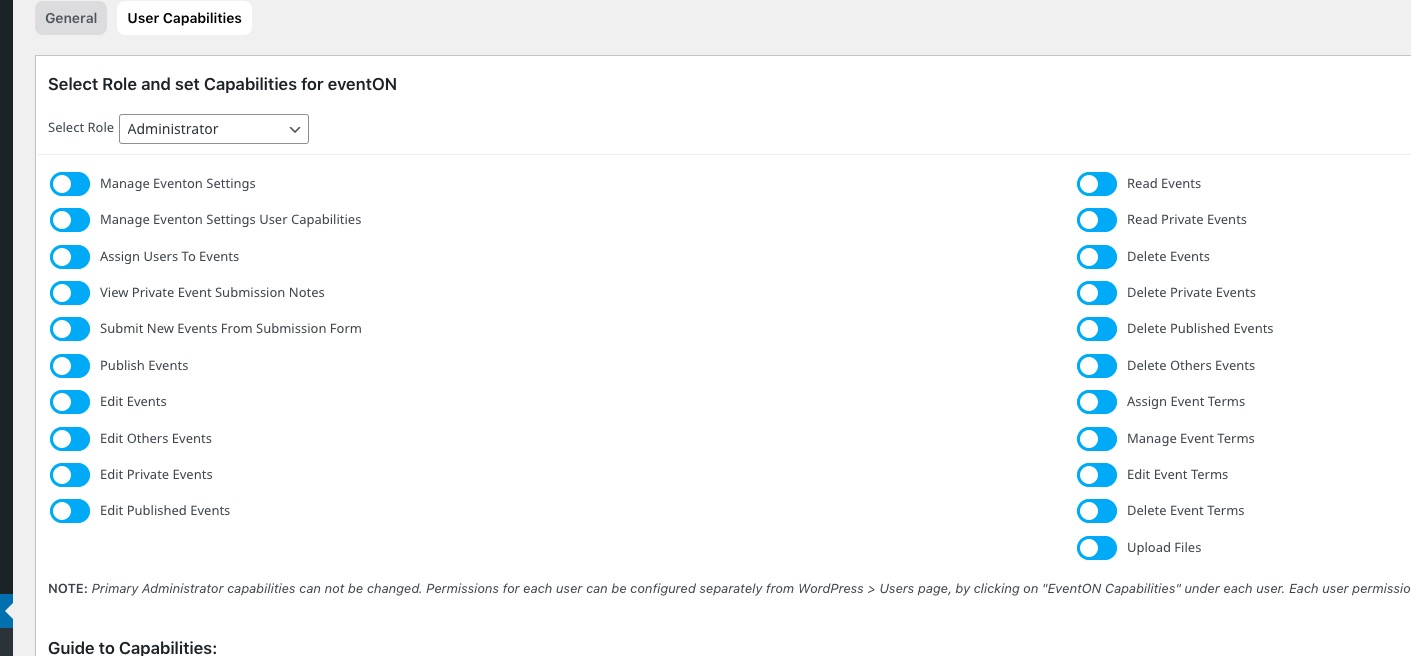 So maybe you could create completely new roles, totally separate from each other and then select different capabilities for each.
Hello,
EventON doesn’t have any control over this. WordPress handles registration and user creation.
Please take a look at this guide:
https://wordpress.org/support/article/roles-and-capabilities/
Please update it manually by downloading the archive from https://www.myeventon.com/my-account/
No issues with this test event I created:
https://thefiddlery.dk/events/test/
Could you try yourself?
Can you also login on mobile and try to purchase something?
and you press ‘confirm’ it just loads – and does not proceed
I cannot test any existing events, because it requires a credit card. Does this happen after entering credit card details?
Hello,
Your main page uses ESE widget:
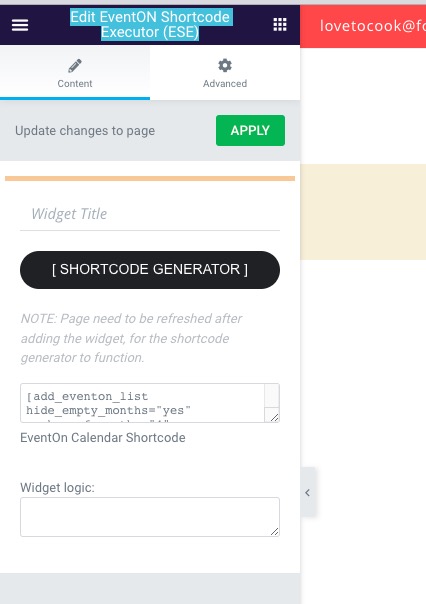 Could you do the same on your wrong page?
Hello,
Please go to EventON > Appearance > Event Top > Event Title font color.
If you don’t see any change, EventON > Scripts & Styling > turn off Write dynamic styles to header > save settings > turn on Write dynamic styles to header.
Also note that you can use EventON > Event Top > Select Default Calendar EventTop Style to try a different Event Top design.