Unfortunately, no updates on this topic. We are working on fixing this.
Archives: Replies
Replies for tickets on suppota
Reply to: tickets(295465)
!!! Make sure that “EventON > Delete eventon settings & data when EventON is uninstalled” IS DISABLED before deleting the plugin.
Please disable the current version of EventON, delete it and install EventON 4.2.1.
Reply to: tickets(282675)
Hello,
Could you go to EventON > Single Events > make sure Create Single Events Page Sidebar is enabled? Now go to wp-admin > Widgets > make sure there are widgets in Single Event Sidebar.
Reply to: tickets(295840)
Hello,
Please add this CSS code to EventON > Styles (If you don’t see any change, EventON > Scripts & Styling > turn off Write dynamic styles to header > save settings > turn on Write dynamic styles to header):
.ajde_evcal_calendar.boxy .eventon_events_list .eventon_list_event .evcal_desc { width: 100%; } .ajde_evcal_calendar.boxy.boxstyle2 #evcal_list .eventon_list_event .evcal_desc span.evcal_event_title, .ajde_evcal_calendar.boxy.boxstyle2 #evcal_list .eventon_list_event .evcal_desc span.evcal_event_subtitle { word-wrap: normal; overflow: initial; white-space: normal; text-overflow: unset; } .ajde_evcal_calendar.boxy .eventon_list_event .evcal_list_a { flex-direction: row; }
Reply to: tickets(295841)
Hello,
1. I moved fields here: https://bettfedernfabrik.at/wp-admin/admin.php?page=eventon#evcal_004aa
And added a custom style here https://bettfedernfabrik.at/wp-admin/admin.php?page=eventon&tab=evcal_3
So it should work now. Please check and let me know.
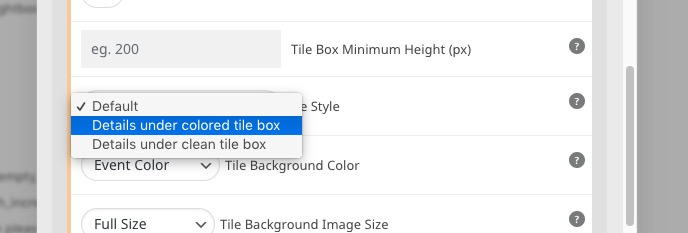
2. Globally only, I am afraid. However, you can change Tile Design for each shortcode you use:
Reply to: tickets(295837)
There are several js errors on the page: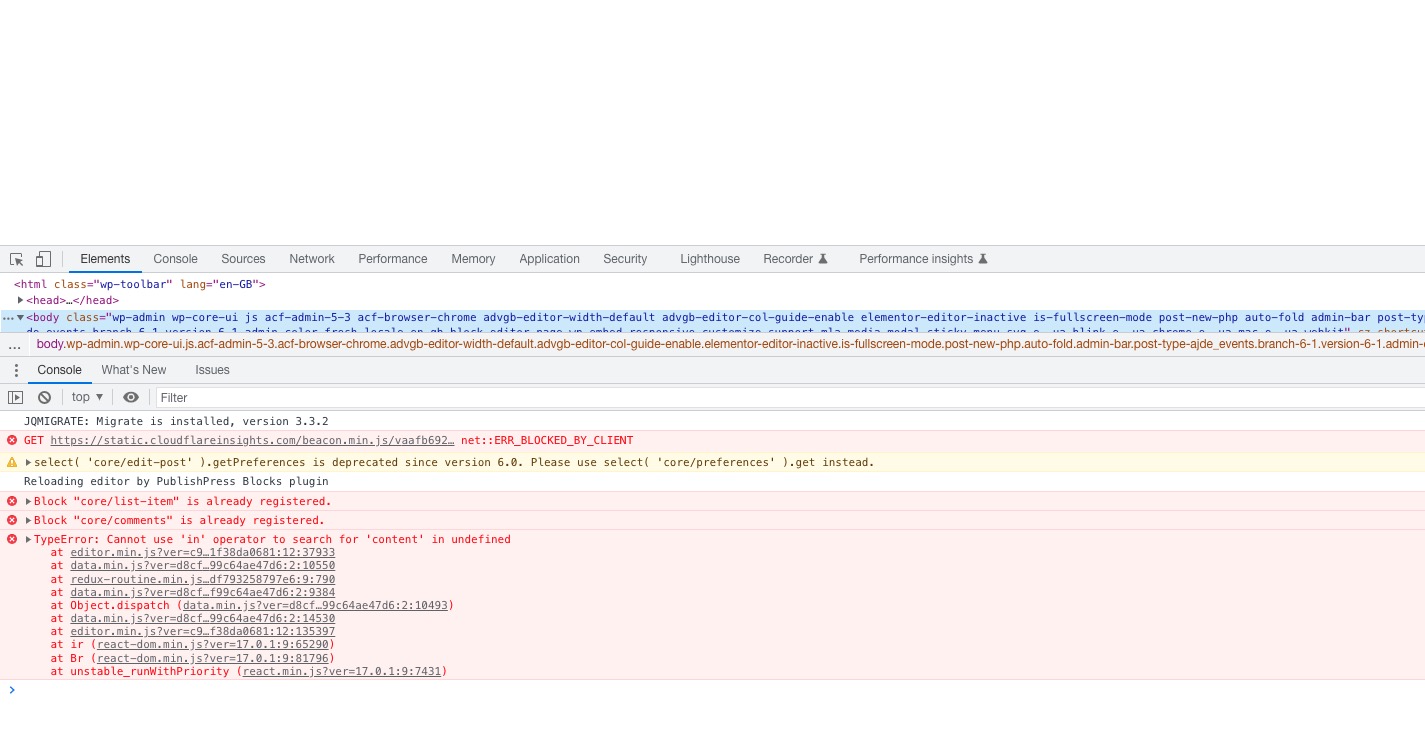 Can we please try the instructions mentioned in this documentation? It’ll take a minute or so.
Reply to: tickets(295628)
But they can be buying tickets from the event itself and that would display the names of the guest list, so you don’t have to send them to the woo product- just the event
Reply to: tickets(295833)
In order to remove Location from Event Top, just go to EventON > EventTop > remove Location field from the column.
Google still will be able to get the location info from Event Schema.
Reply to: tickets(295628)
Thats interesting- My outside of eventon experience is in trade shows and I always thought with a bit of tweaking the seating addon for tickets could be used to instead of selling seats could be used to sell exhibitor space- and then the space would display the company name etc or clicking a sold exhibitor would pop up the exhibitor details but empty spaces would show the price etc
I’ll alert Ashan to this- it will take some time for him to get back to you but he will know if you can hook the data you want
Reply to: tickets(295435)
We are glad your issue is resolved, if you have any further questions or concerns please create a new ticket.