Perfect! Sorry for not checking this earlier.
We are glad your issue is resolved, if you have any further questions or concerns please create a new ticket.
Replies for tickets on suppota
Perfect! Sorry for not checking this earlier.
We are glad your issue is resolved, if you have any further questions or concerns please create a new ticket.
Hello,
Please send us wp-admin access to your site as a private message for us to further assist your situation.
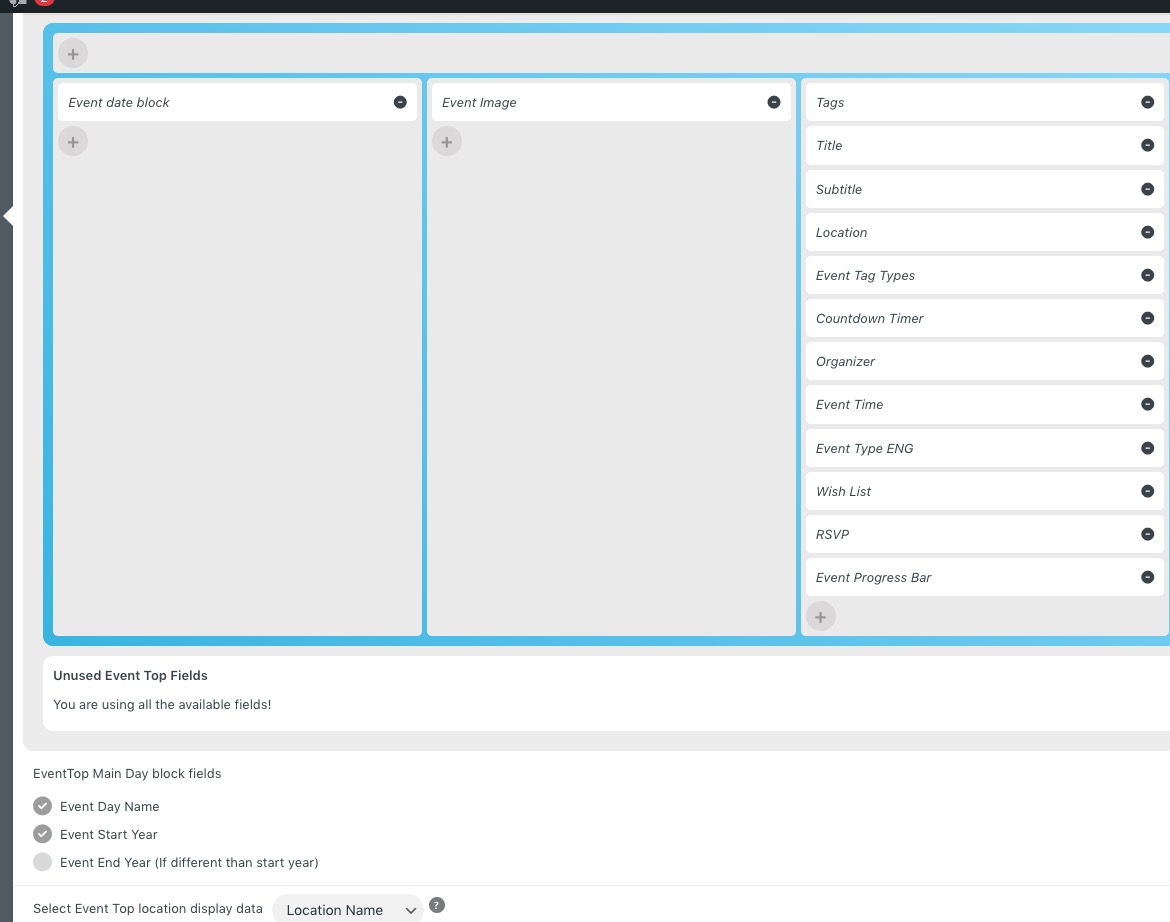
Basically go to EventON > EventTop > arrange fields similar to
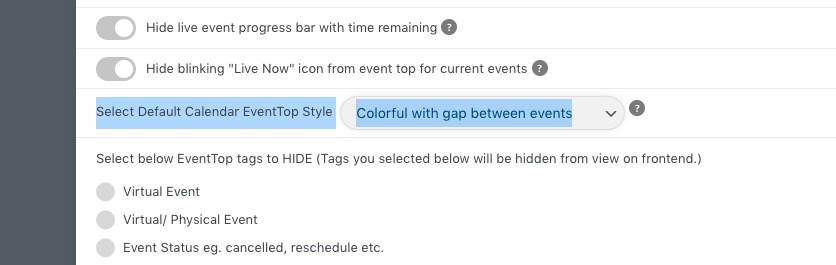
 Also make sure that EventON > EventTop > Select Default Calendar EventTop Style is set to Colorful with gap between events:
The shortcode you need to use is
[add_eventon]
Ok, that’s great, thanks Ashan.
Fantastic support as always 🙂
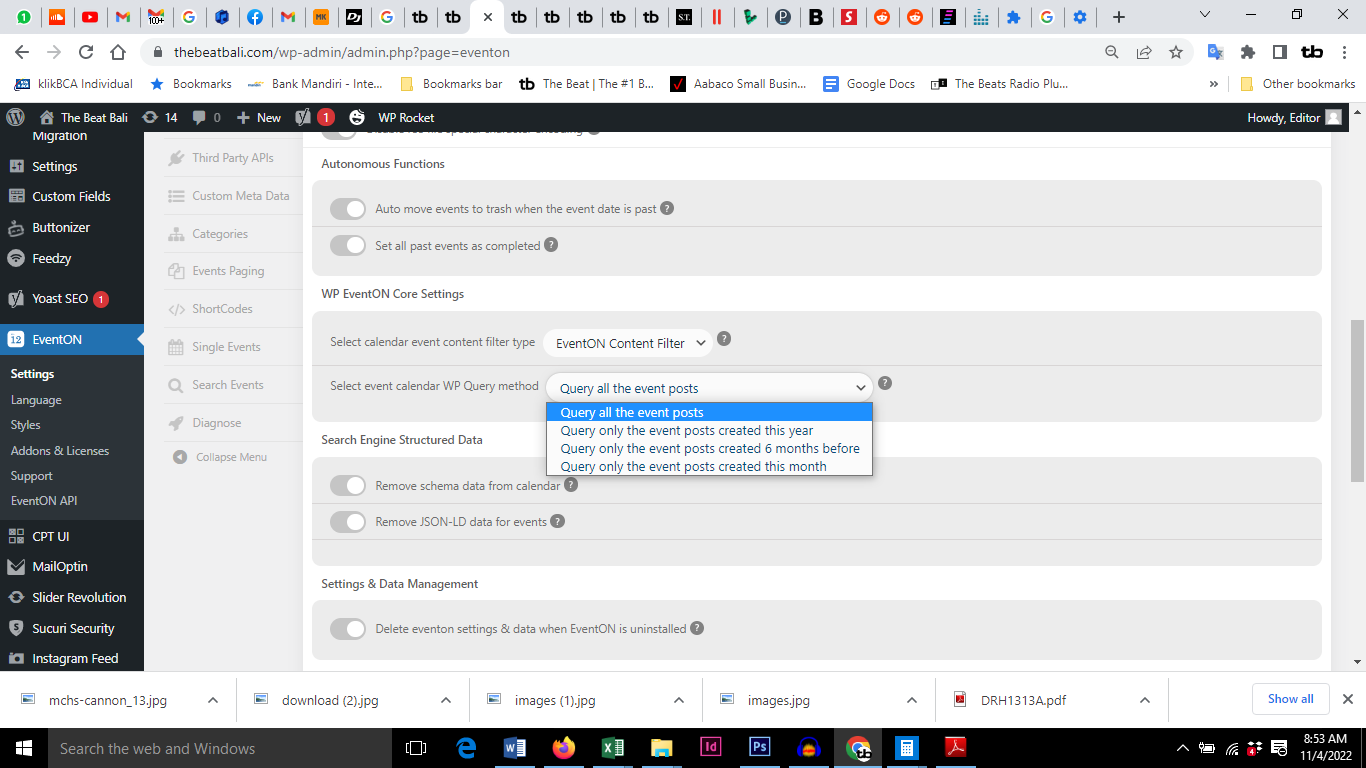
I think I found the problem.
An option on ‘Select event calendar WP Query method’ Attached screenshot.
it was set at ‘Query only event posts created this month’
All events are back on the calendar and slider
woooo yeah
Should this be a requirement, to enable Guest Checkout? Seems so opposite, guest checkout means no account is created. arggh.
I wasn’t asked to create an account, maybe because I was logged in. Will try again.
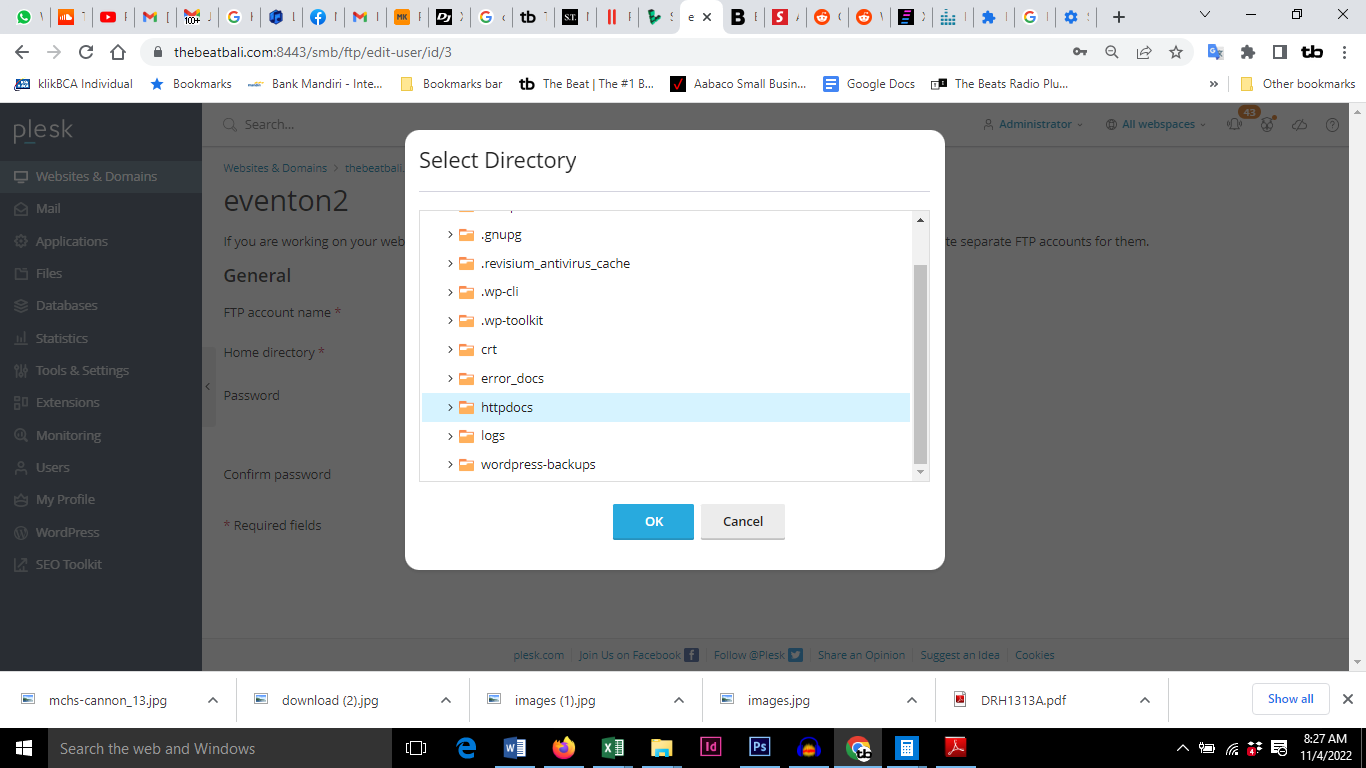
Try that eventon ftp again. I didn’t have a folder selected in the set up. Possible problem. BTW which directory do you want access to? See screenshot
Or alternatively try this one
139.162.53.107
eventon2
%hd7C36r9
Is this the answer?
Note: If guest checkout is allowed for woocommerce, checking out with event submissions in cart will automatically require customers to create accounts, as an account is required to track their purchased event submissions
This is now in Production at https://mount-shasta-events.com/mount-shasta-events-tribe-memberships/
The error should be resolved however they won’t actually visit the Store and I should disallow Search probably. ??
I did update, and it did solve the problem. Thank you!
Yes. This is a Paid Membership model of the installation. Ideally, I would have free event submission (1 event within a month), a month of events (5 events within a month), and a month of events for venues that have events everyday (88 events within a month). I want the system to be useful and also since I have Action User Plus, I want it to be self-service. I must work and I can’t be adding events for free all day 🙂
If an event is recurring and it is seen as one event, it could possibly recur forever because there is no maximum recurrences. I have seen that I could repeat the event up to 999 times. I didn’t test it, yet I was able to enter that number.
So, if someone purchases 5 event submissions that may be used within 1 month’s time (EventOn and WooCommerce manage this already), and those events are recurring events, how do I manage this and how do I charge them? They would have paid for 5 event submissions and would receive 5 x unlimited event submissions.
It is a really appealing feature to potential venues to not have to re-enter an event every week of the year or month. I don’t want to remove the functionality, I only want to manage it.
Let’s work through this business model and find a solution, I am certain others would require a solution to this. Maybe I have missed a setting or understanding of functionality?