Page is this one: https://culture-clouds.de/kalender/
Archives: Replies
Replies for tickets on suppota
Reply to: tickets(403565)
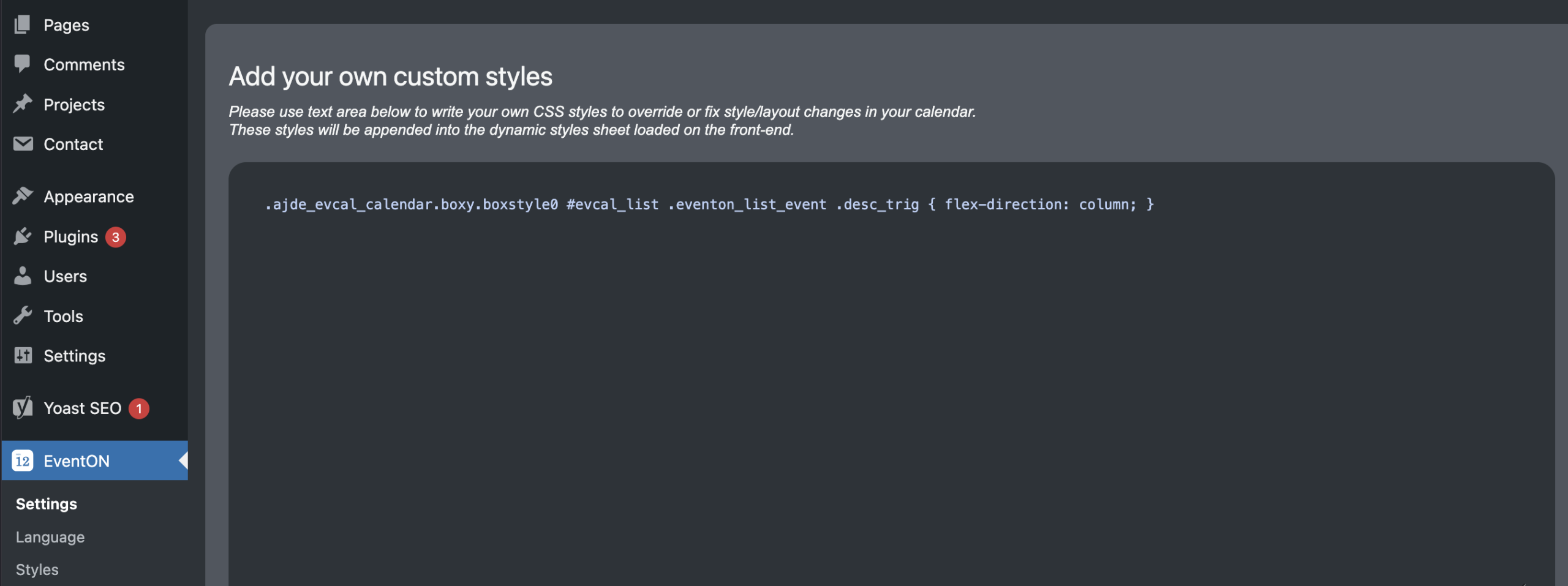
Reply to: tickets(403565)
Hello again,
with the newest updates this code doesn’t work any more. Could you provide a new version?
Thanks!
Reply to: tickets(404470)
Hi,
Thank you for the update and for looking into this so quickly — really appreciate it.
I’ll update the Countdown Addon to version 1.2.1 and test the countdown functionality thoroughly to confirm everything is displaying correctly. I also noticed that there are no automatic updates for this. Is there way I can get the automatic updates enabled for this add on?
Thanks again for the prompt resolution! Looking forward to your response.
Reply to: tickets(404783)
here is a video to the issue for reference
This links to my google photos
https://photos.app.goo.gl/3S6r5P7dSLPhgrNA7
Reply to: tickets(404537)
Thank you, but there was no change. So the problem is still there. When using full call in the style where events are shown next to grid in desktop – on mobile it is still distorted and stretched.
Reply to: tickets(404660)
Can we somehow update the add-on to see the issue in action? Or could you create a clone of the website?
Is ist possible to delete custom categories?
Could you elaborate?
Reply to: tickets(404576)
Hi,
I see that you have performed a test with your own user account and it seems to work. However, the issue persists for me on a specific event that I need to configure.
Could you please try to add the custom repeats specifically for this event using the admin access?
-
Event Name: Artica «Juegos de mesa»
-
Event ID: 37314
In my case, even with the suggested plugins deactivated, I still cannot set the custom dates correctly for this ID. Please let me know if you encounter any errors or if the dates stay as you input them when saving this specific event.
Best regards,
Reply to: tickets(404769)
Hello,
Please update Event Lists: Ext add-on.
To update eventon addons: You can download latest eventon addons from myeventon > my account. Then you can go to your website, deactivate old addon and install new one and activate then delete the old addon.This linkwill further explain the process. Also you can follow us ontwitterto get real-time announcements on updates!
If the issue continues, please follow the instructions in this documentation to activate debug in your site to see any PHP errors recorded that can provide insight on to whats going on. Please reply with a link to debug.log file. If you are not able to do this please send us FTP access to your site so we can do this for you.
Reply to: tickets(403724)
Perfect! Please wait for the issue and then let us know, so we can check debug.log file.