Latest version will address this issue and the wordfence database should be updated soon to reflect this.
Archives: Replies
Replies for tickets on suppota
Reply to: tickets(408849)
Berti, would you mind sharing the order ID for this? and we can update the address in the system and get you a new invoice 🙂
Reply to: tickets(409390)
Hello there, you should see the new update available via your wp-admin plugins page. Or go to wp-admin Dashboard > Updates and yu should see it under plugins. We are no longer updating the new versions in Themeforest/codecanyon. You can verify your codecanyon purchase via
(then checkout for free) and download the latest version from myeventon.com
Reply to: tickets(409430)
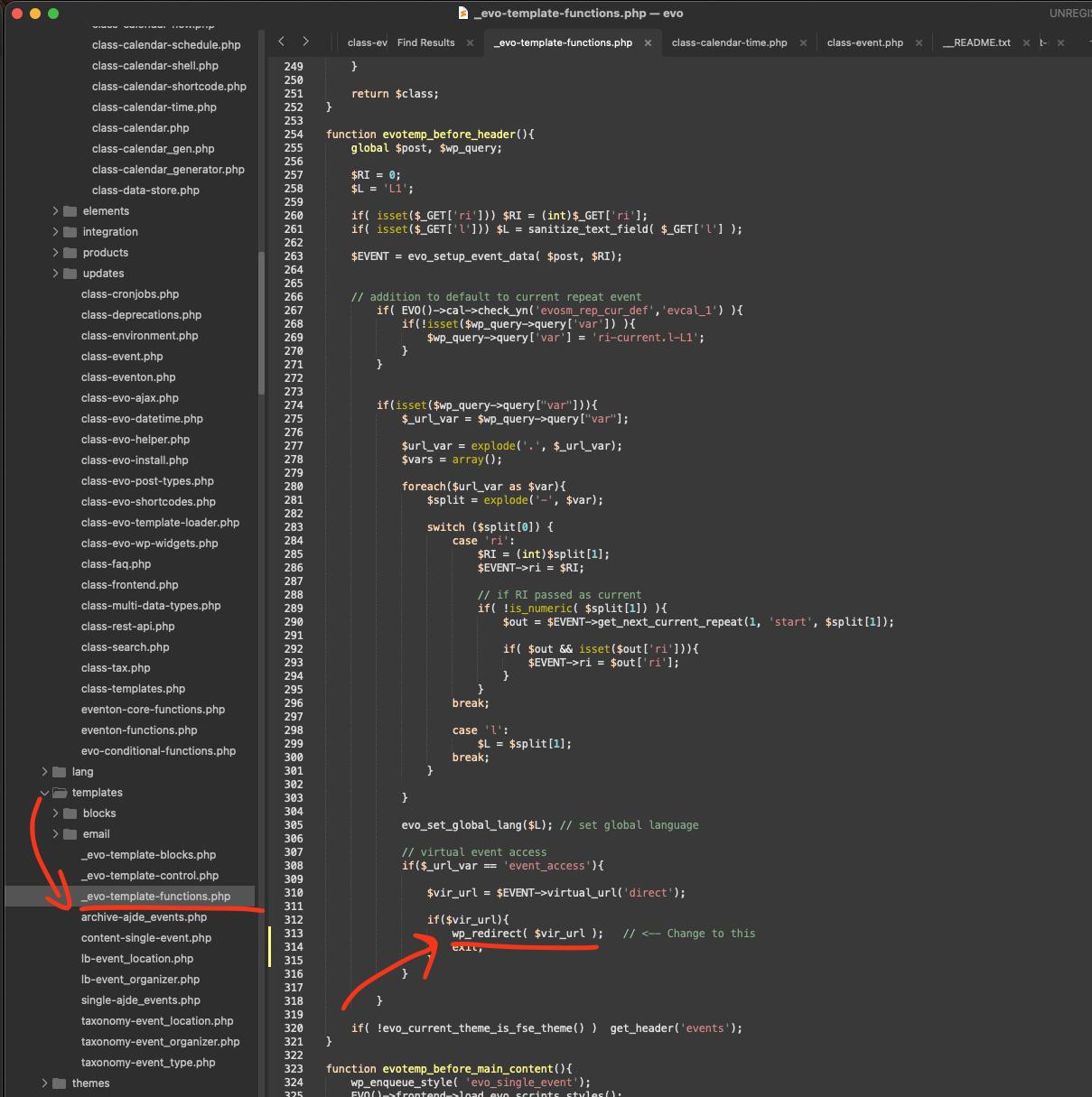
Thank you for sharing this issue with us. Please apply this code change into your website and that will resolve the virtual event link not opening.
file: eventon/templates/_evo-template-functions.php line 313
code: use wp_redirect instead of wp_safe_redirect
Reply to: tickets(409582)
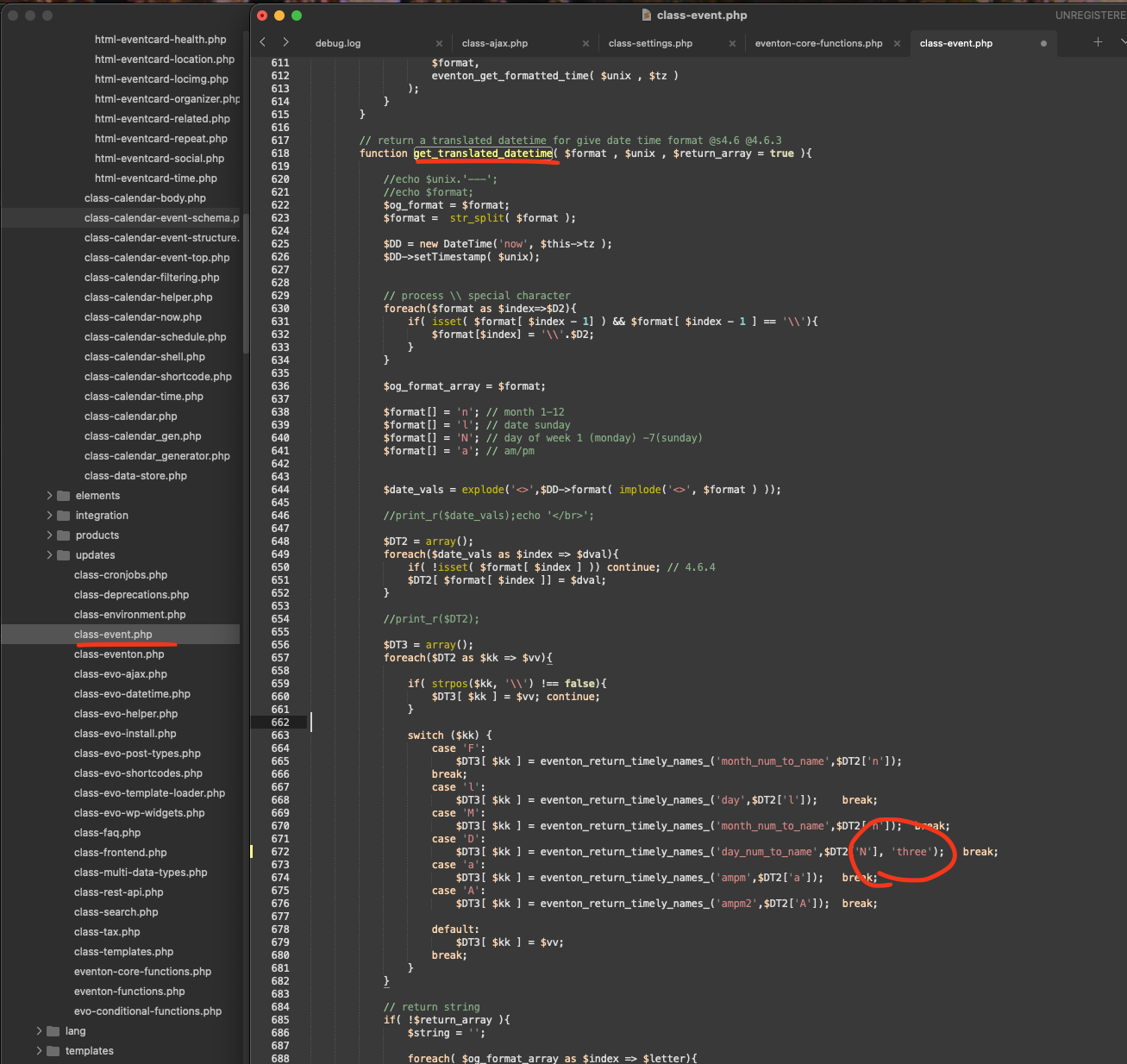
please apply this code change in your code and that will fix the 3 letter month name.
File: eventon/includes/class-event.php line 618
We will be sure to include this code change in the next version of eventON.
Kind Regards!
Ashan
Reply to: tickets(406103)
Hi. Any updates?
Reply to: tickets(409347)
OK- I will add this as a feature request. In the meantime I am trying to come up with a workaround. I am using the Qode Bridge theme and it has a masonry gallery feature. I am creating a Masonry gallery item for each venue with the address as the excerpt and ideally a button that links to the archive page. You can see it here:
https://staging2.denvermop.org/venues/
Page is password protected- user: kelly@sailordesign.com
pass: MopLincoln#111
The goal is to link each gallery item to its event location archive page, however, I cannot figure out how to edit that page. As you can see it is very skinny and looks awkward. I was able to remove the sidebar but where can I edit the archive page?
https://staging2.denvermop.org/event-location/denver-art-museum
I followed these directions but it only allows me to edit the short code and change parameters, not the layout of the page itself. Or even better how can I make the archive page open in a pop up and not its own page?
https://docs.myeventon.com/documentations/customize-location-organizer-archive-page/
Thank you for your help,
Kelly
Reply to: tickets(409390)
Hello,
It’s not available on plugins update page (wordpress). Seems to not be up to date on Themeforest download page.
Can you confirm, please ?
Best regards
Reply to: tickets(408849)
Hello Artem,
do you have some news about this topic?
Please let me know.
thank you for your efforts
br
Andi
Reply to: tickets(409583)
Ok, thanks