We are glad your issue is resolved, if you have any further questions or concerns please create a new ticket.
If you have a moment, we would greatly appreciate if you could kindly leave us a review at codecanyon! from your account > downloads. Cheers!
We are glad your issue is resolved, if you have any further questions or concerns please create a new ticket.
If you have a moment, we would greatly appreciate if you could kindly leave us a review at codecanyon! from your account > downloads. Cheers!
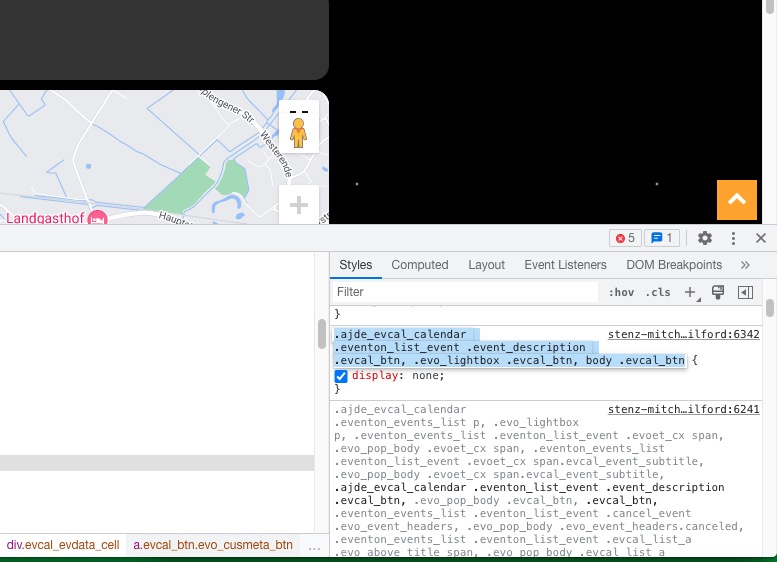
This code hides the button:
Could you remove it?
The map seems to be working. Could you send us a screenshot?
Hello, thank you for showing me. The selection is working for all filters but nothing is showing for the Event Status. I’ve attached a video and my shortcode looks like this:
[add_eventon_list month_incre=”-10″ filter_type=”select” filter_relationship=”AND” number_of_months=”24″ show_limit=”yes” event_count=”4″ ux_val=”3a” exp_so=”yes” ft_event_priority=”yes” hide_end_time=”yes” etc_override=”yes” hide_mult_occur=”yes” show_limit=”yes” show_year=”yes” hide_empty_months=”yes” hide_arrows=”no” event_status=”movedonline”]
I’ve tried to login with the info from Reply to: 291158 , but it didn’t let me.
Please check them and post the correct login information as a private message, thank you! We are going to login and apply the patch. You can also apply it by yourself.
With filters you can change the code by adding it to your child theme:
https://www.wpbeginner.com/glossary/filter/
So if there is an update, it will not delete your customizations.
Use the filter given by Ashan and replace L1, L2 and so on with your own definitions.
We are glad your issue is resolved, if you have any further questions or concerns please create a new ticket.
We are glad your issue is resolved, if you have any further questions or concerns please create a new ticket.
If you have a moment, we would greatly appreciate if you could kindly leave us a review at codecanyon! from your account > downloads. Cheers!